
...
| Panel | ||||||
|---|---|---|---|---|---|---|
| ||||||
|
Model building
Light dazzle correction
To improve the model building process, we implemented a mechanism to include contours with light dazzle from the model building. It results in improving of model building quality.
Some examples:
...
...
...
...
...
...
...
...
Sometimes clients faced following message during attempt of scan&build models containing contours with light dazzle:
Model was not built for such cases.
Now contours with light dazzle are corrected during scanning. For example, compare contours for the same photo with light dazzle below:
...
Before
...
After
...
...
...
...
...
...
Algorithms of allocation
Algorithm 23. Cascade
The new algorithm 23. Cascade is available since version 1.12.10, designed for finding solutions comprising two diamonds, offers several advantages over its predecessor, the 13. Cascade-2M algorithm.
...
Cut Princess.3S_Performanceware is implemented on the base of cut Princess.3S. This is the first cut that works with the "Brilliance based" technology, see above.
Seamless Technological Pipeline. Preplan concept.
Preplans segment
Preplans are separated into a single section in the solutions list. The 'Cut' column will indicate 'Preplan' for them.
...
A quick sandwich tool has been added, which makes it possible to separate a smaller peace of inclusion. This may increase plan weight with the same clarity.
Please look at the video with demo of tool advantages and settings:
| Video | Quick Sandwich - Tool to separate a part of inclusion | ||||||||||
|---|---|---|---|---|---|---|---|---|---|---|
| Published: | 2024, February 16 | Last Updated: | 2024, June 5 | v.4.8 | ||||||
| ||||||||||
Video summary:
| ||||||||||
| Video keywords: sandwich, inclusion, separation tool | ||||||||||
Data | ||||||||||
| Published in: | Release Notes | |||||||||
| Documentation | NA | |||||||||
| Playlists | NA | |||||||||
| Also | As Separate Page | On YouTube | Specification | |||||||||
The quick sandwich tool is available in two places:
...
- Added context menu to scene.
Unified Safe buffer elements in all menus (in the scene, list, and panel header).
in the scene in the list in the panel header 


User interface news
Inclusion selection tool
...
- Aqua preplans are now considered in the Recognition process in HP Carbon.
- Fixed an issue where Automatic actions or Report Buttons' actions were unintentionally triggered for all shapes when the current shape is AnyCut.

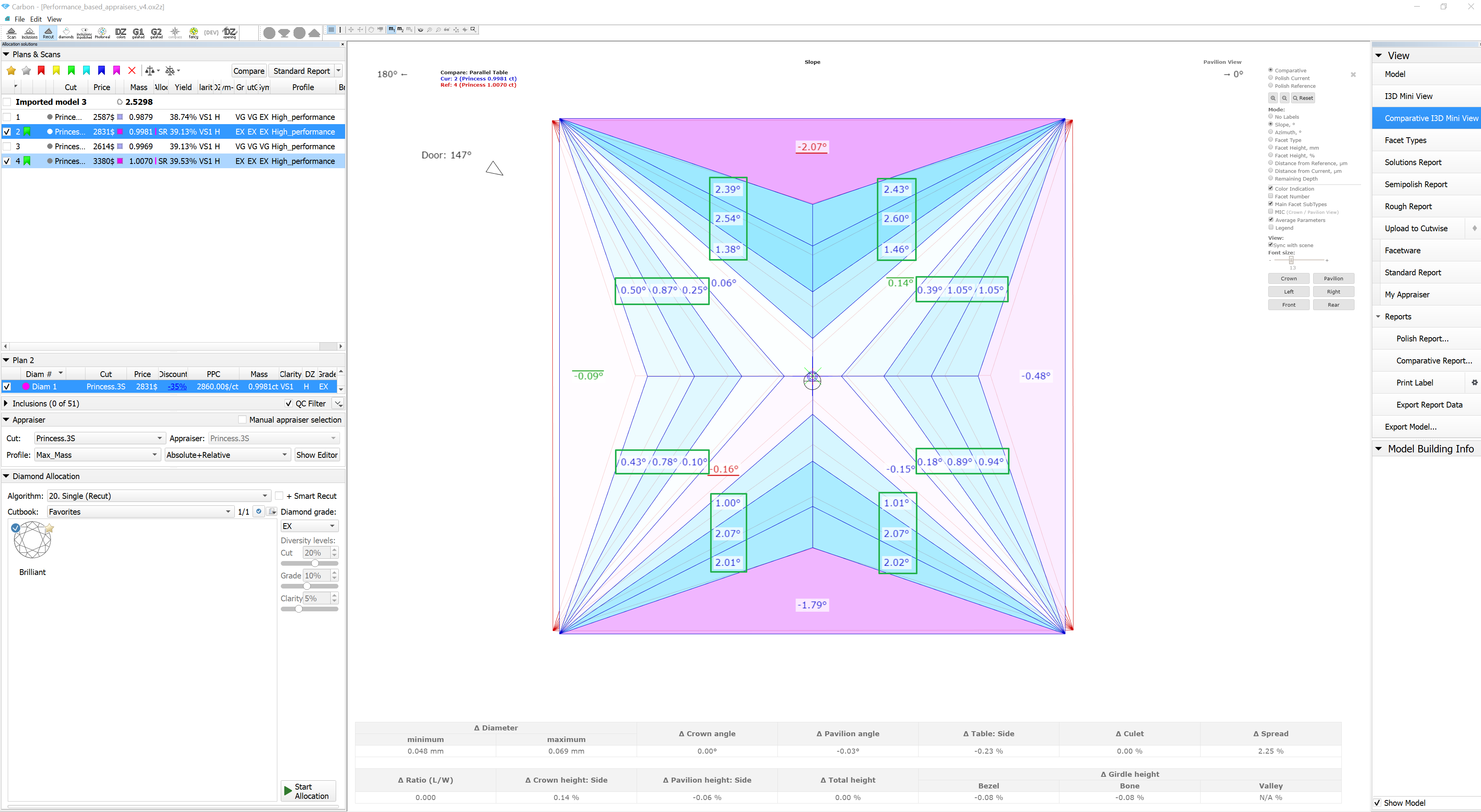
In the I3D Report, fixed the issue of displaying Chevron facets' labels for Princess cut and its corresponding color indication (Performance_based_appraisers_v4.ox2z).
HPC 1.12.1 HPC 1.12.4 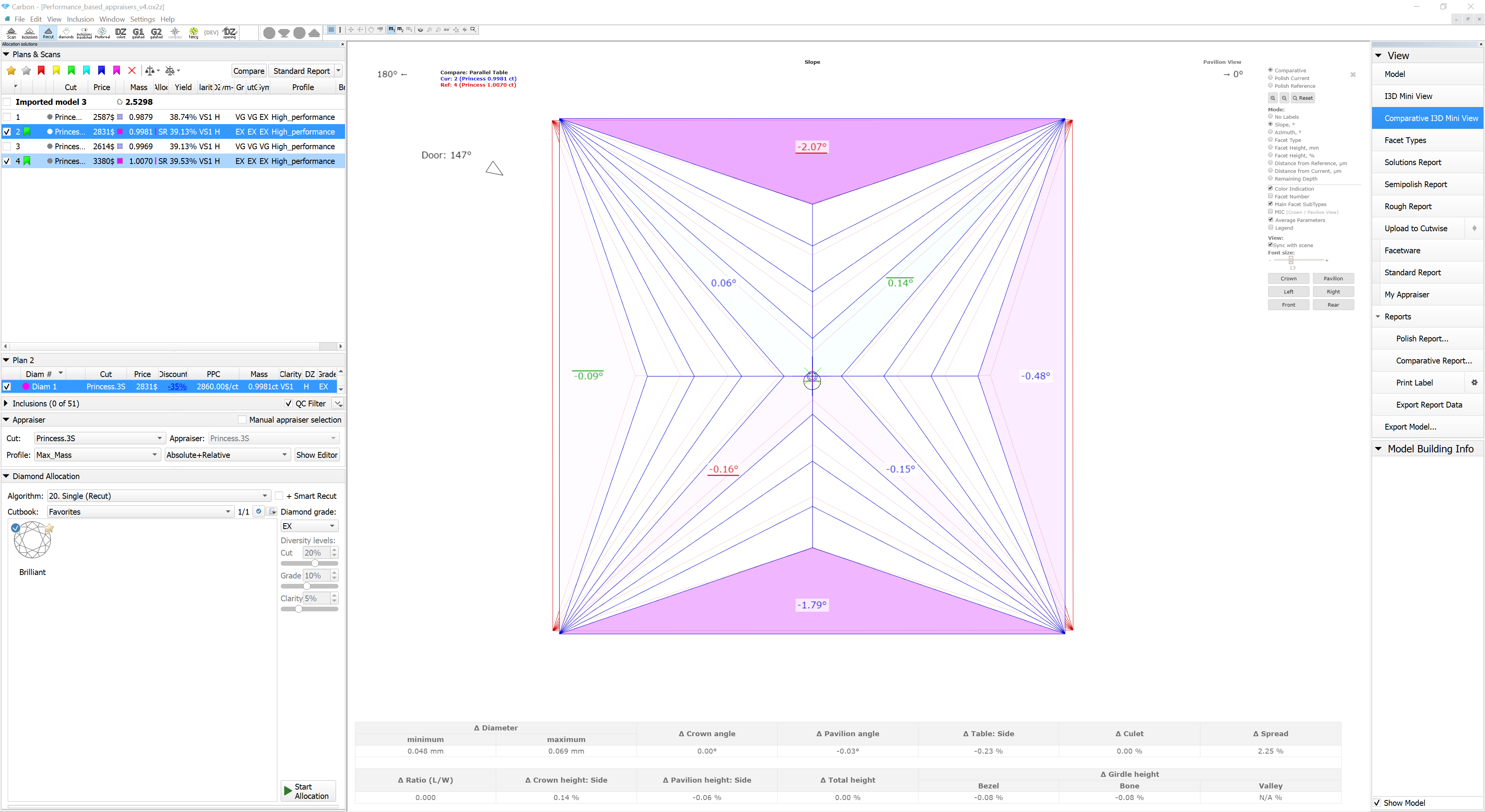
The algorithm for calculating Remaining Depth Blue Line has been reworked. This fixed critical bugs in the old implementation. The purple line in the figure shows the behavior of the new version of the algorithm compared to the old one.

...