
Here you can find information about what is new in HP Carbon version 2.2.016.
| Tip |
|---|
This version is available for download from the Octonus official web site. |
...
| Panel | ||||||
|---|---|---|---|---|---|---|
| ||||||
|
Reports. New Parameters
Shape Deviation
Include Page Video | Shape Deviation parameter Video | Shape Deviation parameter
...
In the reports an ideal ellipse is used as a reference for any сuts recognized as oval and lacking own reference shapes.
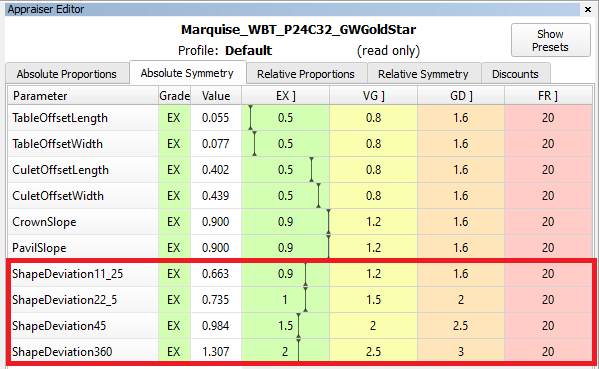
Shape deviation now works on non-convex faces
SmartRecut controls the new parameter if they are present in the appraiser. There is a comparison of SmartRecut solution with and without using this parameter on the picture. It is important to note that this parameter prevents the continuous deterioration of the girdle shape in the SmartRecut on SmartRecut scenario.
...
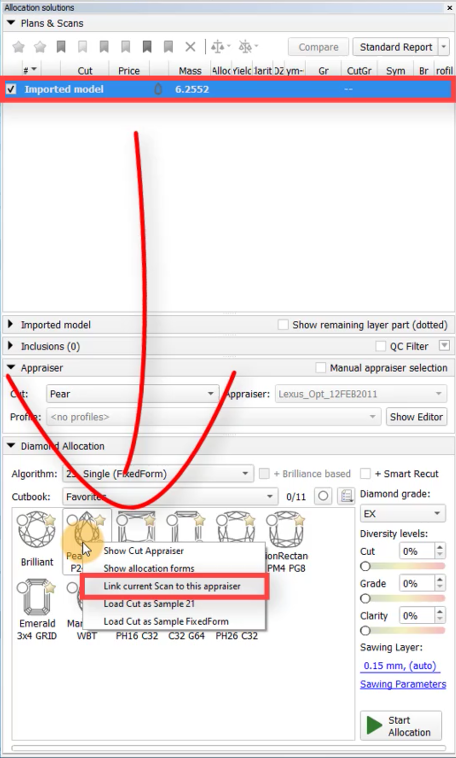
The Shape Deviation parameter can be utilized not only for solutions but also for scans of finished diamonds. To do this, select the scan, right-click on the corresponding cut in the "Cut Book," and choose "Link current scan to this appraiser." The scan can then be evaluated in the Appraiser Editor or Polish Report can be built.

The green option is recommended for rounded fancy cuts. The necessity and usefulness of the green option for step cuts are still under question, so both green and yellow options are possible for them.
 AnycutBasic : Goodwin type cuts support AnycutBasic appraiser as well, but with the lack of important advantage of having slope angles in the appraiser.
 Goodwin* : The appraiser control Crown and Pavilion Slopes. The selection of the most important cut facets is performed automatically. The only advantage of this type of templates over other options is the 2C3P version, which is well suited for rectangular cushions with a two-tier pavilion.
 Goodwin_Starts* : The appraiser control Crown and Pavilion Slopes. The selection of the most important cut facets is done by the user using gold and silver stars. This prevents the desynchronization of values at all stages of the diamond's life cycle.
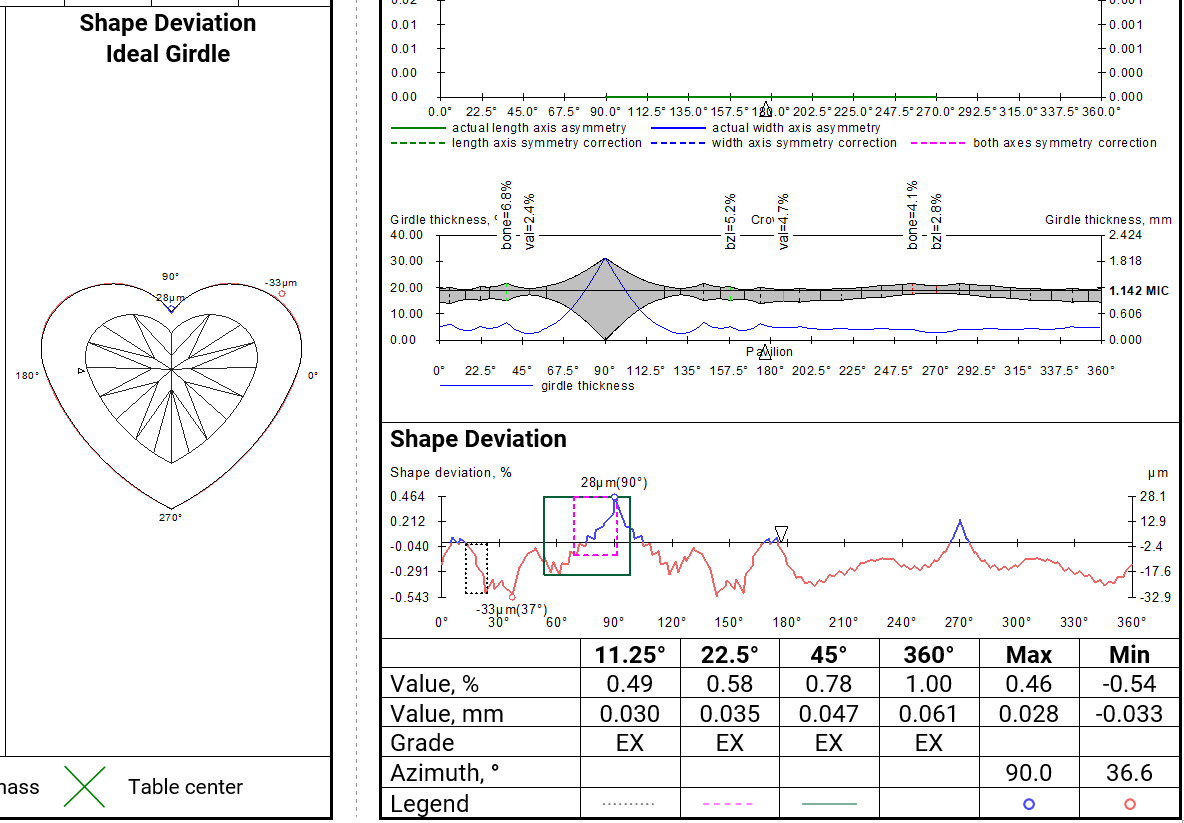
 Goodwin_GirdleShape_Starts* : The appraiser additionally control the Shape Deviation parameter, responsible for the beauty of the girdle shape.
| Warning |
|---|
You can read the full article about choosing an appraiser: Which appraiser template to choose? |