...
| Panel | ||||||
|---|---|---|---|---|---|---|
| ||||||
|
Reports. New Parameters
Algorithms
Reco
Import-Recognition
- The "Surface" recognition now provides consistent results, regardless of the order in which models are opened or imported.
- A bug affecting recognition has been fixed; it occurred that an imported model was a preplan instead of a scan (this issue raised after unchecking the "Recognition" option).
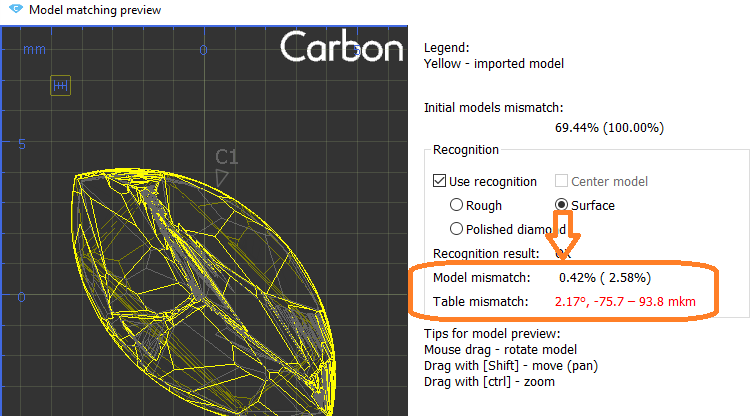
- Mismatch data for "Surface" recognition is displayed:
User interface updates
Scene rotation improvements
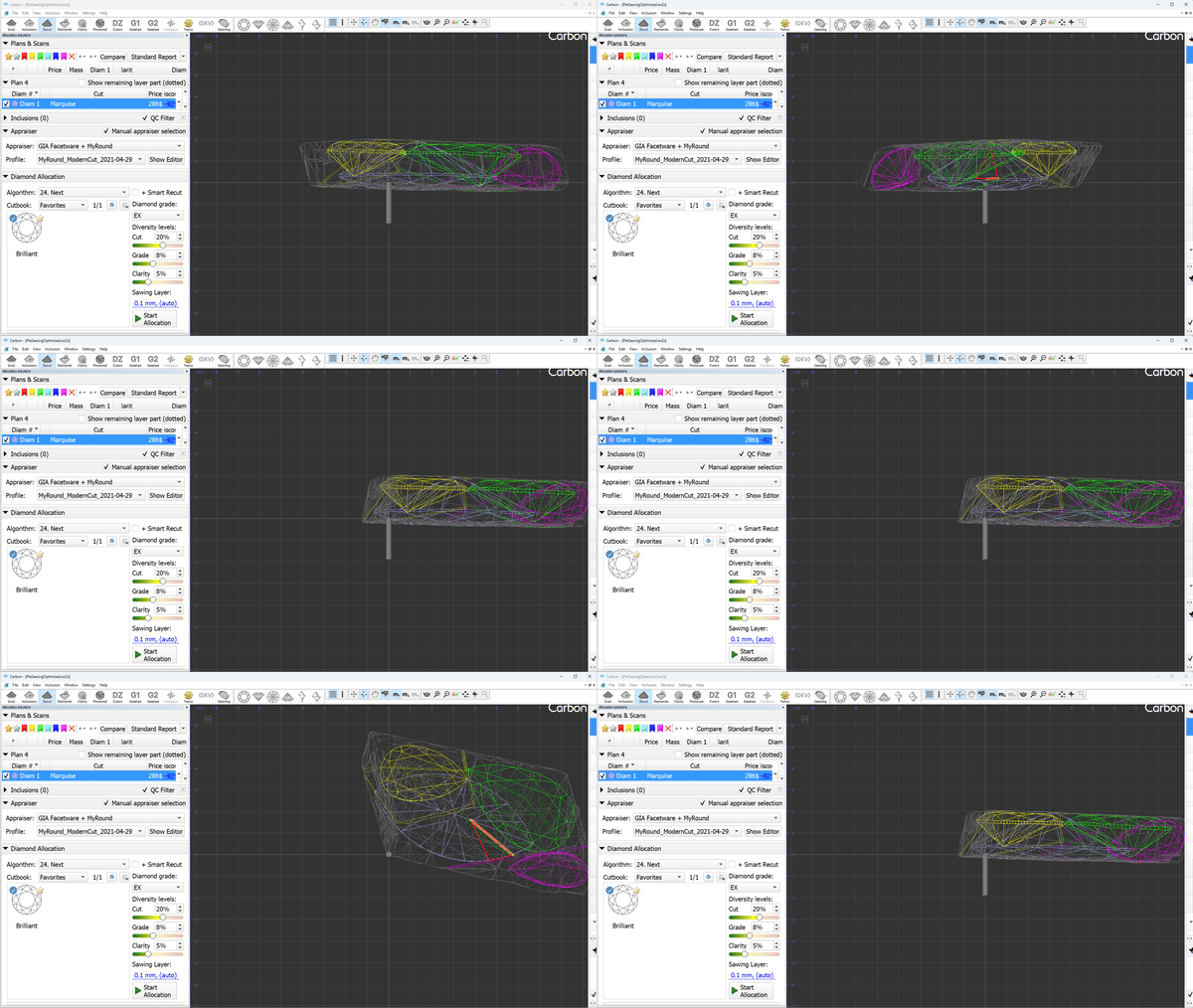
The scene and objects can be rotated around specific directions: OX, OY, OZ for convenient solution inspection and object adjustments. For those purposes, you have to push down the X/Y/Z key respectively and rotate the scene or an object.
Additionally, the glue point orientation button now puts the glue point not only in vertical position, but exactly at the scene center.
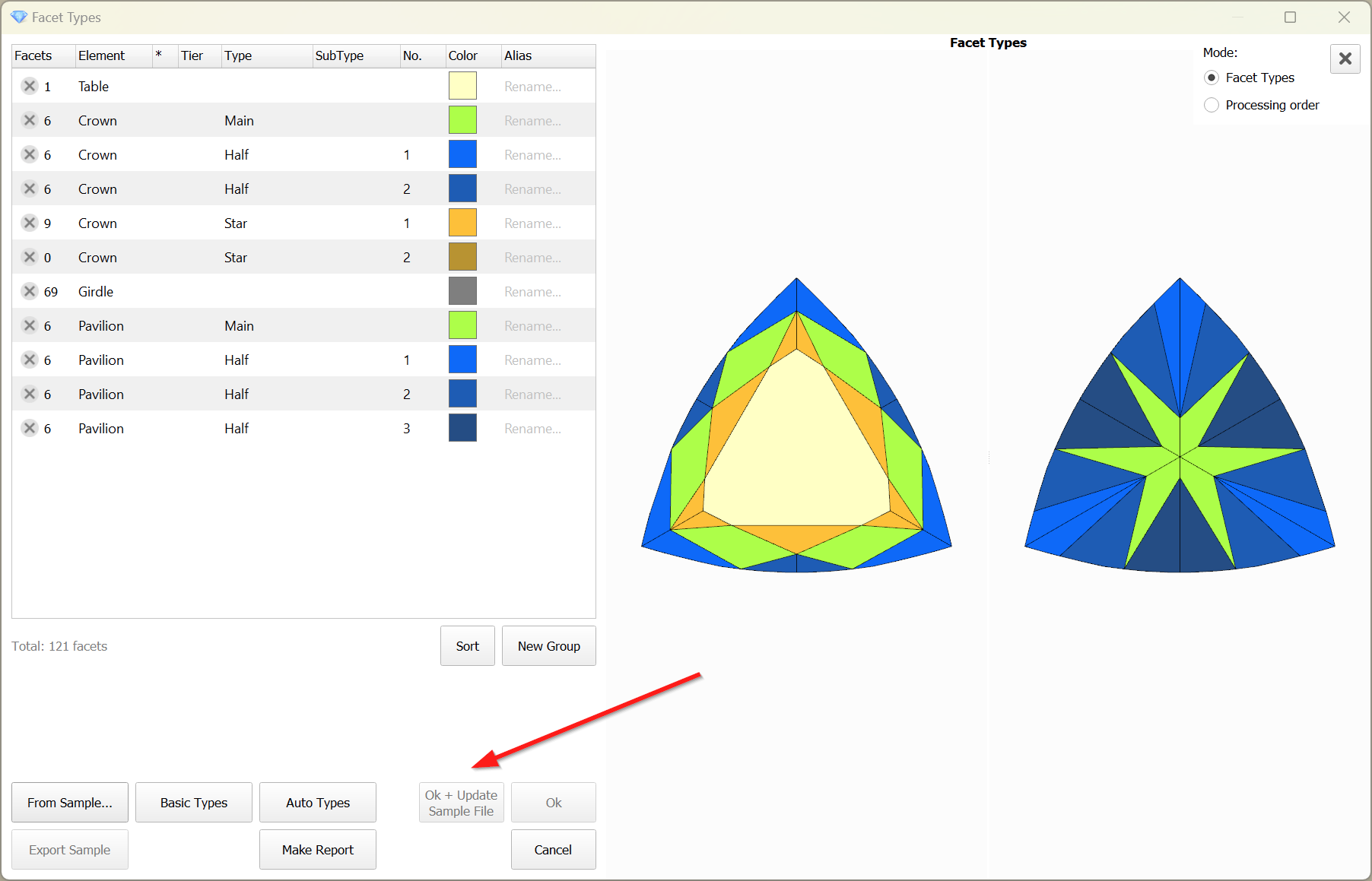
Sample Facet Types
When editing the Facet Types of a sample, the modified types are not saved to the sample file by default. However, this feature proves to be quite useful and convenient. Therefore, this functionality has been implemented.
To save the modified Facet Types to the sample file, the 'Ok + Update Sample File' button is provided.
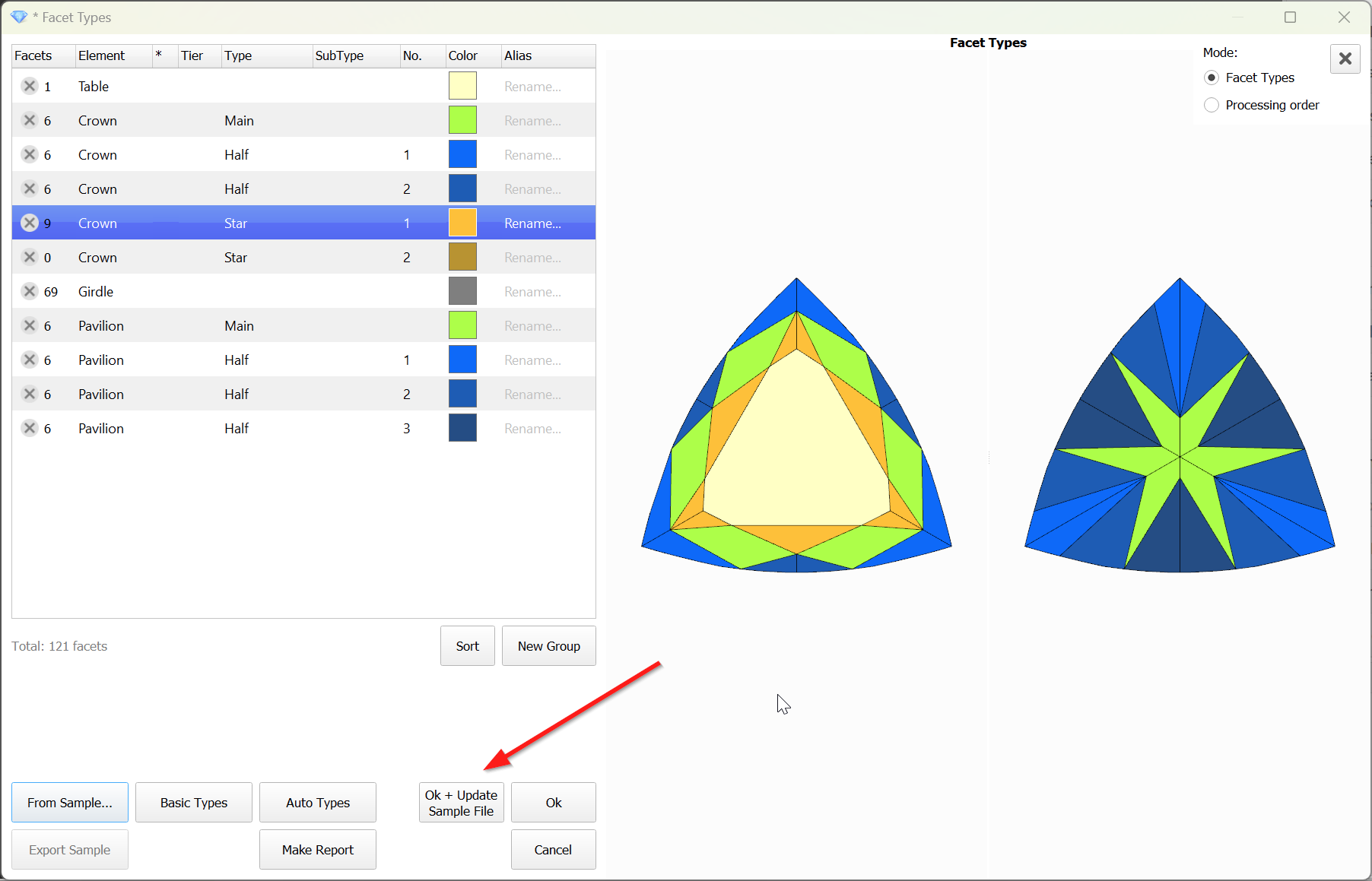
The button is disabled when the file is unavailable:
Reports Improvements
Shape Deviation - new parameter
...
Include Page Video | Shape Deviation parameter Video | Shape Deviation parameter
...
| Warning |
|---|
You can read the full article about choosing an appraiser: Which appraiser template to choose? |
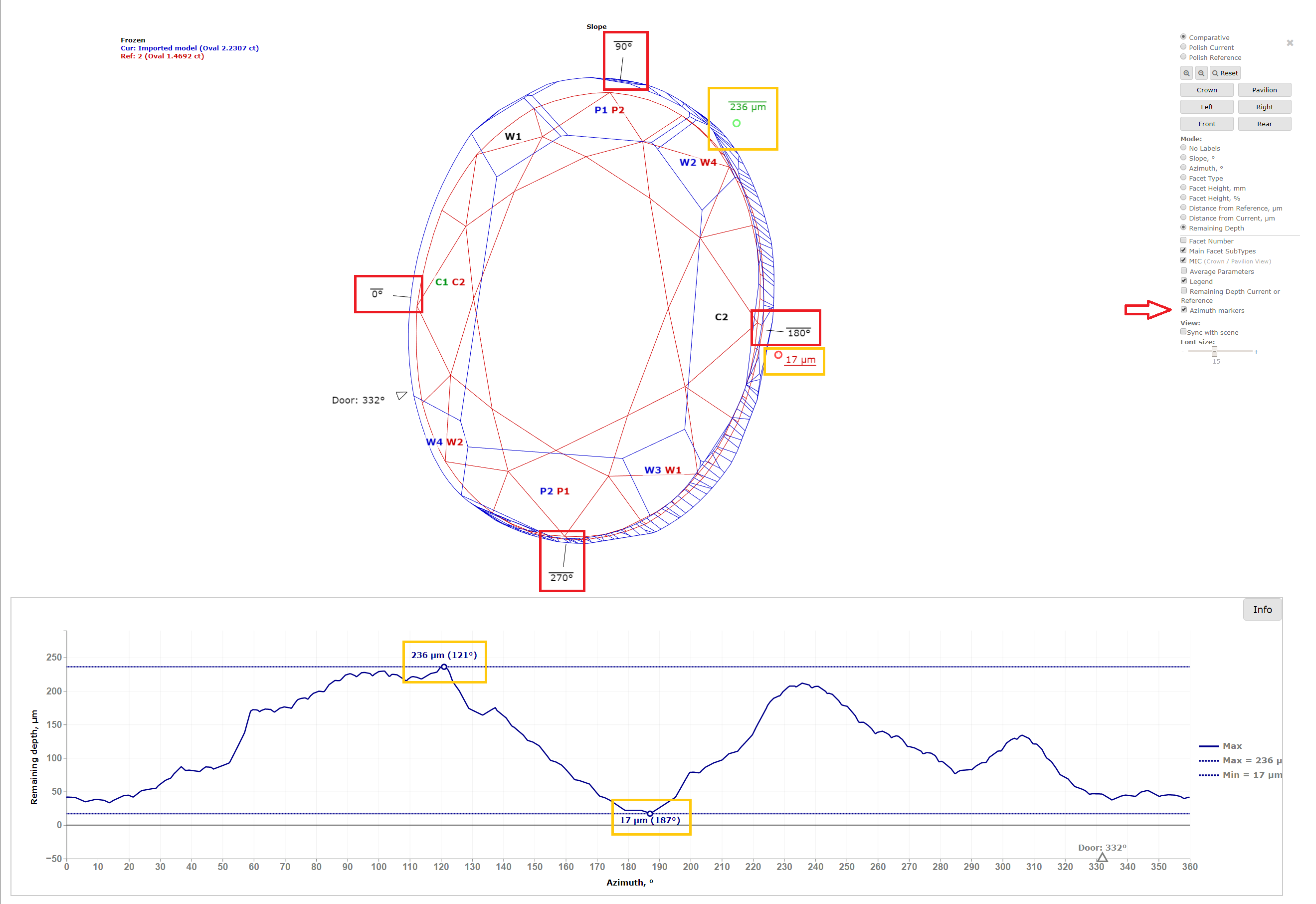
Remaining depth mode changes for I3D reports
In I3D Comparative Remaining Depth mode, min/max indiaction added to the graph plot and 3D scene.
Azimuth markers were added to the 3D scene to make a more convenient navigation between the graph plot and the scene.
Facets Edge With for Princess cut
The parameters are calculated in mm and %. If Princess Cut has RT <= 1.05, then the parameters in % are calculated in relation to the width, and if more than 1.05, then the parameters in relation to the length are also added. The distances are calculated in projection on the plane of the table.
|
|
|---|
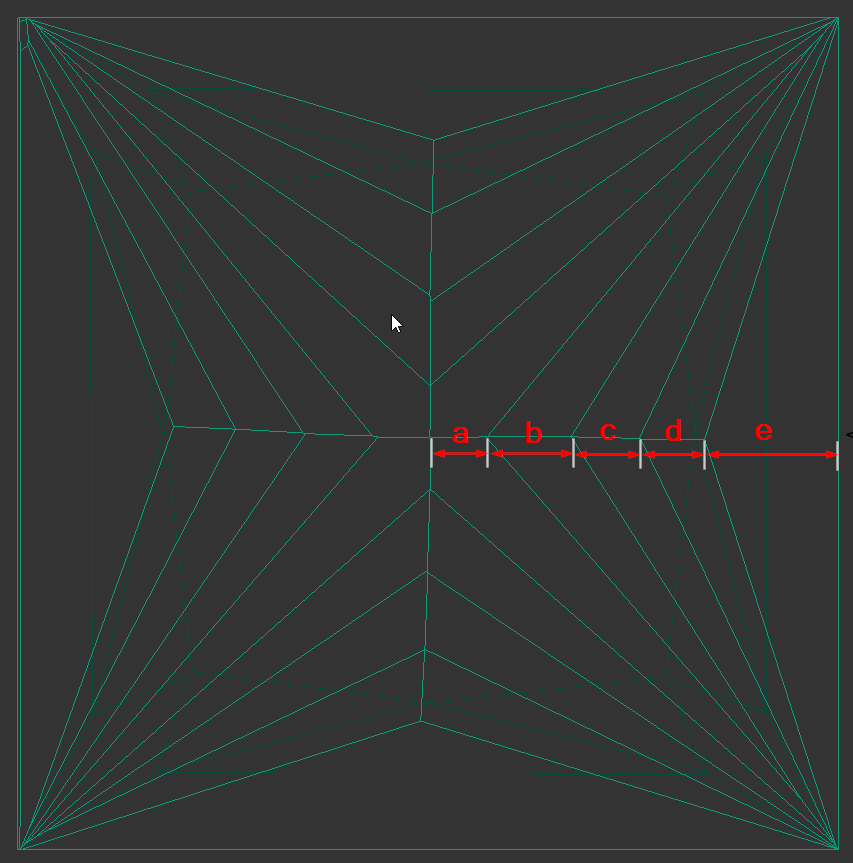
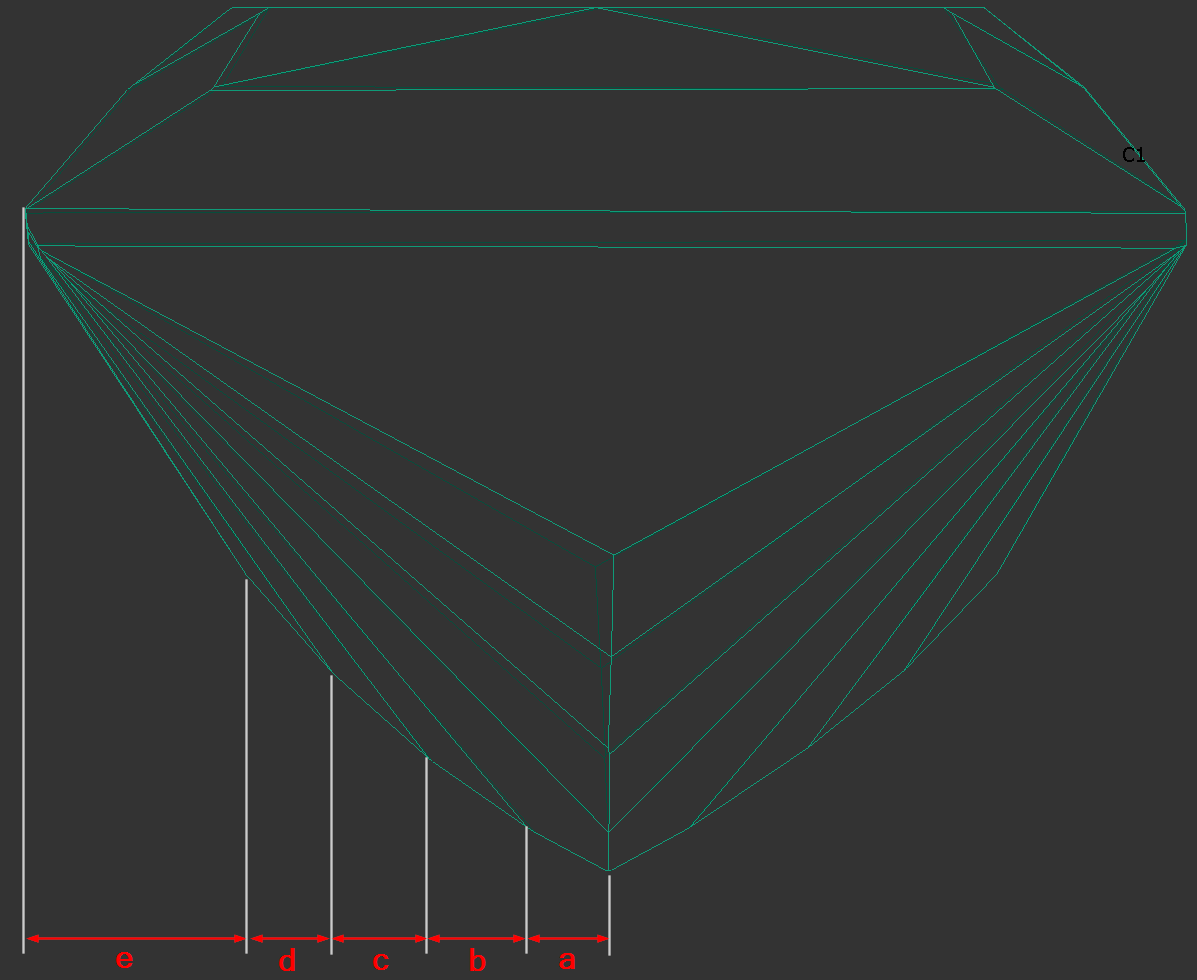
The bookmarks follow.
"a":
"PAV_MAIN_FACET_EDGE_WIDTH_MM",
"PAV_MAIN_FACET_EDGE_WIDTH_PC",
"PAV_MAIN_FACET_EDGE_LENGTH_MM",
"PAV_MAIN_FACET_EDGE_LENGTH_PC".
"d", "c", "b" ( numbering i comes from the girdle - that's how it was decided to number the chevrons ):
"CHEVRONi_EDGE_WIDTH_MM",
"CHEVRONi_EDGE_WIDTH_PC",
"CHEVRONi_EDGE_LENGTH_MM",
"CHEVRONi_EDGE_LENGTH_PC",
"e":
"PAV1_MAIN_FACET_EDGE_WIDTH_MM",
"PAV1_MAIN_FACET_EDGE_WIDTH_PC",
"PAV1_MAIN_FACET_EDGE_LENGTH_MM",
"PAV1_MAIN_FACET_EDGE_LENGTH_PC",
Heart Groove measurements
We added the following dimensions (in mm and as a percentage with respect to width).
See new bookmarks:
- Dimension “A” - "HEART_GROOVE_WIDTH_MM", "HEART_GROOVE_WIDTH_PC"
- Dimension “B” - "HEART_GROOVE_DEPTH_CRN_MM", "HEART_GROOVE_DEPTH_CRN_PC"

- Dimension “C” - "HEART_GROOVE_DEPTH_PAV_MM", "HEART_GROOVE_DEPTH_PAV_PC"

- Dimension “D” - "HEART_GROOVE_HEIGHT_MM", "HEART_GROOVE_HEIGHT_PAV_PC"

Fixed problems and improvements
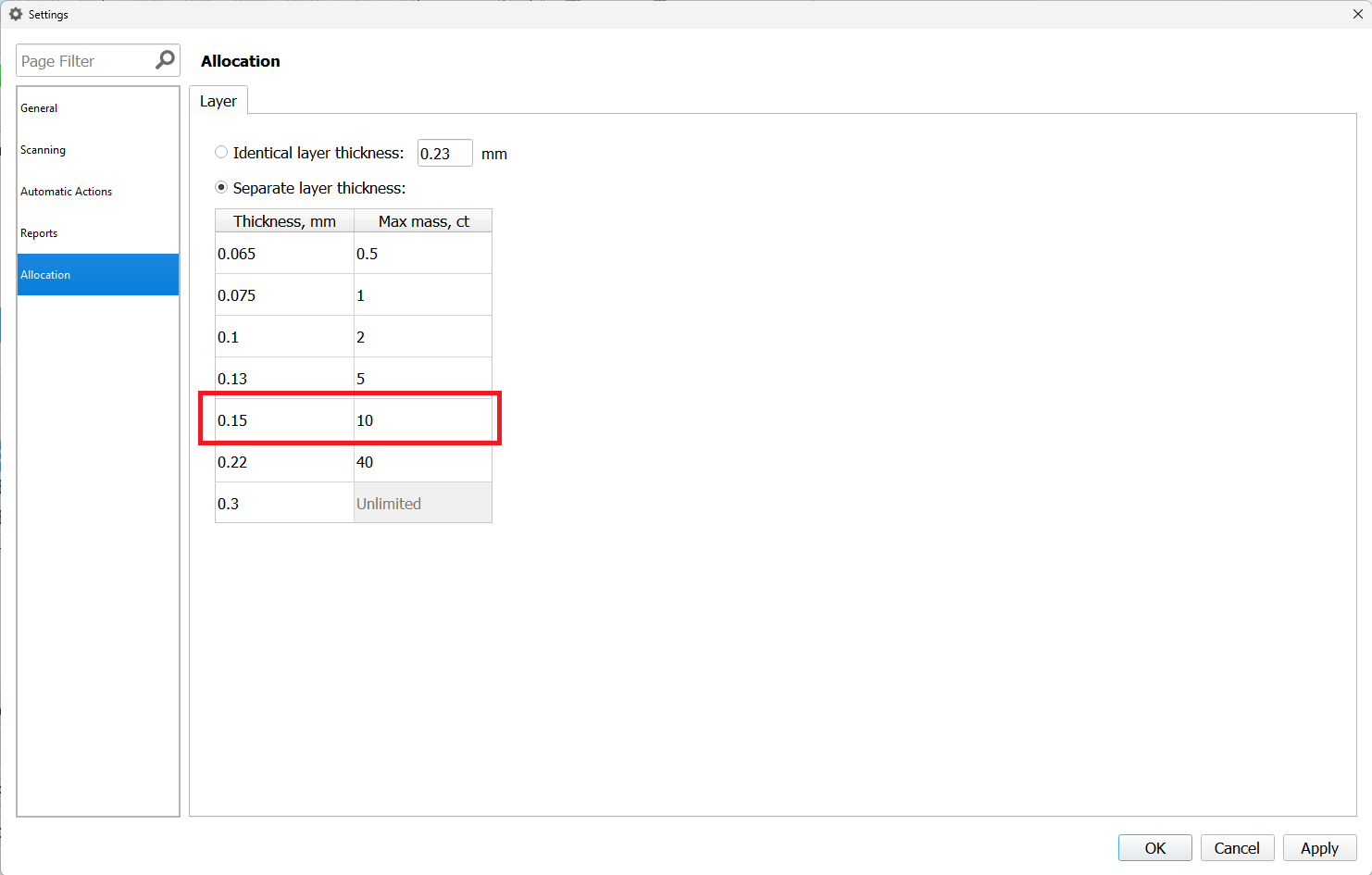
- Swim, Ballon and Change Cut algorithms now use correct sawing thickness according to layer general settings.
For instance, diamonds perfectly alligned to the layer with a thickness of 0.15 mm, corresponding to a rough weighing 8.84ct(between 5-10 ct interval).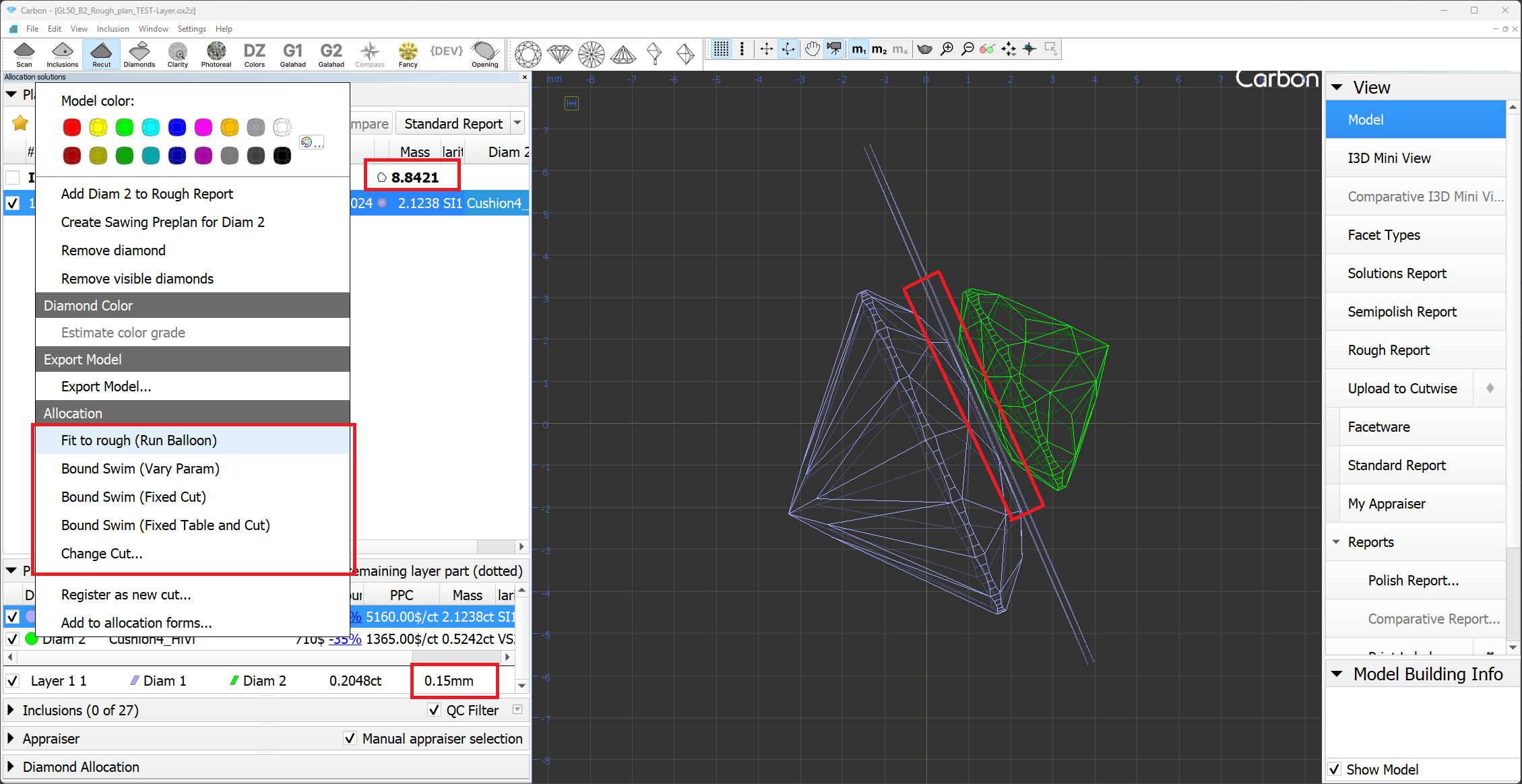
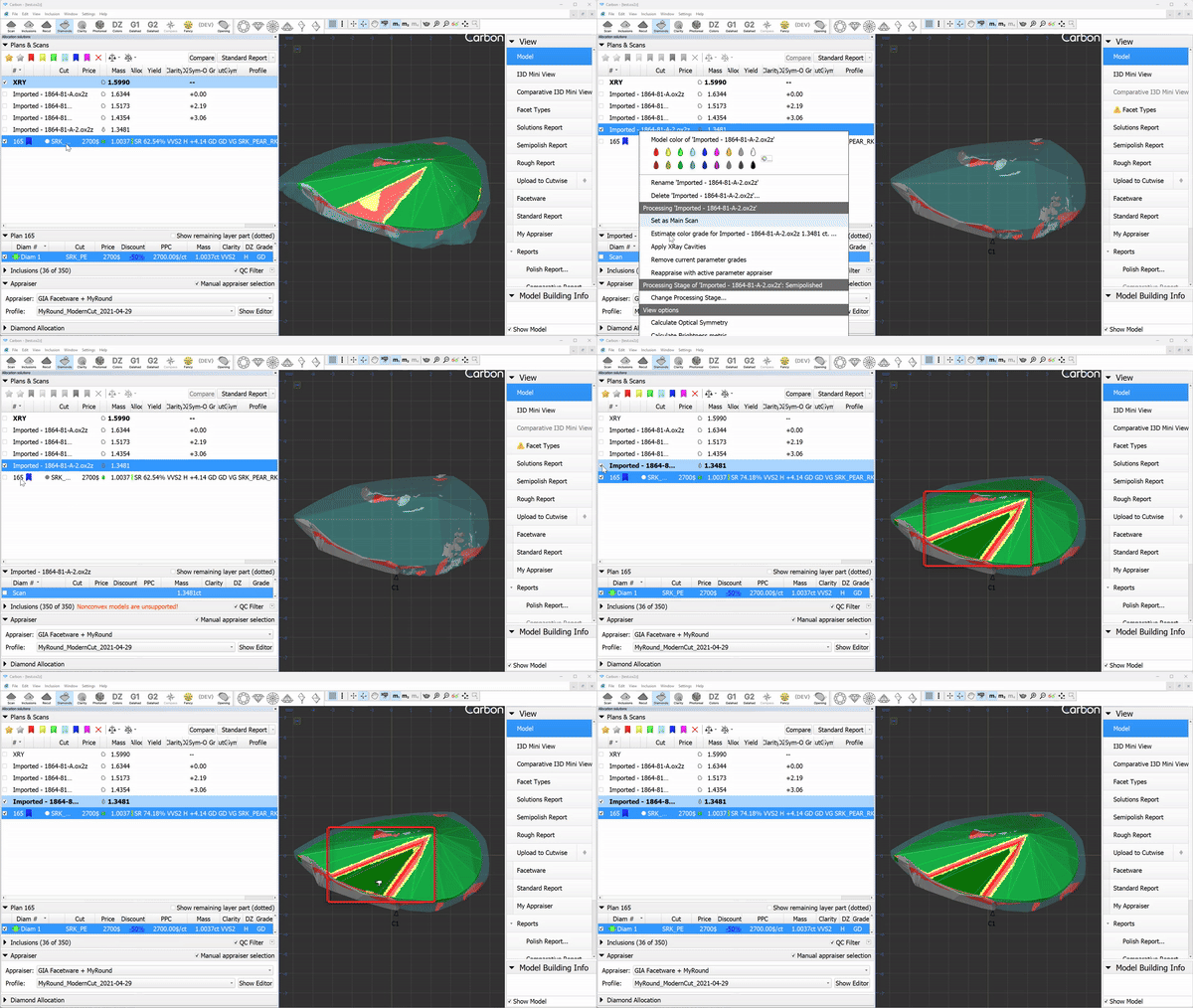
- Contact zone indication now updates, when the main scan changed.
- Layer weight/width display is fixed for some extraordinary layers with more than 2 cutting edges.
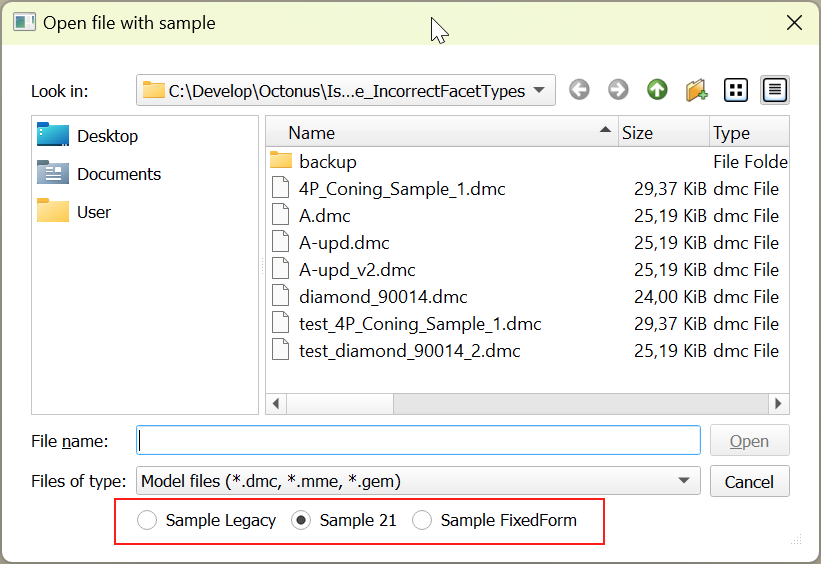
- Now the "Open Sample" dialog remembers the selected method, and the next time the dialog is opened, it will be automatically selected.
- Allocation. Resolved a minor bug related to the 'Based on Brilliance' feature.
Solution list. Restored cell background colors in multi-diamond mode.
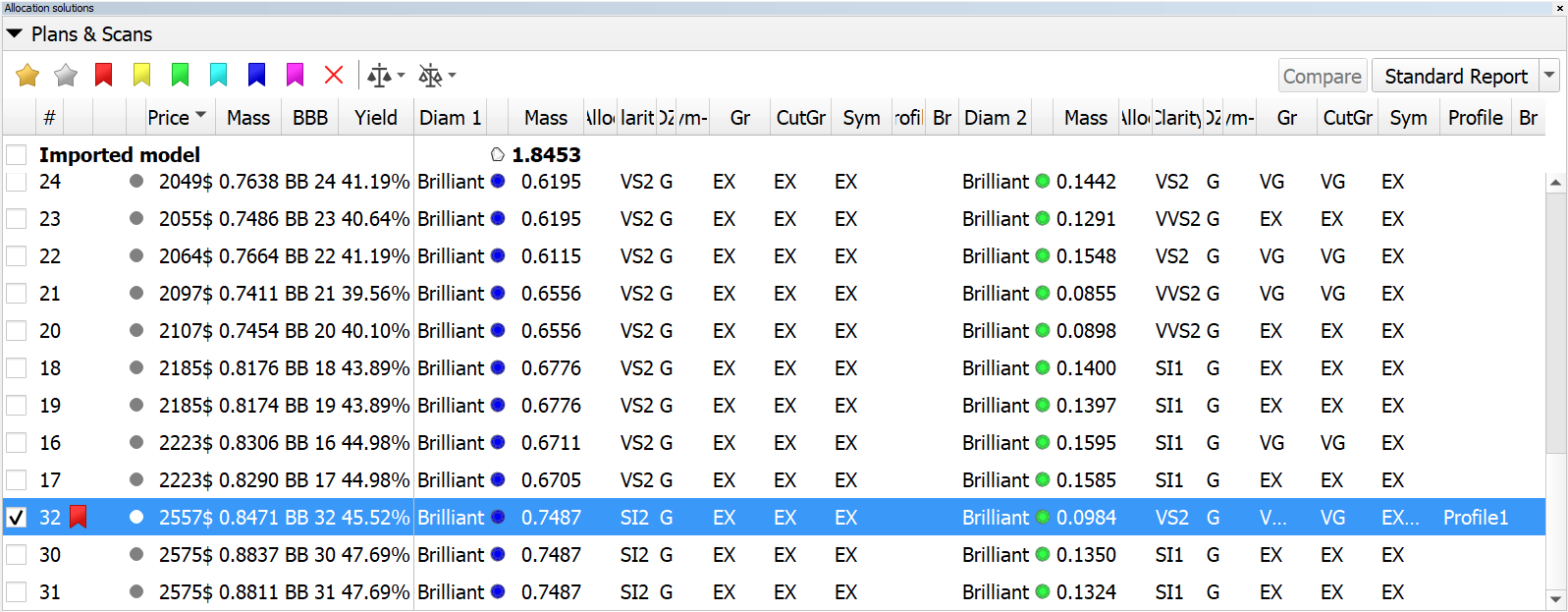
now 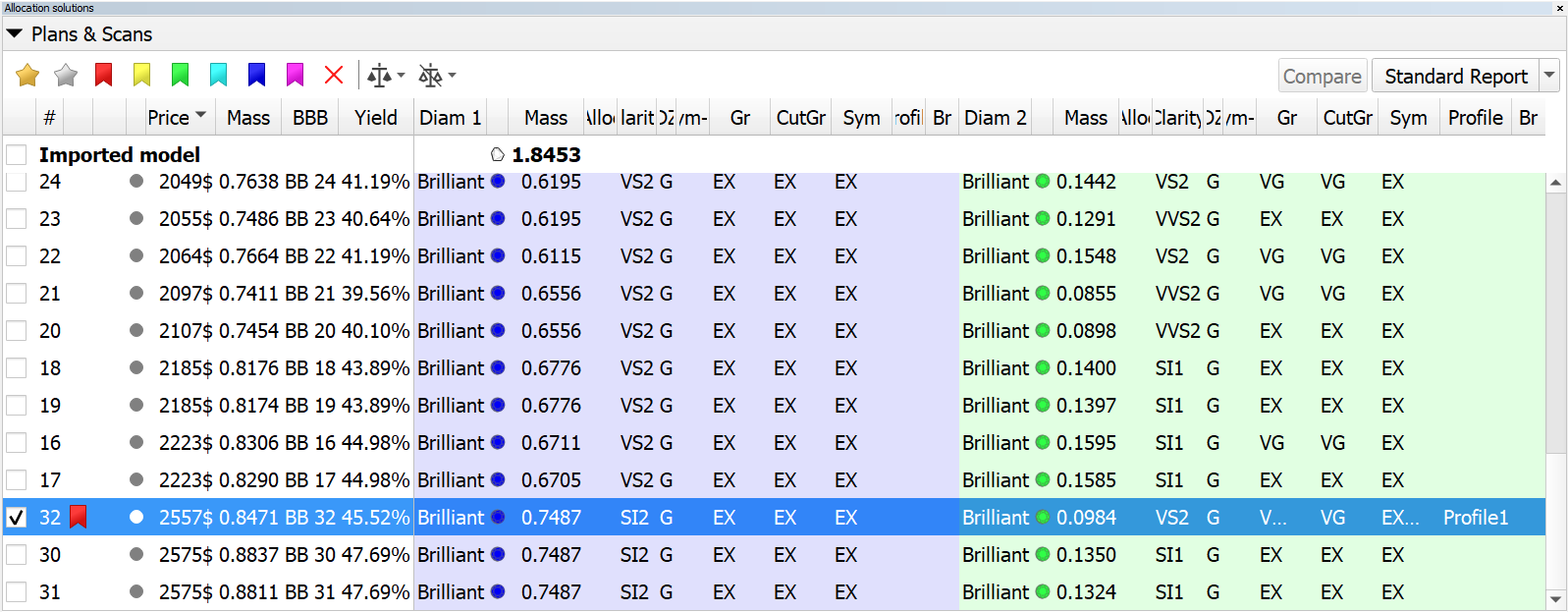
- Inclusion list:
- batch removal of inclusions has been accelerated;
- batch set of inclusion status has been accelerated;
- the "Select All Inclusions" context menu operation has been accelerated;
- fix: the inclusion color status was not updating properly in the right pane of the Inclusion tab;
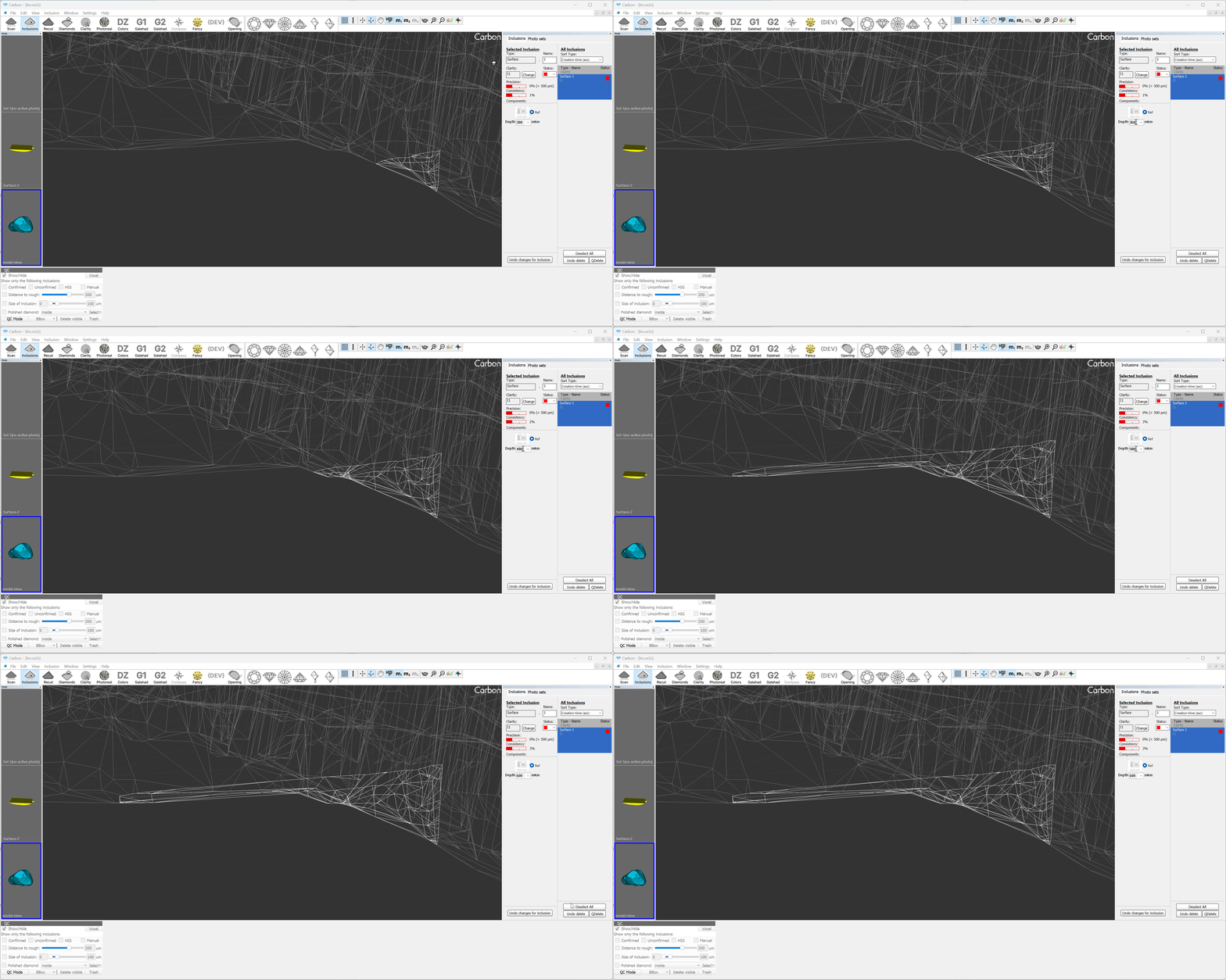
- surface inclusions: depth combo box was updated. Now the depth value can be changed using the mouse wheel (like in spin boxes), as well as edited manually.