
...
To make the allocation algorithms work correctly, we recommend using allocation forms with an EX grade by Shape Deviation parameter. How to get them? To solve this, we added the option “Use ideal girdle shape” in the SmartNormalize algorithm. How to achieve this? When working with the new cut, you will automatically get EX-grade solutions. The best of these can be normalized and added as forms. But if you've been using our products for a while, you already have a collection of good allocation forms for your cuts. These need to be transferred to the new versions of the cuts registered with the "Goodwin_GirdleShape_*" templates.
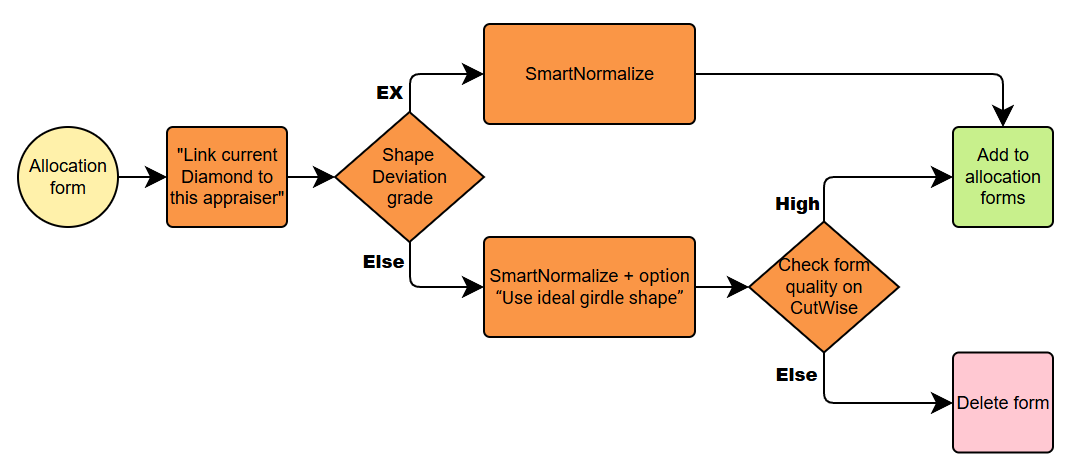
Scheme for one form or solution without Shape Deviation control
Your old preforms must be evaluated for Shape Deviation of the new cut using the “Link current Diamond to this appraiser” feature. If the preform has an EX grade by Shape Deviation, you can normalize it as usual with minimal changes and register it in the new cut. If the old preform has not EX Shape Deviation grade, the girdle shape must be corrected using SmartNormalize with the new option “Use ideal girdle shape”. Before registering this form, check in CutWise that the girdle shape change did not harm the optical properties of the preform.
Scheme for
...
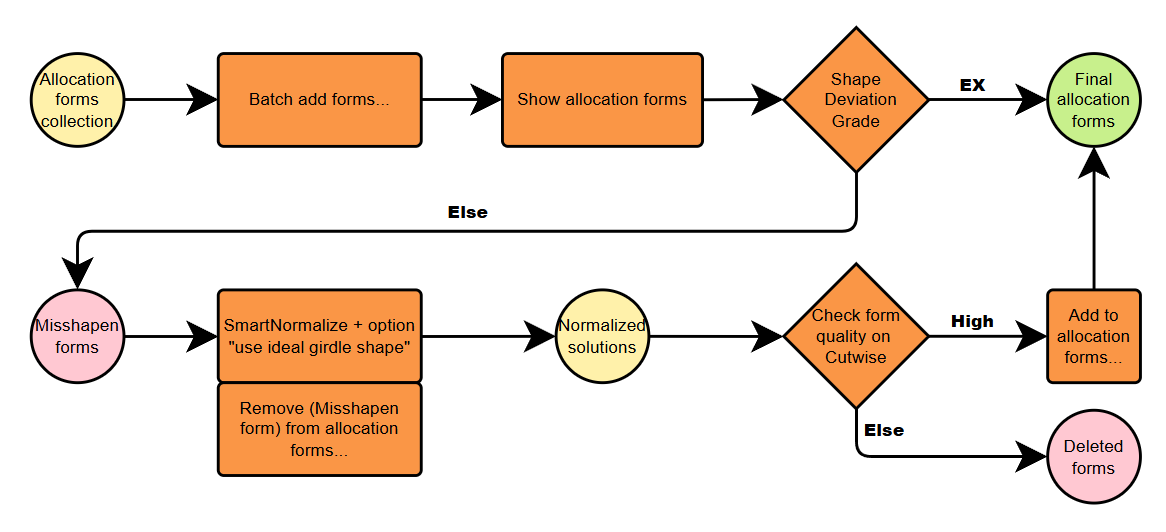
many forms transit
If you have many forms in your collection, we recommend using the “Batch Add Forms” command to speed up the process. This command automatically transfers the forms without checking for Shape Deviation. So you’ll only need to fix the “Misshapen Forms”. To view these, use the “Show Allocation Forms” command. Then, apply the previously described procedure to correct Shape Deviation for the “Misshapen Forms”. Finally, don’t forget to remove the “Misshapen Forms” from your new cut, since they have already been added.Scheme for many forms transit
Link current Diamond to this appraiser
...