
...
To address this issue, we have developed the Shape Deviation parameters. These parameters help to compare how the girdle shape differs from the ideal shape, just like the 2RRoundness parameter does for the Brilliant cut. The Shape Deviation Grade enables operators to easily reject unacceptable girdle shapes.
What is Shape Deviation?
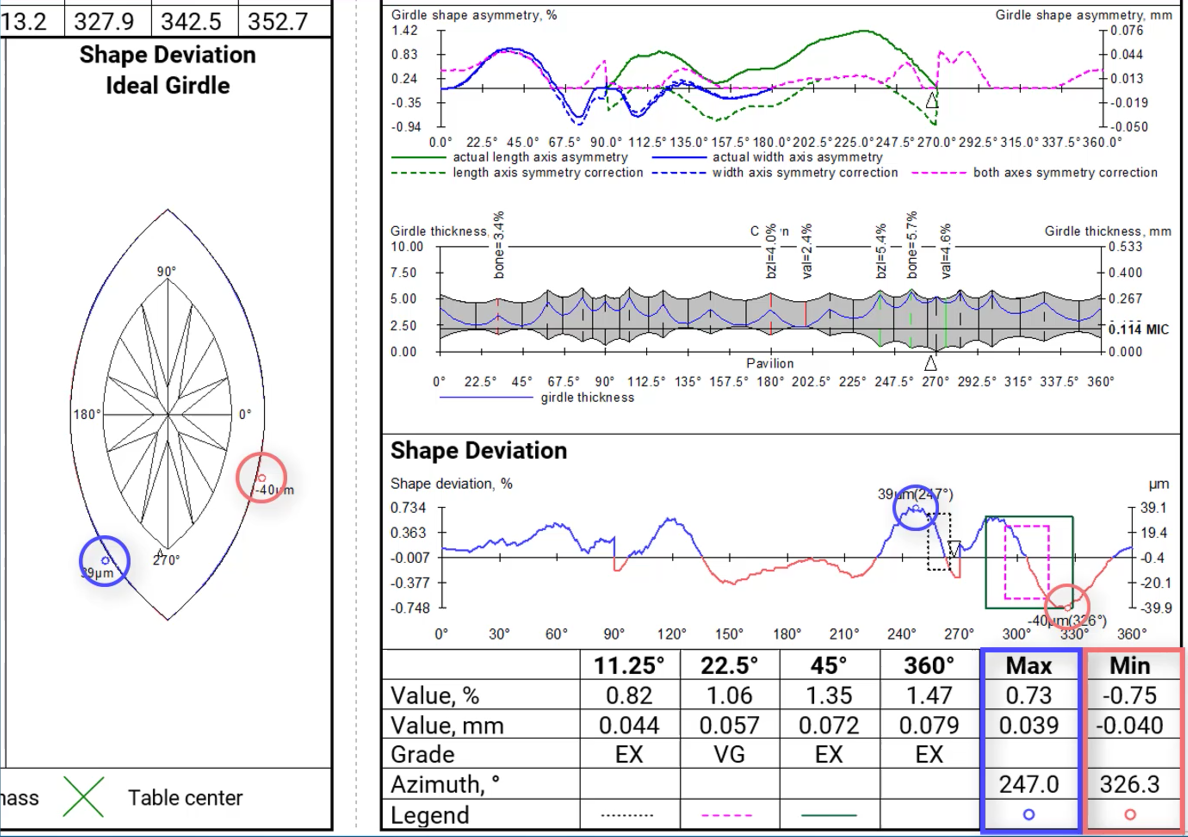
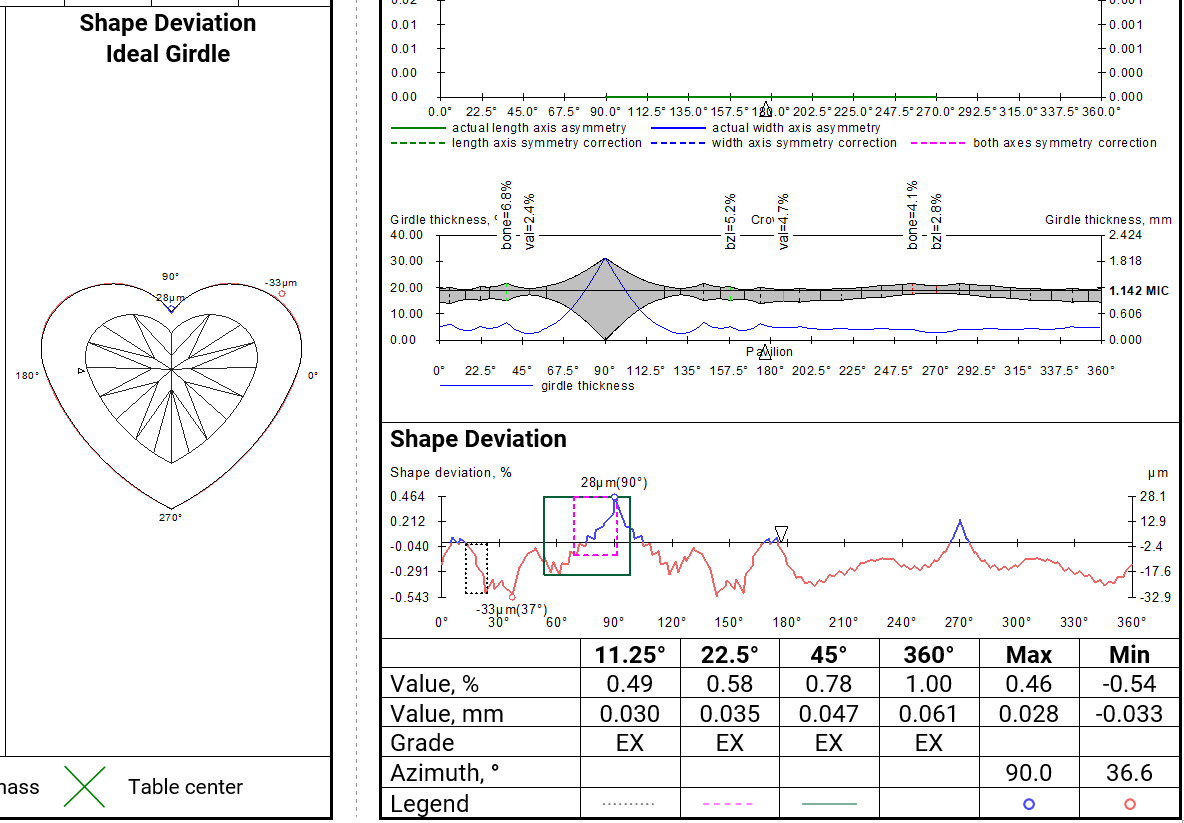
After aligning the girdle shape of the current model with the ideal girdle shape linked to the current cut, we calculate the distances between the two curves. These distances are presented as the Shape Deviation Plot and Shape Deviation Ideal Girdle. Next, we identify azimuth intervals of 11.25, 22.5, 45, and 360 degrees where maximum difference in distances between shapes are observed, and estimate these values. It is in these locations where the imperfections in the girdle shape are most noticeable. The Shape Deviation Plot highlights these areas with rectangular windows, along with indications of global maximum and minimum values.
...
Global maximum and minimum values are also represented in both pictures.
Shape Deviation in appraisers
The parameter is currently available for the following Octonus cuts:
...
Shape deviation now works on non-convex faces
Shape Deviation in SmartRecut
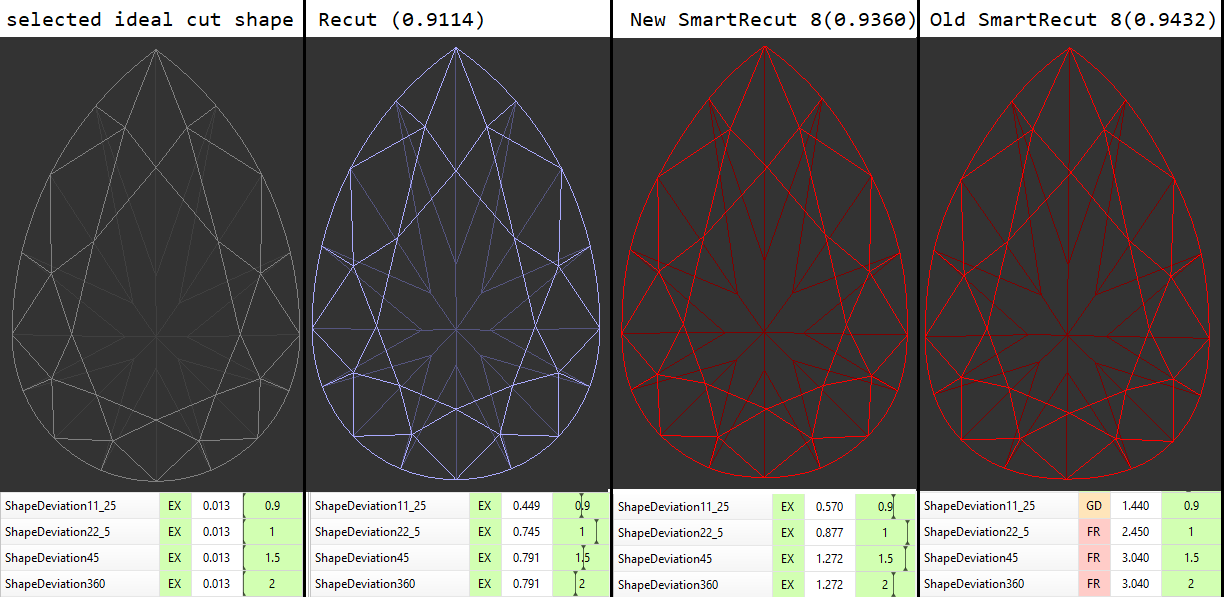
SmartRecut controls the new parameter if they are present in the appraiser. There is a comparison of SmartRecut solution with and without using this parameter on the picture. It is important to note that this parameter prevents the continuous deterioration of the girdle shape in the SmartRecut on SmartRecut scenario.
Shape Deviation in reports
The parameter has been included into reports:
...
The description of Shape deviation parameter and corresponding bookmarks are availbale in Shape Deviation.
Shape Deviation for scans
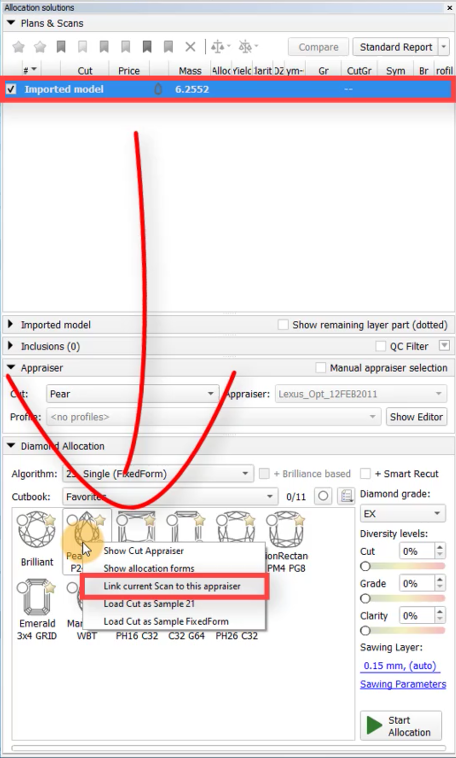
The Shape Deviation parameter can be utilized not only for solutions but also for scans of finished diamonds. To do this, select the scan, right-click on
...
the corresponding cut in the "Cut Book," and choose "Link current scan to this appraiser." The scan can then be evaluated in the Appraiser Editor or Polish Report can be built.
...