
...
There is a plan to improve the batch allocation in the next release version and add more flexibility.
Recognition updates
Import-Recognition
- The "Surface" recognition now provides consistent results, regardless of the order in which models are opened or imported.
- A bug affecting recognition has been fixed; it occurred that an imported model was a preplan instead of a scan (this issue raised after unchecking the "Recognition" option).
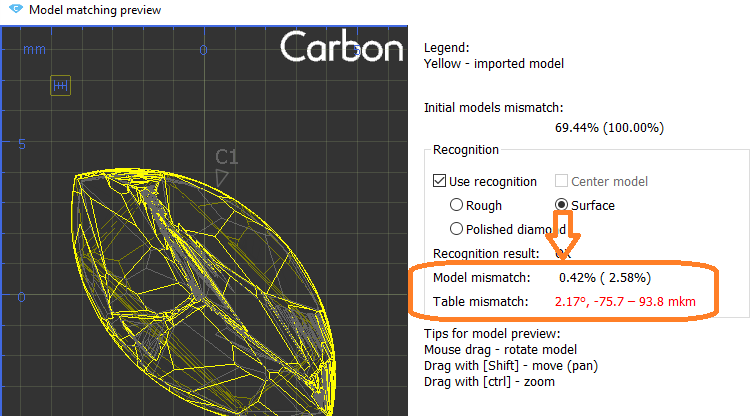
- Mismatch data for "Surface" recognition is displayed:
Surface recognition update
- The Surface Recognition algorithm has been optimized to deliver more stable and accurate results..
- Additionally, we’ve introduced the display of the Model Distance Metric value, which roughly corresponds to the average distance between the model’s surfaces.

Allocation - manual tools
Fast Swim
Allocation - manual tools
Fast Swim
Operators use manual tools during planning after getting the initial solution of global allocation. One of them is a movement of layer and recalculation of diamonds allocation.
This operation is required both for natural rough diamonds and grown CVD diamonds to get symmetrical solutions, or fixed mass solutions (such as 1ct+1ct, 1ct+2ct). Current algorithms may not provide that kind of solution.
However, you can achieve the desired result manually by using the movement panel for the layer and applying the Operators use manual tools during planning after getting the initial solution of global allocation. One of them is a movement of layer and recalculation of diamonds allocation.
This operation is required both for natural rough diamonds and grown CVD diamonds to get symmetrical solutions, or fixed mass solutions (such as 1ct+1ct, 1ct+2ct). Current algorithms may not provide that kind of solution.
However, you can achieve the desired result manually by using the movement panel for the layer and applying the Swim algorithm to each diamond individually. It takes time.
...
The parameters are calculated in mm and %. If Princess Cut has RT <= 1.05, then the parameters in % are calculated in relation to the width, and if more than 1.05, then the parameters in relation to the length are also added. The distances are calculated in projection on the plane of the table.
|
|
|---|
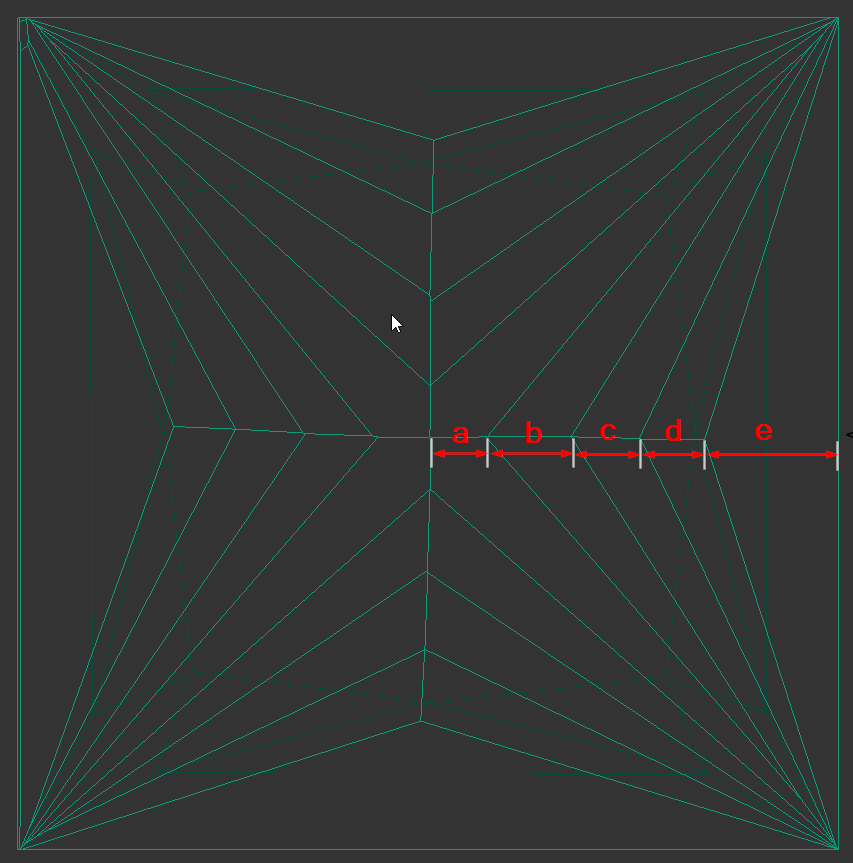
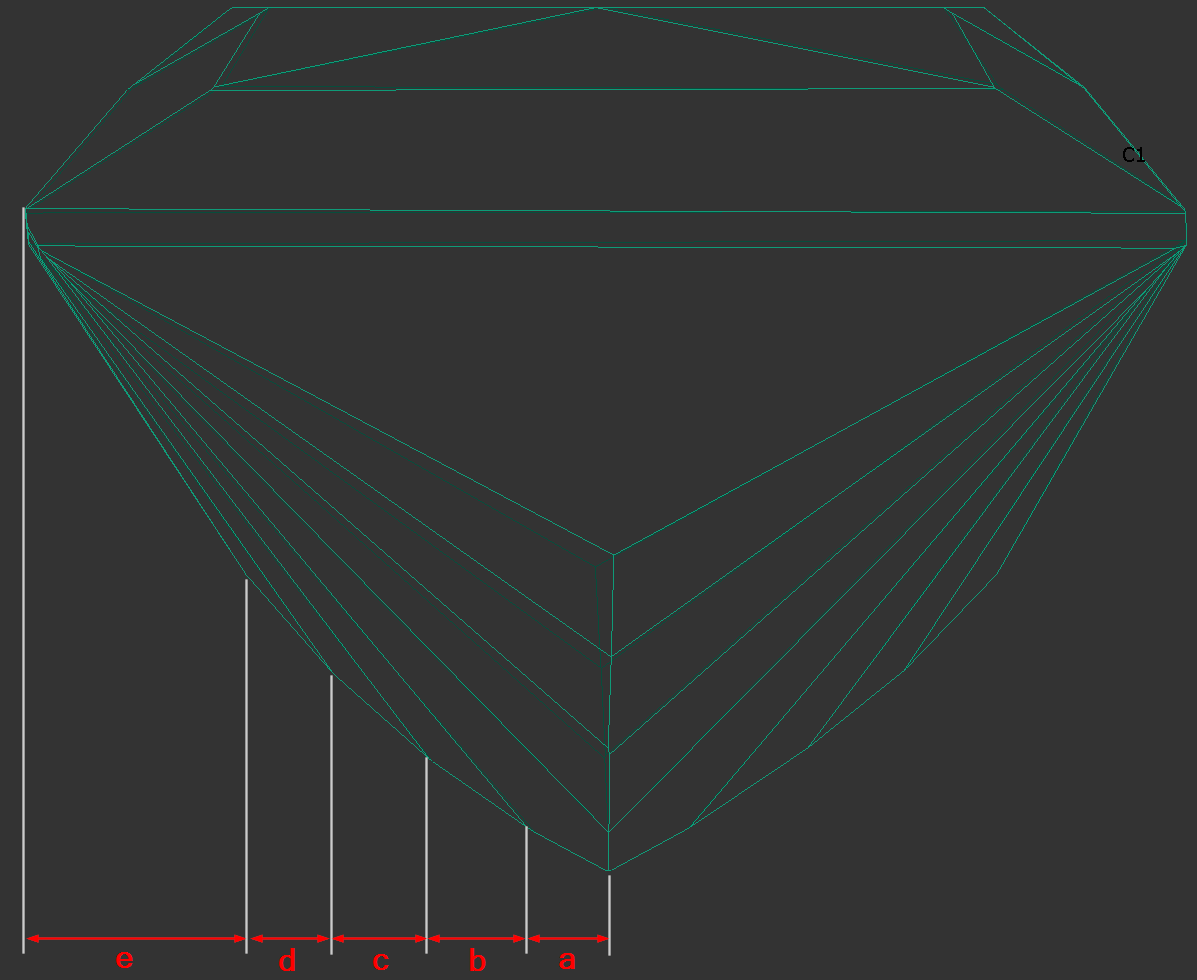
The bookmarks follow.
"a":
"PAV_MAIN_FACET_EDGE_WIDTH_MM",
"PAV_MAIN_FACET_EDGE_WIDTH_PC",
"PAV_MAIN_FACET_EDGE_LENGTH_MM",
"PAV_MAIN_FACET_EDGE_LENGTH_PC".
...
Two additional ways to create a preplan have been introduced: from the layer's context menu, you can select "Make preplan for cutting part" and "Make preplan for part on glue." "Make preplan for cutting part" creates a preplan for the part of the rough that should be cut off by the sawing. Typically, this is a sawing preplan for the diamond being cut. "Make preplan for part on glue," on the other hand, creates a preplan for the remaining rough part. This is the part of the rough, that remains at the glue point after being cut by this layer.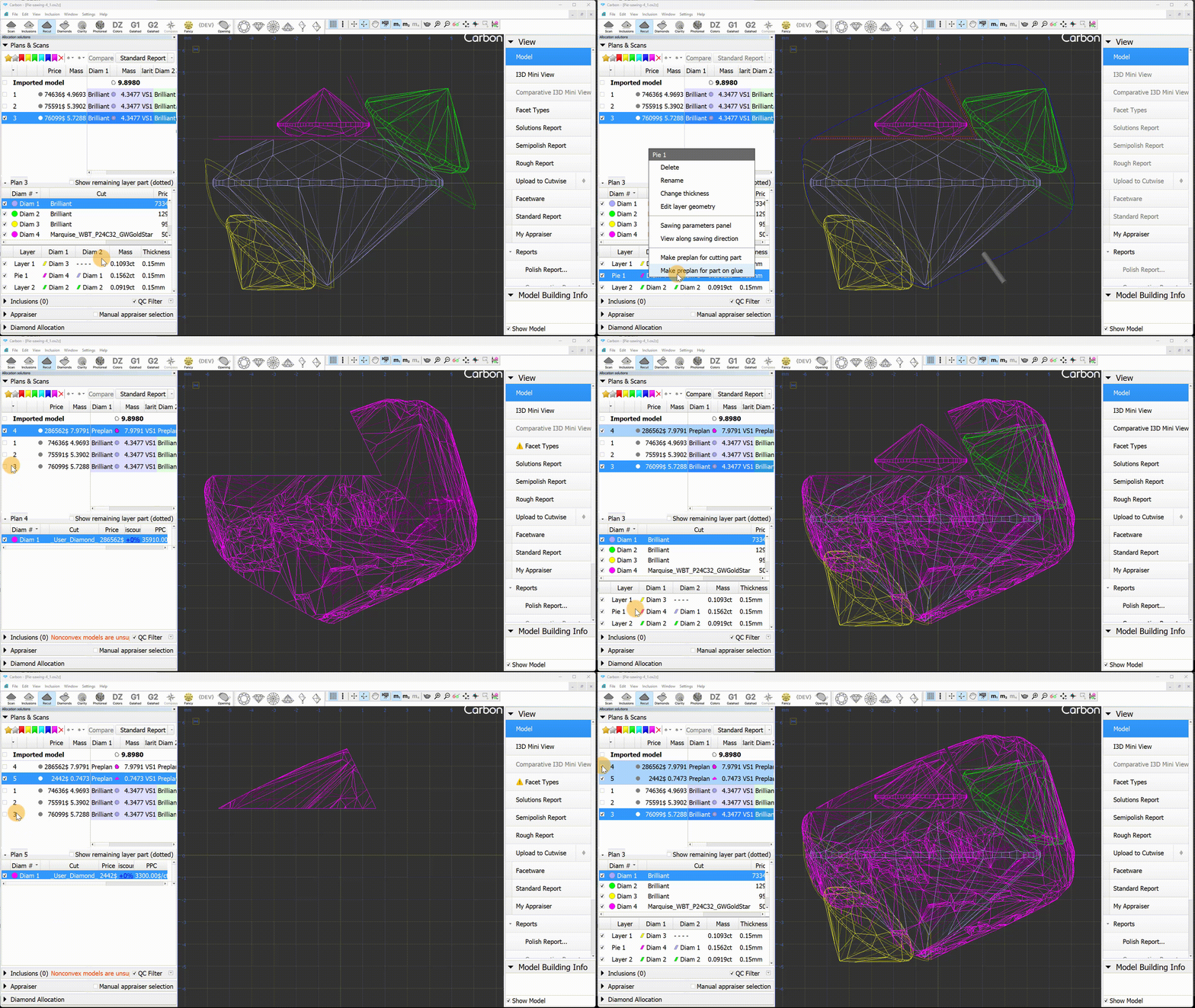 off by the sawing. Typically, this is a sawing preplan for the diamond being cut. "Make preplan for part on glue," on the other hand, creates a preplan for the remaining rough part. This is the part of the rough, that remains at the glue point after being cut by this layer.
Recognition updates
Import-Recognition
- The "Surface" recognition now provides consistent results, regardless of the order in which models are opened or imported.
- A bug affecting recognition has been fixed; it occurred that an imported model was a preplan instead of a scan (this issue raised after unchecking the "Recognition" option).
- Mismatch data for "Surface" recognition is displayed:
Surface recognition update
- The Surface Recognition algorithm has been optimized to deliver more stable and accurate results..
- Additionally, we’ve introduced the display of the Model Distance Metric value, which roughly corresponds to the average distance between the model’s surfaces.
Fixed problems and improvements
...