
...
Your old preforms must be evaluated for Shape Deviation of the new cut using the “Link current Diamond to this appraiser” feature. If the preform has an EX grade by Shape Deviation, you can normalize it as usual with minimal changes and register it in the new cut. If the old preform has not EX Shape Deviation grade, the girdle shape must be corrected using SmartNormalize with the new option “Use ideal girdle shape”. Before registering this form, check in CutWise that the girdle shape change did not harm the optical properties of the preform.
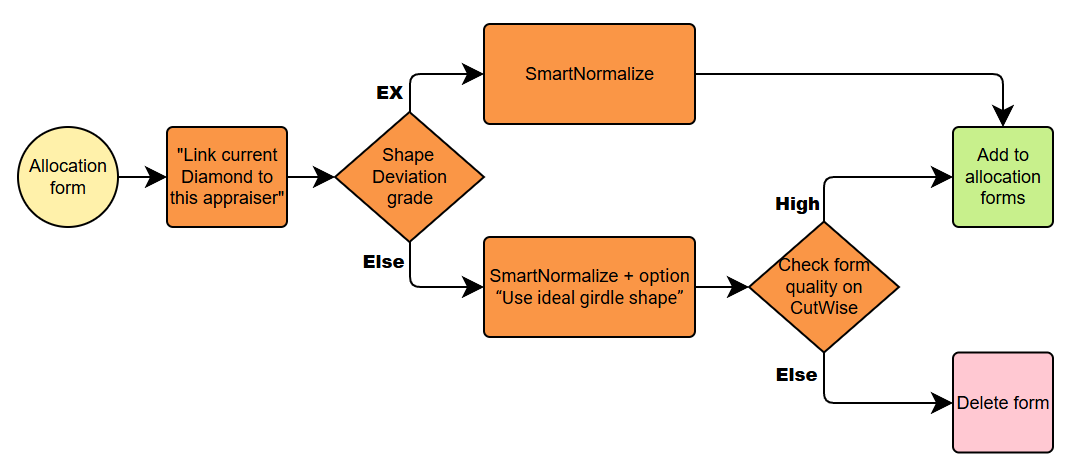
Scheme for many forms transit
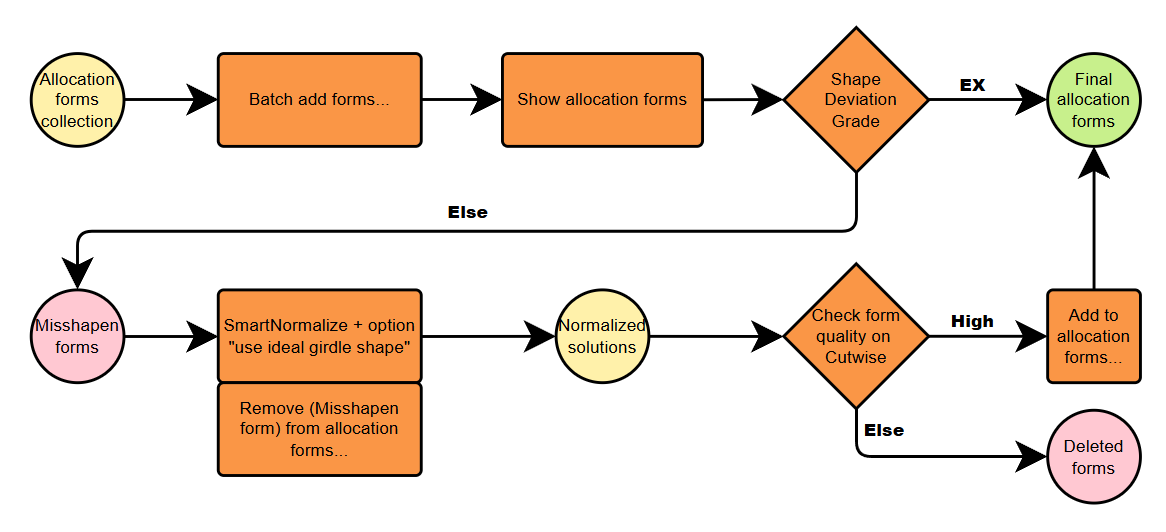
If you have many forms in your collection, we recommend using the “Batch Add Forms” command to speed up the process. This command automatically transfers the forms without checking for Shape Deviation. So you’ll only need to fix the “Misshapen Forms”. To view these, use the “Show Allocation Forms” command. Then, apply the previously described procedure to correct Shape Deviation for the “Misshapen Forms”. Finally, don’t forget to remove the “Misshapen Forms” from your new cut, since they have already been added.
Link current Diamond to this appraiser
...
This means we need to run SmartNormalize with the “Use ideal girdle shape” option.
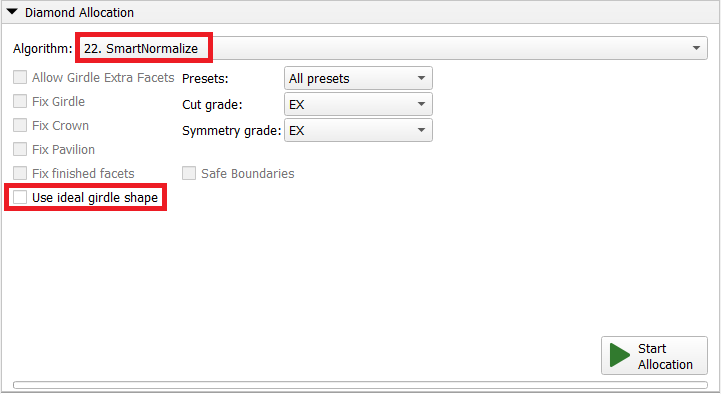
As a result, we get a range of solutions with Shape Deviation values from near zero up to the original value in one preset. The SmartNormalize results automatically use the same linked appraiser as the input solution, so you can evaluate the results with it.
...
The parameter controlling this range is GirdleShapeCoeff in the SmartNormalize presets.
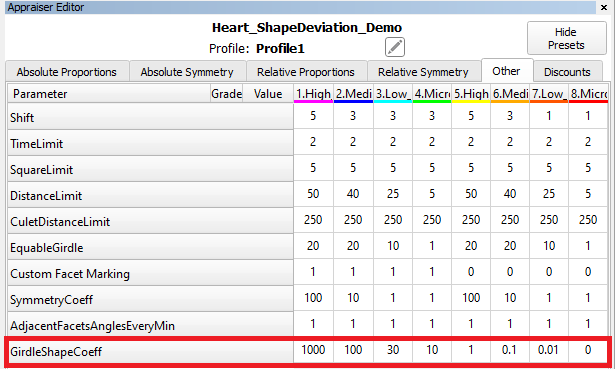
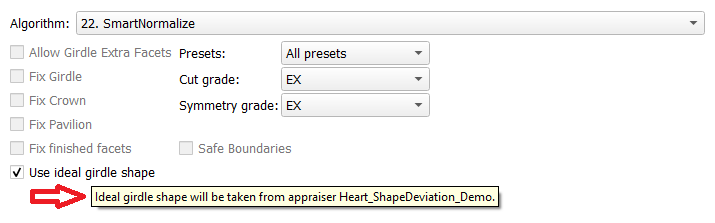
The tooltip for the “Use ideal girdle shape” checkbox provides helpful information to understand how it works.
Remaining depth mode changes for I3D reports
...
The parameters are calculated in mm and %. If Princess Cut has RT <= 1.05, then the parameters in % are calculated in relation to the width, and if more than 1.05, then the parameters in relation to the length are also added. The distances are calculated in projection on the plane of the table.
|
|
|---|
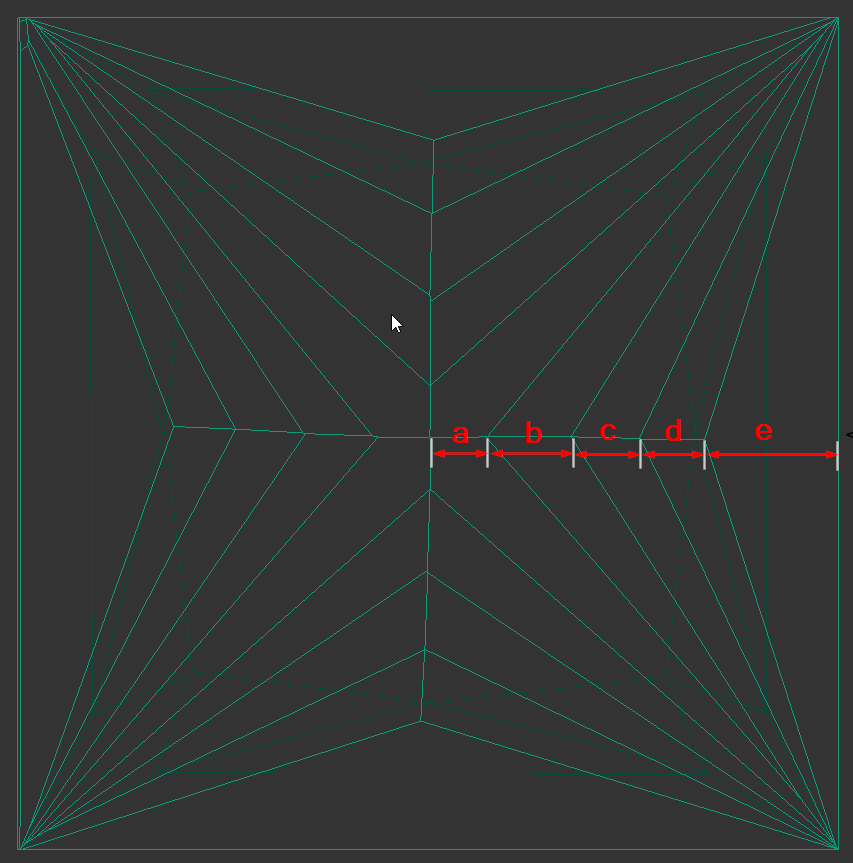
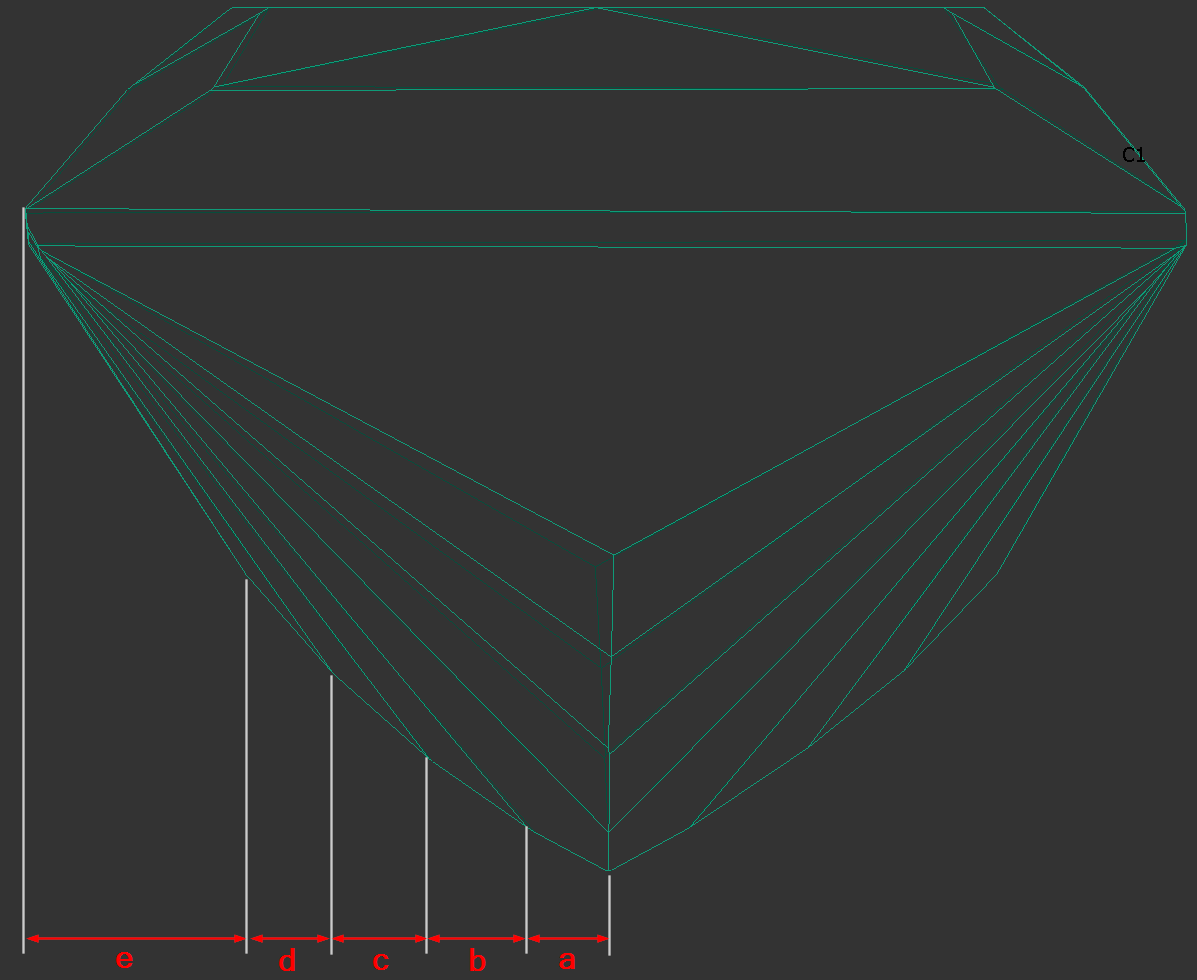
The bookmarks follow.
"a":
"PAV_MAIN_FACET_EDGE_WIDTH_MM",
"PAV_MAIN_FACET_EDGE_WIDTH_PC",
"PAV_MAIN_FACET_EDGE_LENGTH_MM",
"PAV_MAIN_FACET_EDGE_LENGTH_PC".
...