
...
The Shape Deviation parameter can be utilized not only for solutions but also for scans of finished diamonds. To do this, select the scan, right-click on the corresponding cut in the "Cut Book," and choose "Link current scan to this appraiser." The scan can then be evaluated in the Appraiser Editor or Polish Report can be built.
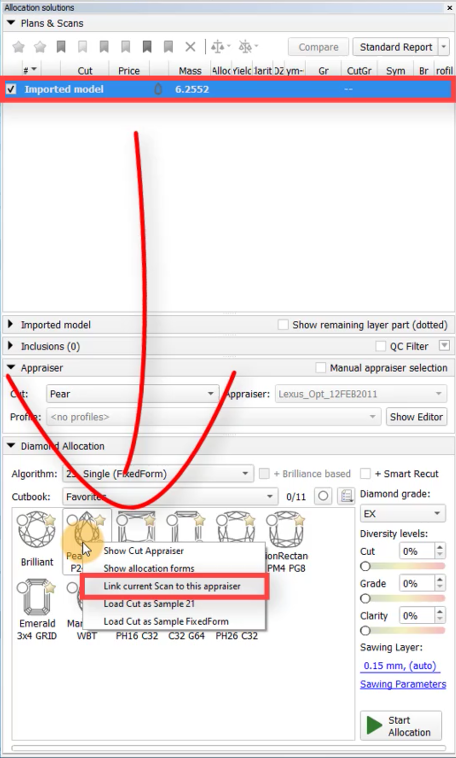
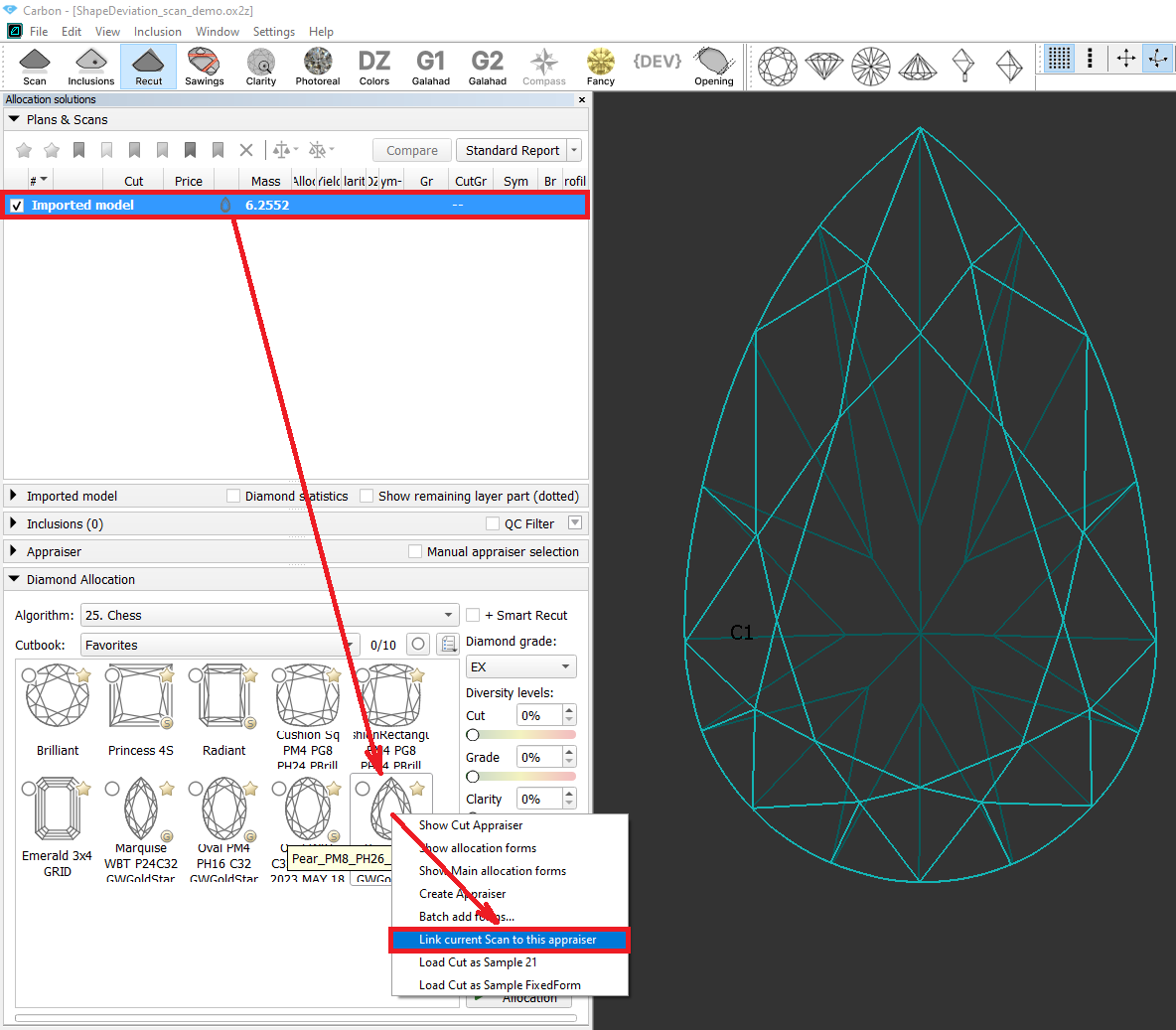
...
An additional column has been added to the sawing thickness table to display the minimum mass value, indicating the interval for the corresponding thickness value.
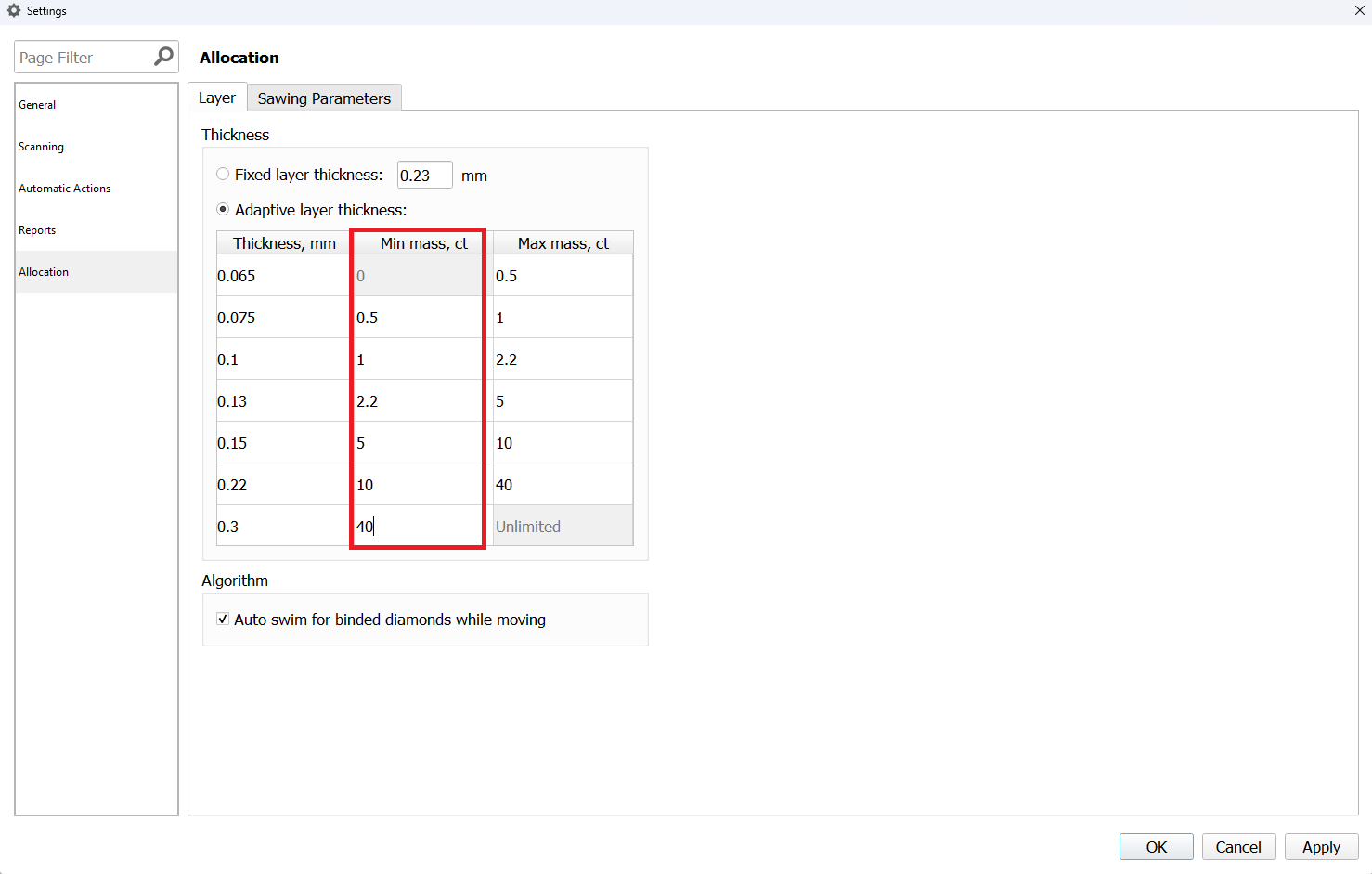
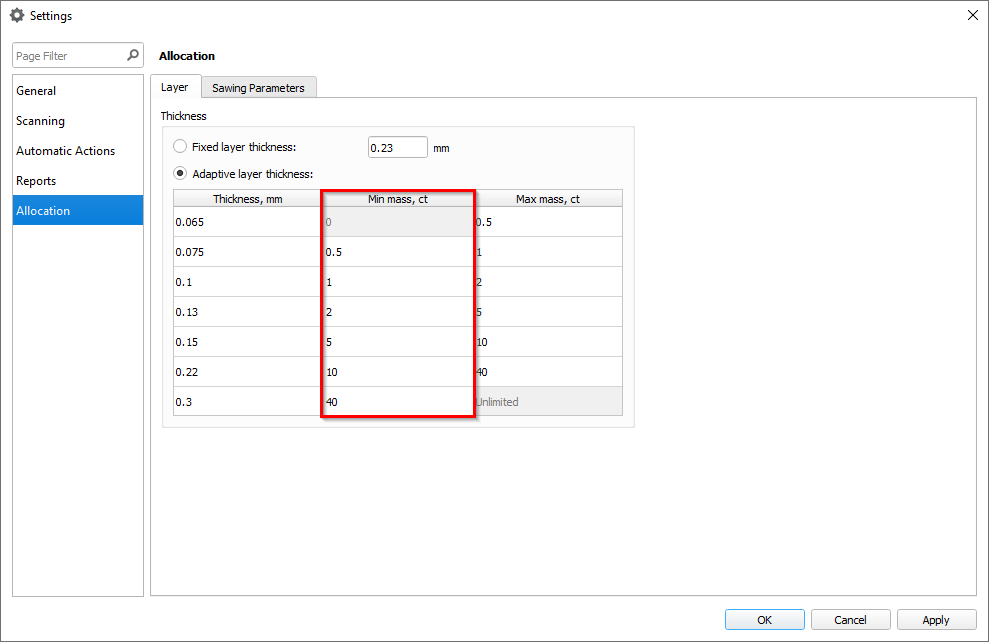
Sawing parameters
The sawing layers have been upgraded with new data and an improved interface. The "Create sawing data" command in the solutions context menu has been replaced by two distinct commands: "Create sawing layers" and "Generate sawing data."
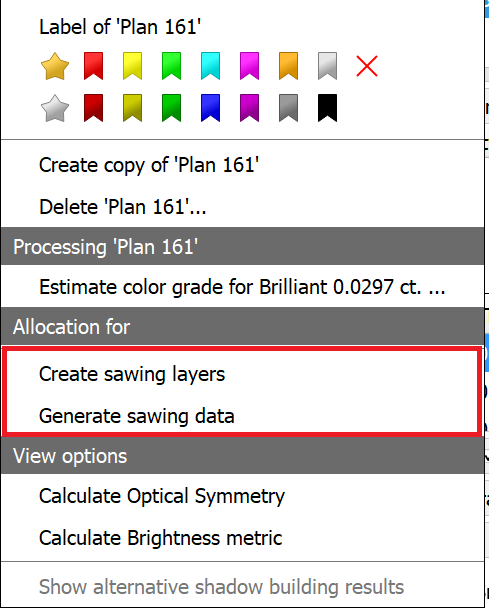
Here’s the key difference: "Create sawing layers" removes all existing layers and populates the solution with appropriate new layers (similar to the previous "Create sawing data" command). In contrast, "Generate sawing data" simply adds additional data to the already existing layers.
This additional data includes the following: generating half-planes where necessary, creating a glue point, establishing sawing directions for each layer, and developing a rough projection contour (blue line).
...