
...
The algorithm "24. MultiNext" with FixedForm Variation, compared to "24. MultiNext (FixedForm, BasicSawing)":
1) Is faster
2) In most cases provides higher solution price
3) Frequently cannot be sawn without using Pie Sawing.
Algorithm "25. Semicut (final)"
| Include Page | ||||
|---|---|---|---|---|
|
Introducing the updated algorithm: "25. Semicut (final)".

This method is used for semipolished stones to ensure that the solution maintains the Table normal of the scanned model. This allows for the cutting of other facets without altering the Table facet angle.
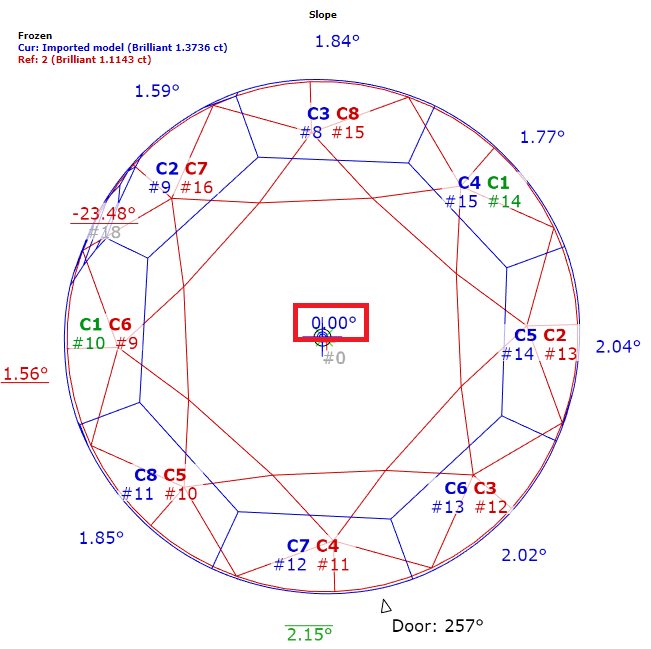
Key advantages over the "06. Semicut (final)" version:
It uses preforms to increase the solution's weight.
It features improved adjustment of the solution's rotation around the Table normal to find the optimal weight.
It is built on the "23. Single" algorithm and incorporates all its modern features.
On semipolished stones with a defined Table facet and girdle, "25. Semicut (final)" with the Brilliant cut shows an average improvement of 0.5% in mass and 1% in price compared to "06. Semicut (final)". The average processing time with one cut is approximately 3 seconds.
Algorithm "25. Chess"
Multi-diamond optimization algorithms primarily operate on a greedy principle. Each subsequent diamond tries to maximize its own volume, paying little attention to the space it leaves for the others. This greed can lead to inefficient use of the original rough's space. While various balancing techniques exist—where earlier diamonds yield some of their space to later ones to increase the total value—the problem becomes intractable within a reasonable time as the number of diamonds increases and the rough becomes more complex due to cavities and inclusions. This forces a reliance on the initial luck of the greedy approach.
With CVD diamonds, however, it is possible to grow diamonds of a standardized shape — wide plates with a relatively low height. Furthermore, the number of inclusions decreases every year, and they are mostly located near the edges, which simply reduces the usable plate size without affecting this shape uniformity.
This standardization of the input data allowed us to create a new algorithm based on principles from the theory of packing space with identical objects.
Introducing the "25. Chess" algorithm. It works by first constructing an optimal cutting lattice for the entire volume and then searching for the best diamonds within it, taking into account the specifics of the input model and inclusions.
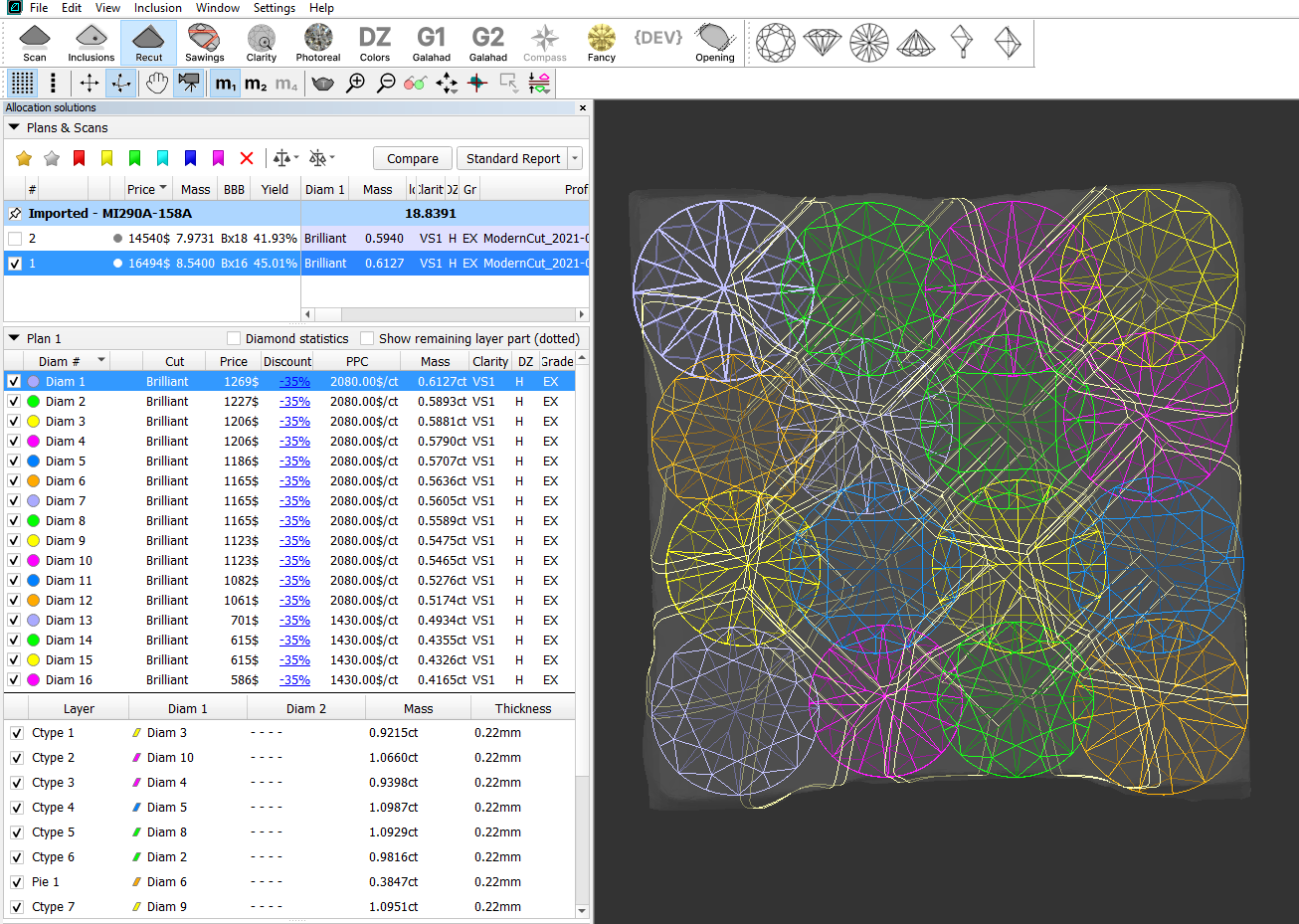
This algorithm is more efficient than greedy methods. And as CVD diamonds become purer over the years, the results of the "25. Chess" algorithm will become increasingly flawless. It also allows for finding multiple diamonds of similar mass from the same rough, which carries additional value.
The algorithm is currently under active development and can be considered a demo version. It fully supports only the "Brilliant" cut. You can select a different cut, and the algorithm will search for it during the selection phase, but the optimal cutting lattice will still be built for the "Brilliant" cut. In future updates, we will add full support for other cuts, starting with rectangular StepCuts.
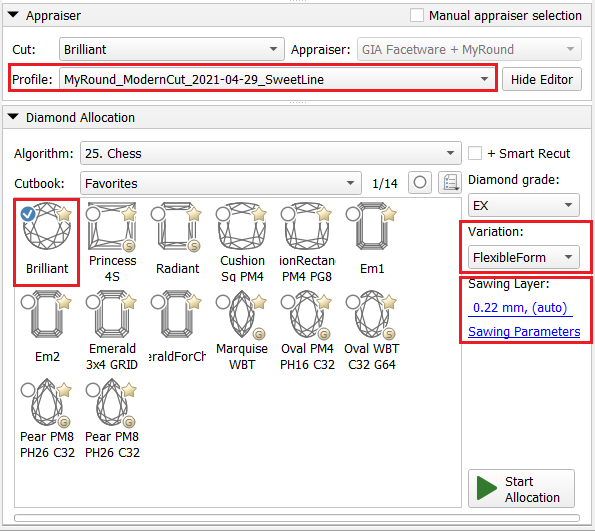
The following settings, which affect all stages of the algorithm, are currently available:
- Cut appraiser and profile
- Sawing thickness
- Variation: FlexibleForm / FixedForm
Batch allocation
| Include Page | ||||
|---|---|---|---|---|
|
...
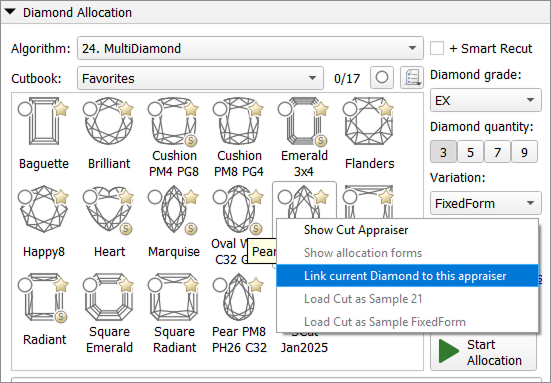
User interface updates
Batch Operations Panel for Inclusions
The Batch Operations panel provides tools for performing actions on multiple inclusions simultaneously, significantly streamlining the inclusion management workflow.
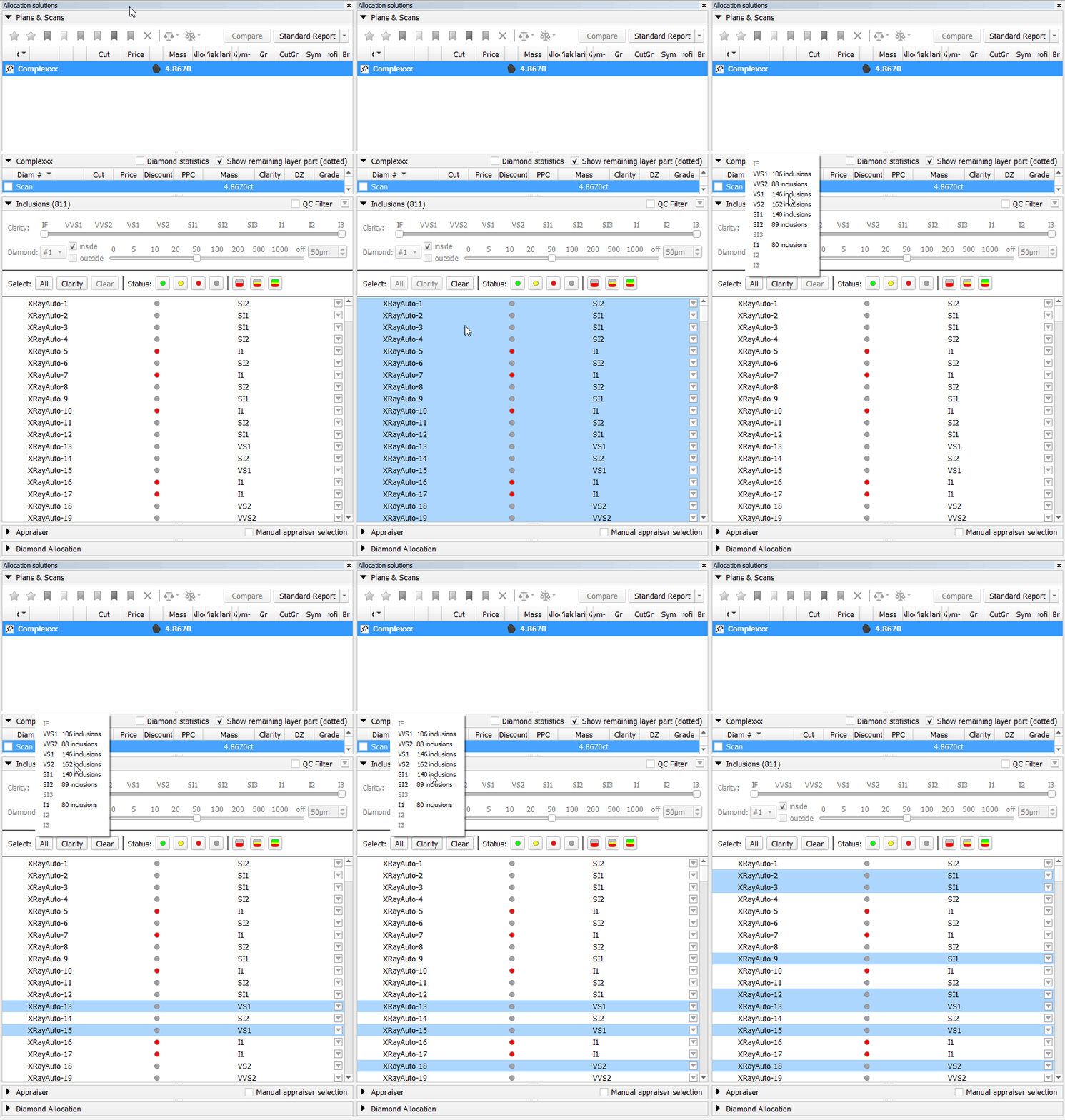
The panel is divided into two main operation groups: Select and Status.
1. Select Operations
This group contains functions for managing the selection of items in the inclusions list.
- All Button: Selects all items currently visible in the list.
- Clarity Button: Opens the window to select inclusions based on a specific Clarity value. Only inclusions matching the chosen value will be selected.
- Clear Button: Deselects all items in the list.
2. Status Operations
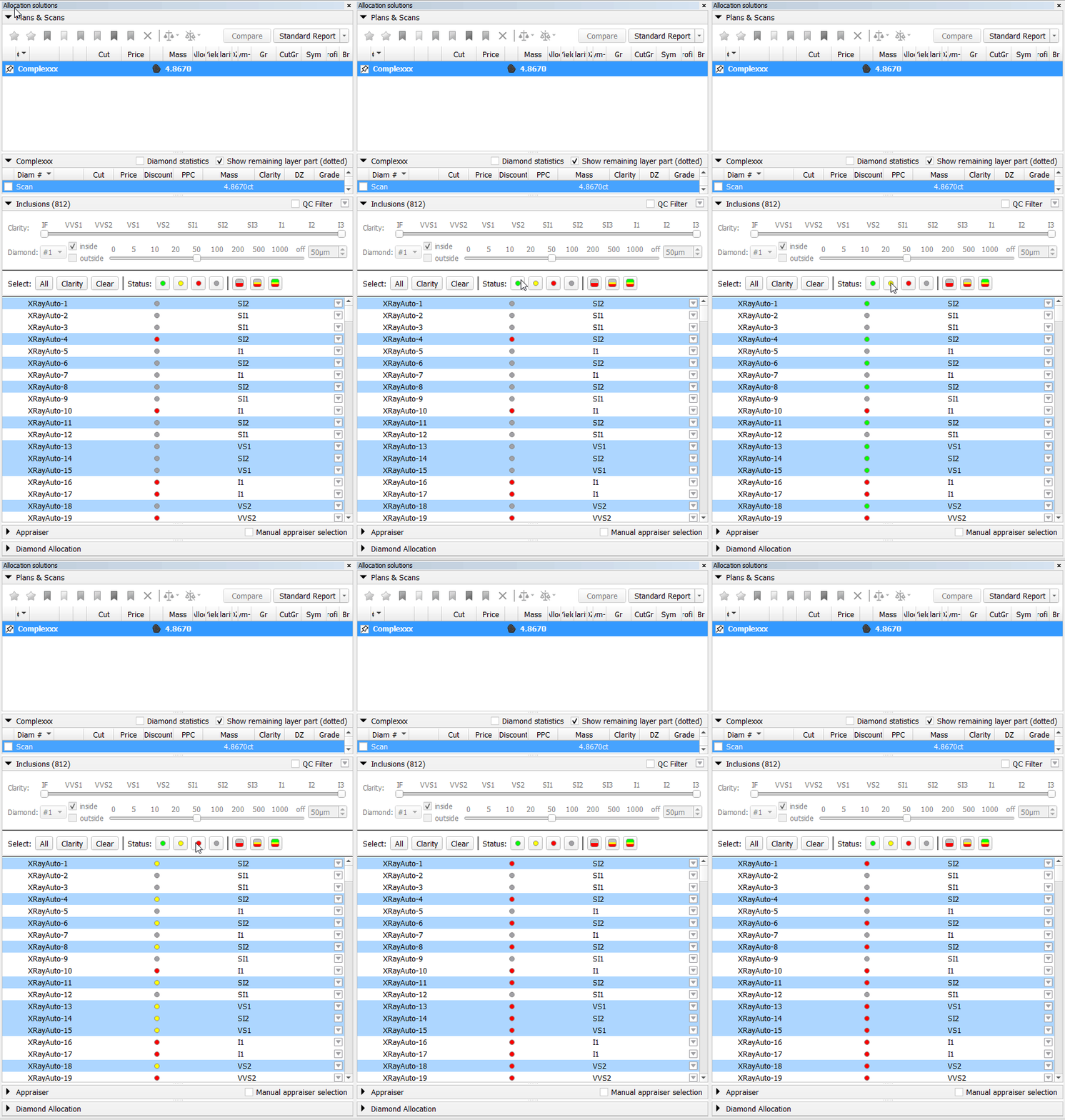
This group contains functions for setting the allocation status.
2.1. Single-Status Buttons
Buttons: Red, Yellow, Green, Gray. These buttons immediately set the corresponding status for currently selected inclusions.
2.2. Clarity-Based Status Assignment
These operations assign statuses to inclusions based on their Clarity value. The status is applied to all inclusions currently in the list (i.e., those passing filter above).
Clicking one of these buttons opens a configuration pop-up. Within the pop-up, sliders are used to define threshold values for the Clarity attribute. A pre-defined status scheme is applied based on these thresholds, assigning a status to each inclusion according to its Clarity value.
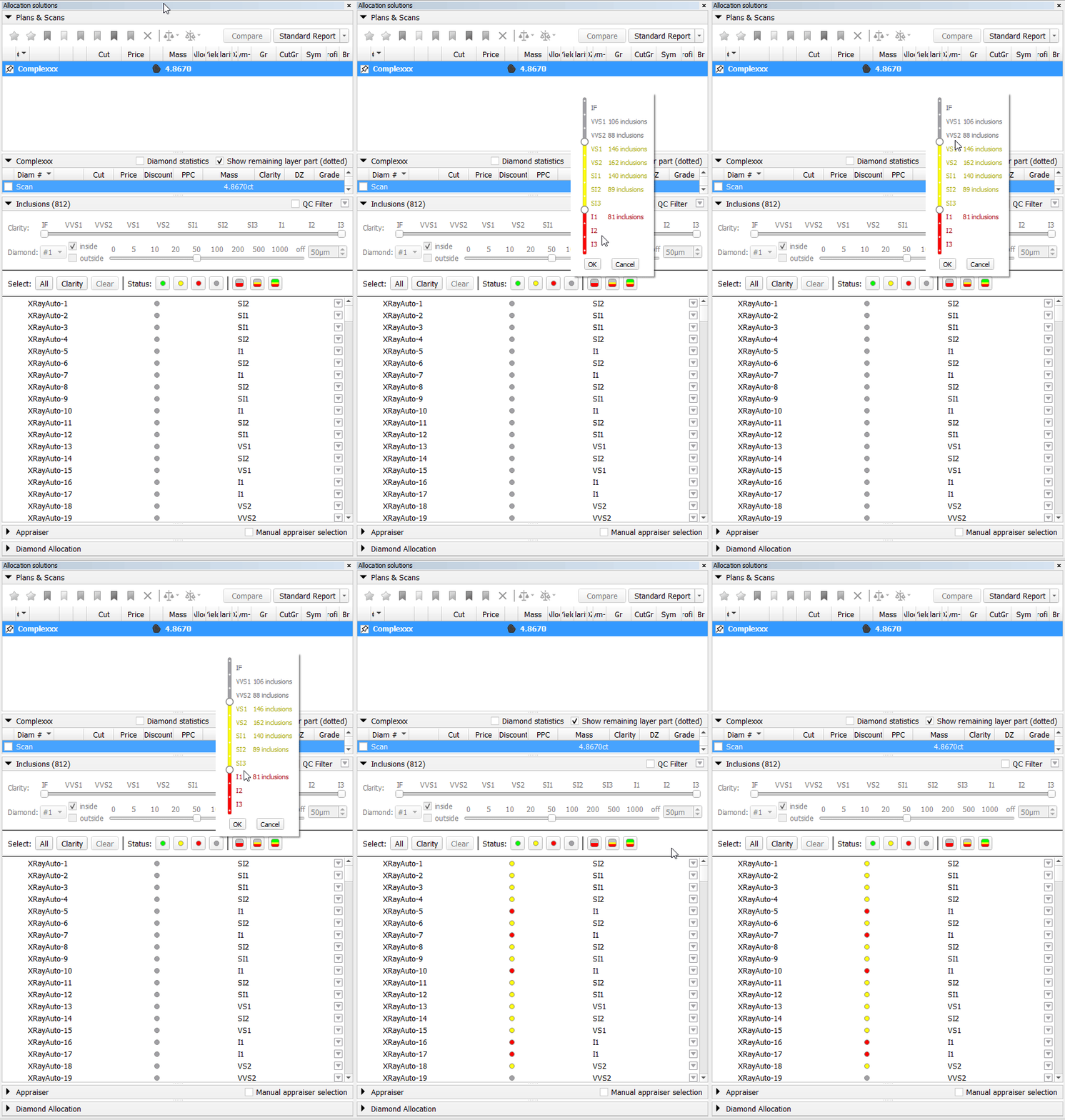
Available Schemes: Gray-Red, Gray-Yellow-Red and Green-Yellow-Red.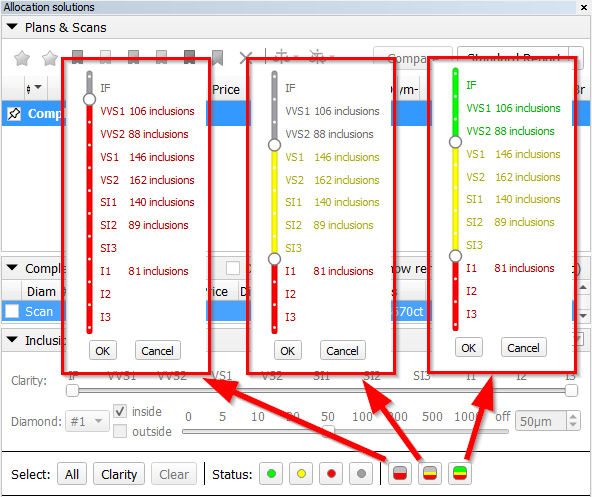
All buttons in the Status group have descriptive tooltips. Hovering over a button provides a clear explanation of which inclusions will be affected by the operation.


Scene rotation tool (Ox/Oy/Oz)
...
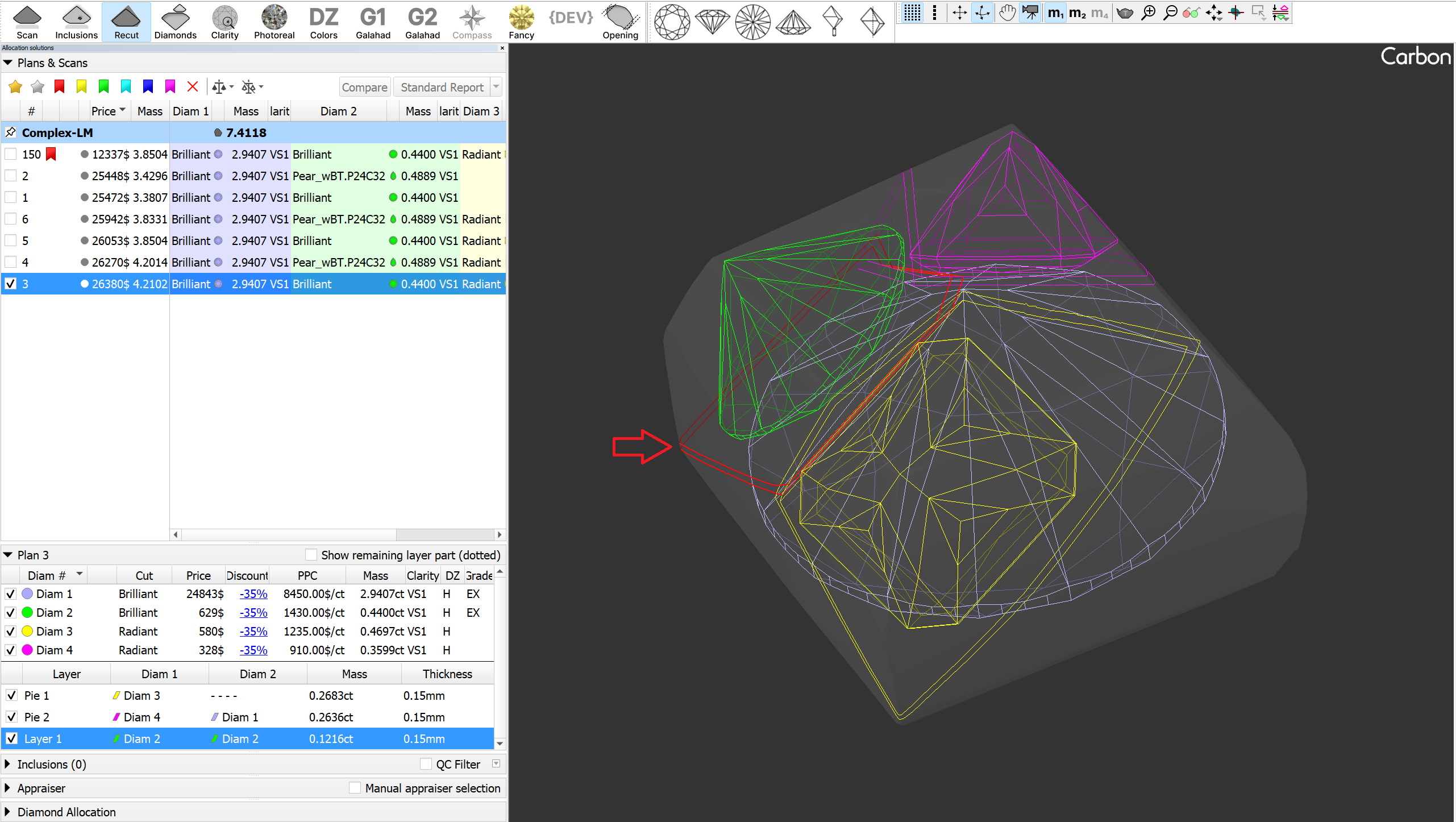
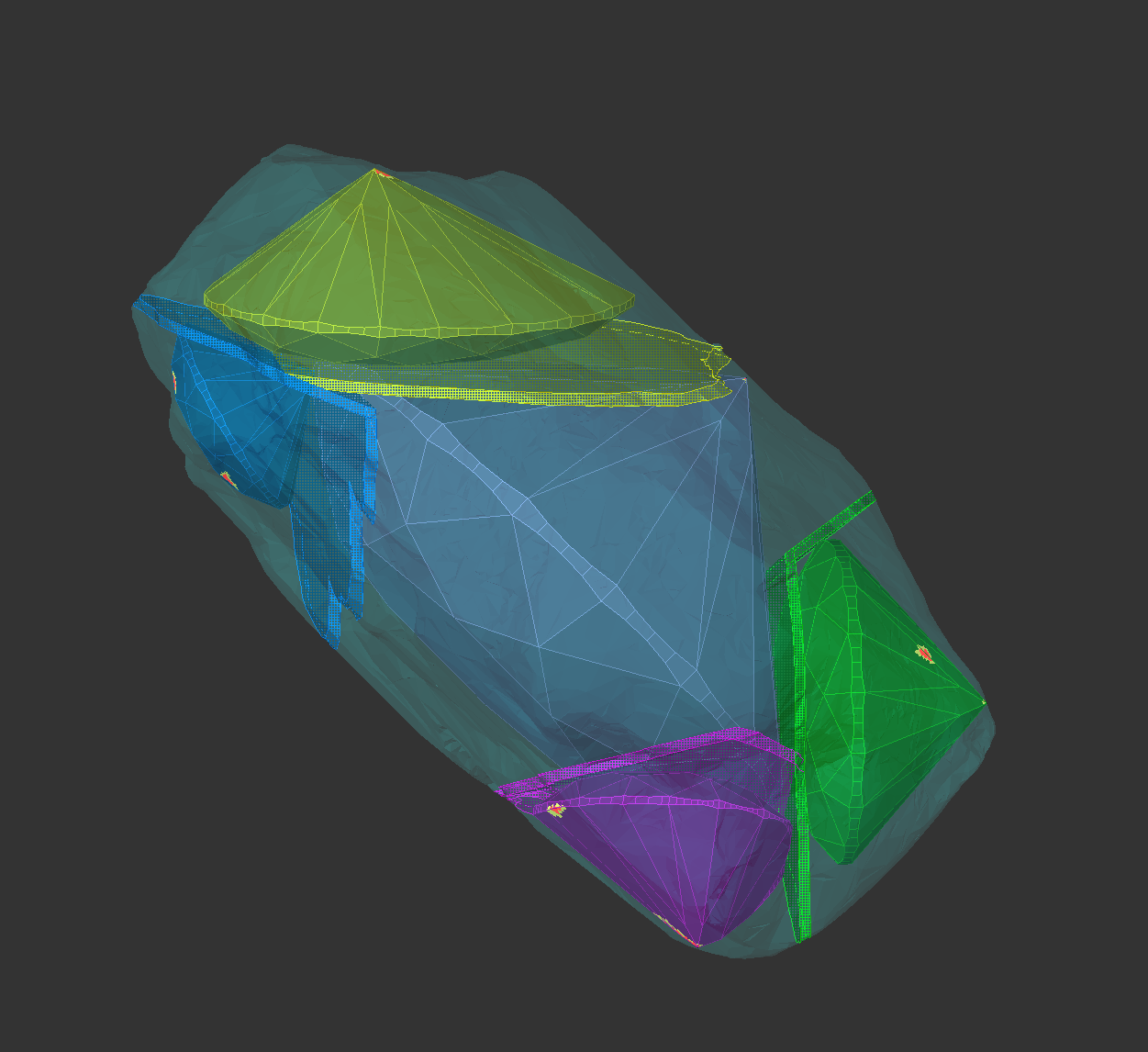
Saw rendering has been improved: non-visible parts are now shaded, and the active layer is highlighted in red with thicker lines. For users who prefer solid mode, this option can now be applied to layers(planes) in the Rendering Settings.
Layer movement improvements
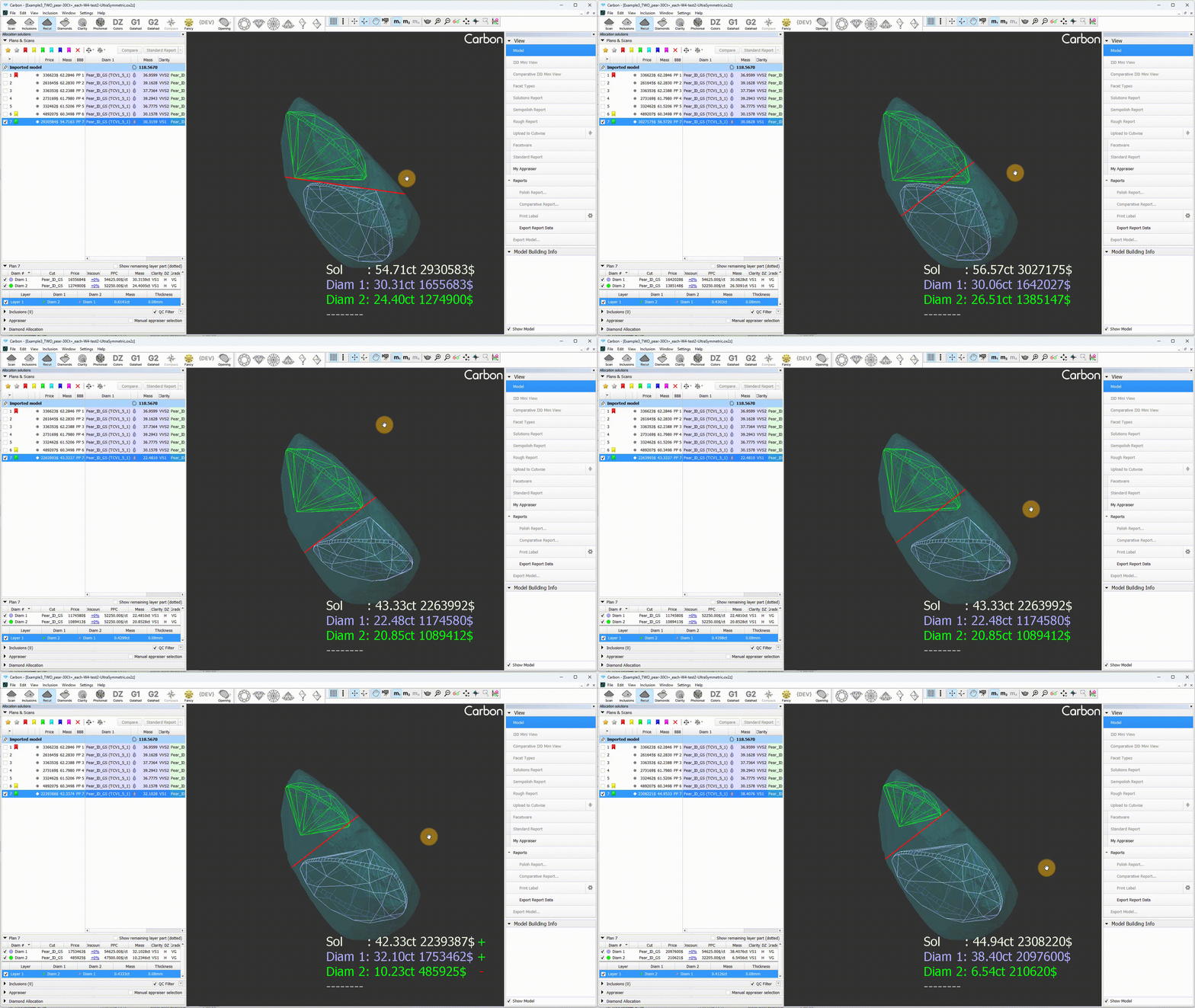
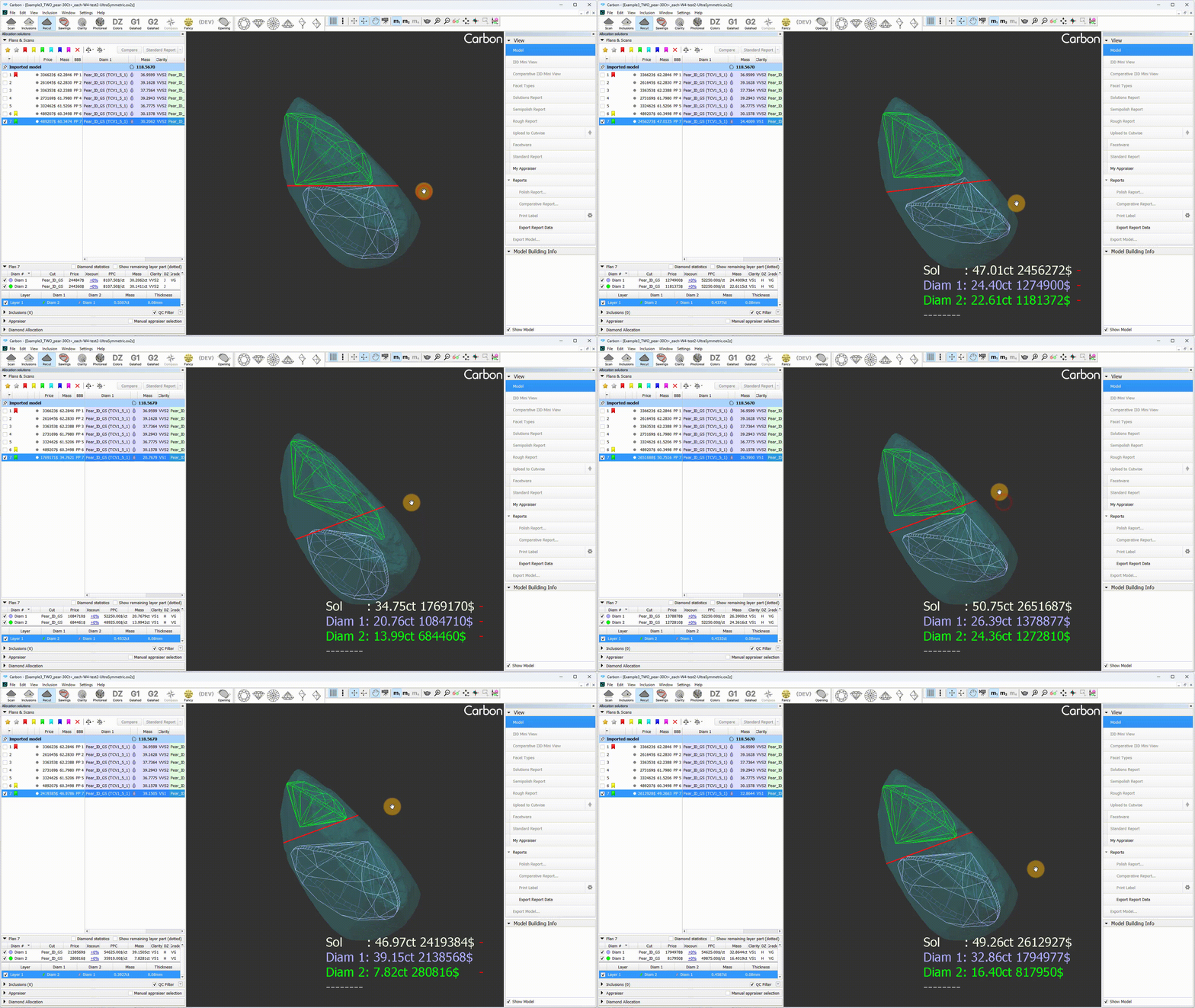
In the new version, the layer movement latency has been significantly reduced. This improvement enables smoother and more precise operation of the Fast Swim tool.
Additionally, rotation around the center (when holding the C key) has become more intuitive.
| Before | Now |
|---|---|
|
|
Sample Facet Types
When editing the Facet Types of a sample, the modified types are not saved to the sample file by default. However, this feature proves to be quite useful and convenient. Therefore, this functionality has been implemented.
...