
...
There is a plan to improve the batch allocation in the next release version and add more flexibility.
Green inclusions behavior update
Why the change?
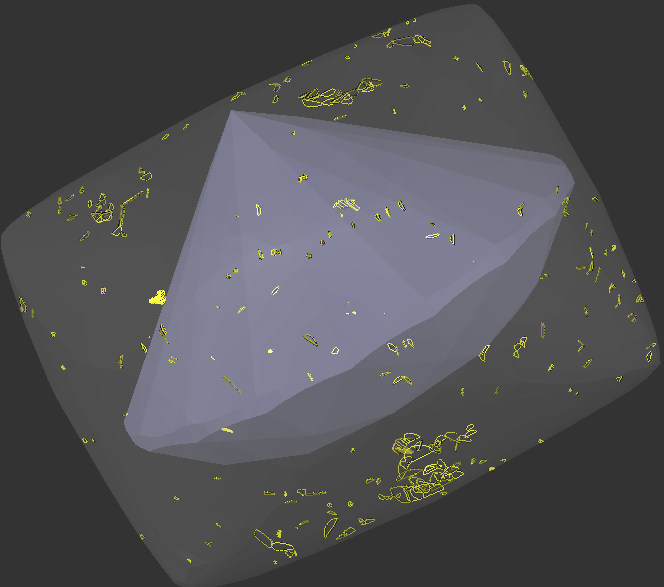
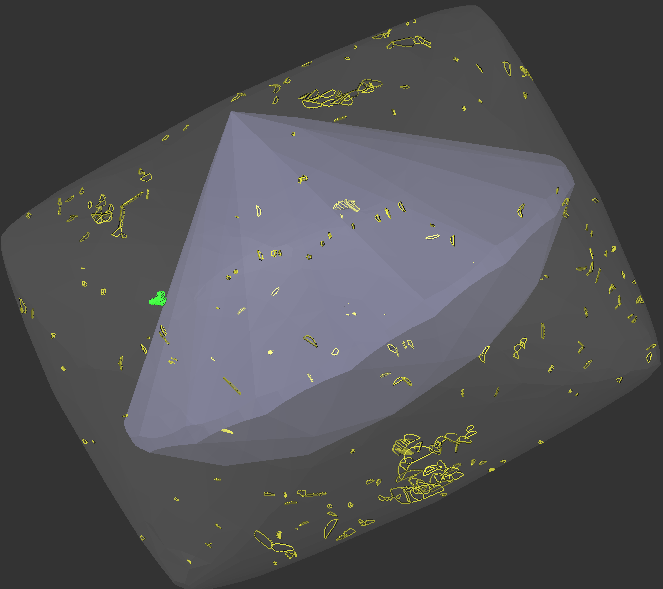
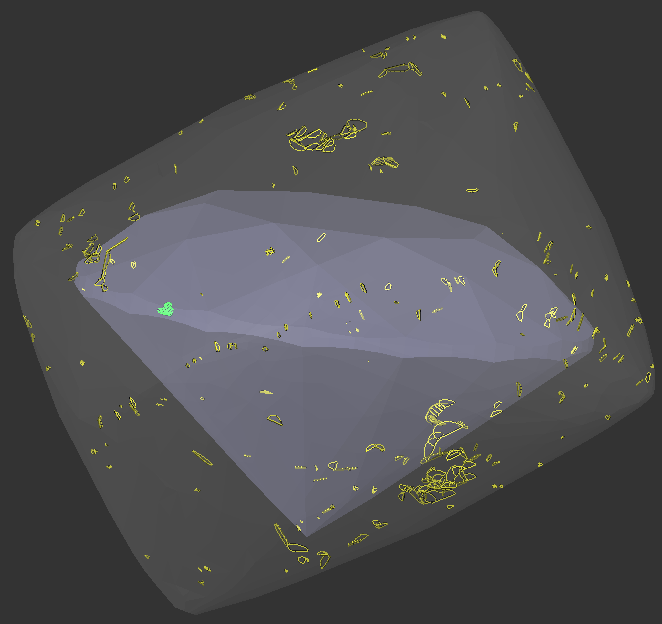
Some customers evaluate results using external price lists that our algorithms cannot access. They need a simpler, faster way to manually guide the allocation algorithms. Specifically, they want direct control over which inclusions are prohibited in solutions and which ones factor into the final price. In earlier versions, users marking inclusions as green expected a maximum-volume solution, ignoring the "permitted green" inclusions. However, the algorithm instead reduced volume to create a cleaner, more expensive result per its built-in pricing.
Thre is example where bahavour is shown obviously:
Carbon3.0.3_GreenInclusions_Demo.ox2z
| Before | |
|---|---|
| Green and Yellow inclusions produces same result | |
|
|
|
|


| Now | |
|---|---|
| Yellow | Green. According to user goal |
662px |
|
|
|

What's new?
To resolve this and support different users workflows, we have changed the behavior of green inclusions in the allocation algorithms. Each Inclusion Color Status now has a unique role and you can choose which inclusion color statuses are convenient for you to use.
Inclusions participate in two important stages:
- Influences how allocation algorithms find solutions.
- Determines the final clarity and price of a solution.
Within the allocation algorithms, there are three options for an inclusion:
- Forbid: The solution must not contain this inclusion.
- Ignore: The solution may contain the inclusion without affecting the forecasted price and the search for the optimal solution. It's treated as non-existent during allocation.
- Algorithmic choice: The solution may either contain the inclusion or not. The forecasted clarity and price of a solution candidate change based on the inclusions it contains. The algorithm evaluates and selects solutions using this inclusion-dependent forecasted price.
In the final solution assessment, inclusions can influence in two ways:
- Ignore: Does not affect the solution's final clarity or price.
- Consideration: If contained, the solution's clarity is downgraded to the inclusion's clarity.
A complete table of properties for each color status in Carbon 2.3.2 is provided below.
| Gray | Ignore | Ignore |
| Green | Ignore | Consideration |
| Yellow | Algorithmic choice | Consideration |
| Red | Forbid | Consideration |
...
In versions prior to Carbon 2.3.2, green inclusions behaved identically to yellow ones.
If you were satisfied with the old behavior, your new effective color set is Gray, Yellow, and Red. Simply recolor your old green inclusions to yellow.
How it
...
works?
When to use each color status:
Gray: For inclusions you consider physically absent or so insignificant they won't affect the final product price. They have no effect anywhere in the program.
Green: For inclusions you want to ignore during allocation but consider in the final assessment.
- Use Case 1 (Green-Red workflow): Speed up individual allocation runs by removing yellow inclusions. Manually select Green-Red inclusion subsets for sequential global/local allocation runs. While still seeing their impact on final clarity, otherwise, your path is "Gray-Red workflow".
- Use Case 2 (Custom pricing): Force the algorithm to find larger, less clean solutions optimal for your external price list, not Carbon's built-in ones.
Yellow (Trust the Algorithm): The default for optimization. The allocation algorithms decide to include or exclude these inclusions to maximize objective functions like price.
Red: Strictly forbidden from appearing in algorithm-generated solutions. However, manual manipulation may inadvertently leave them inside a solution.
The Clarity Diversity parameter relies on the forecasted price during allocation. Therefore, only inclusions that participate in algorithm price forecasting (Yellow status) affect Diversity. Gray and Green inclusions are ignored, and Red inclusions are forbidden.
For convenient personalized work with inclusion clarity and color status, we have developed a new interface, which you can read about in the chapter "Batch Operations Panel for Inclusions".
Allocation - manual tools
...
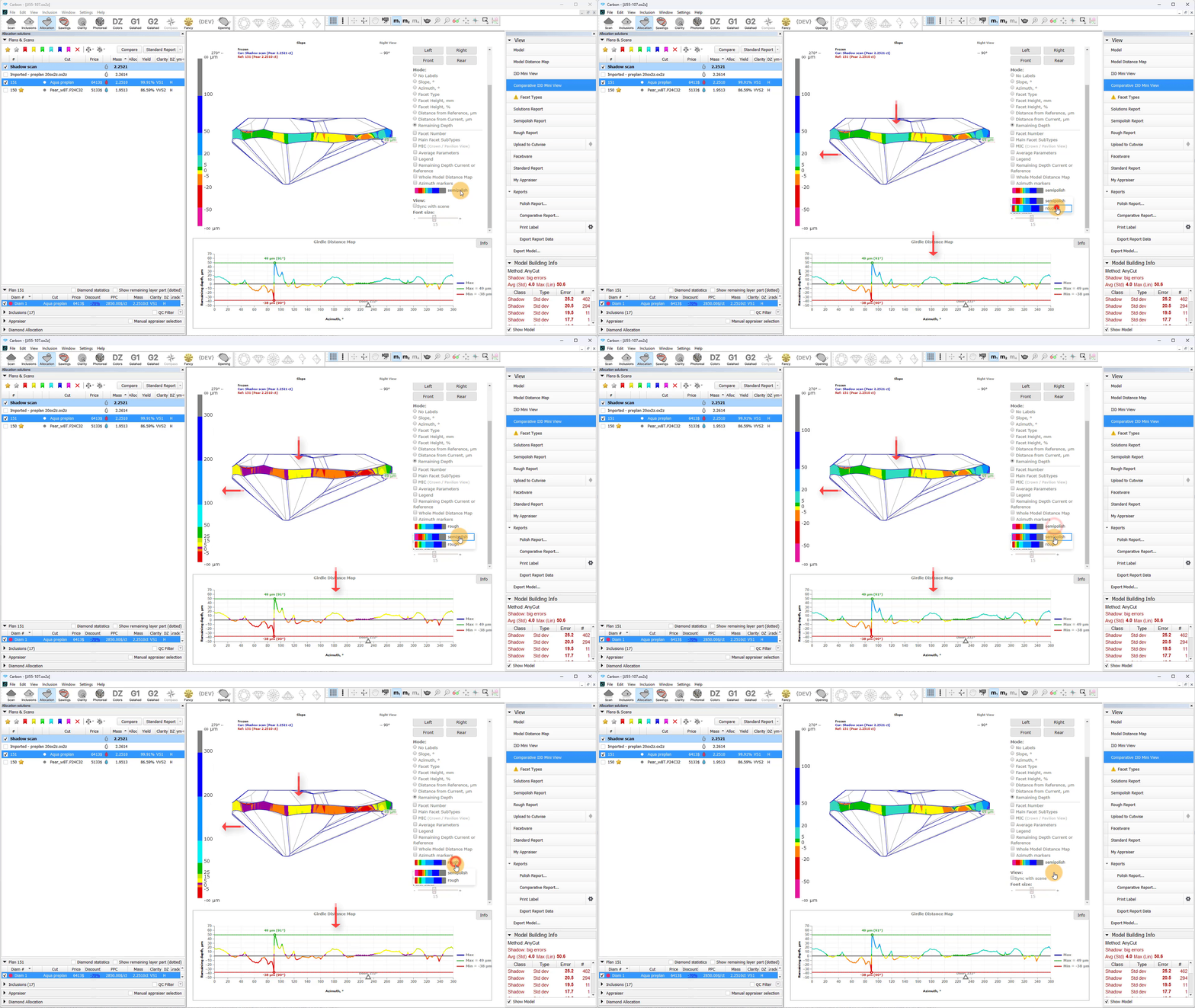
In I3D Comparative Remaining Depth mode, min/max indiaction added to the graph plot and 3D scene.
Azimuth markers were added to the 3D scene to make a more convenient navigation between the graph plot and the scene.
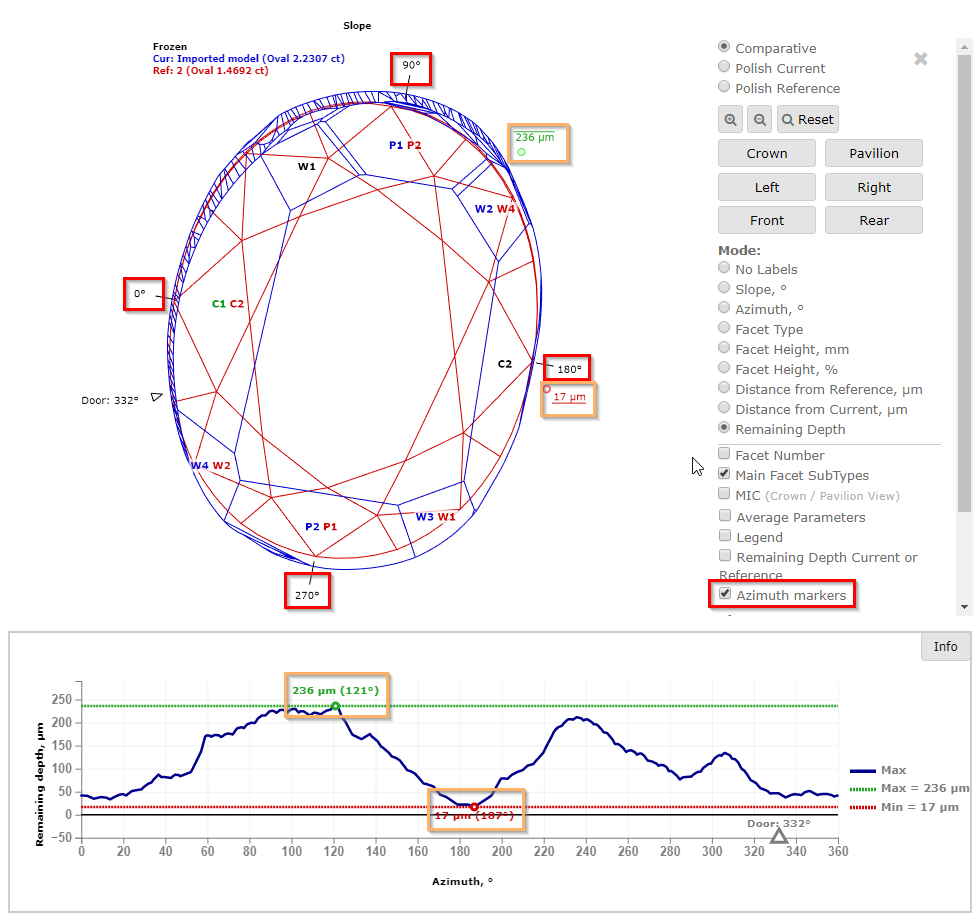
In I3D Comparative Remaining Depth mode, you can now choose a color palette. Currently, there are two options available: semipolish and rough, each suited to different purposes, as their names suggest. Semipolish is the original palette used in RD, while the rough palette is adapted from the Carbon Viewer.
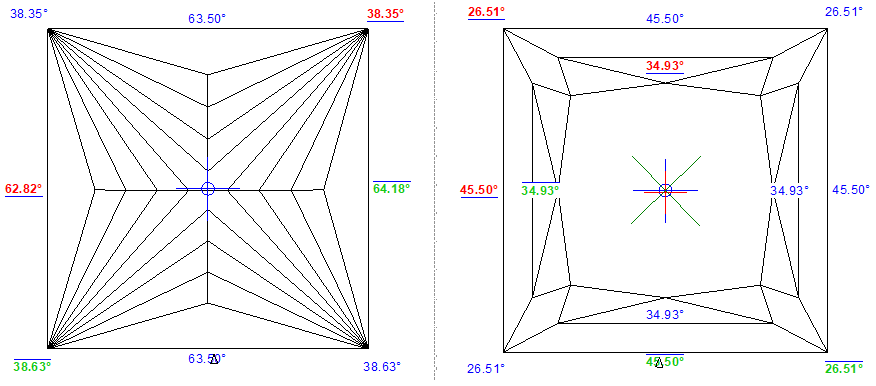
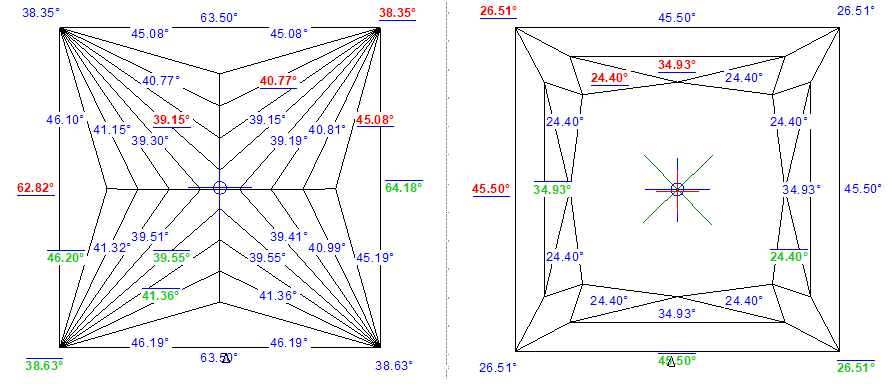
Facets Edge Width for Princess cut
...
Information about chevrons and star facets has been added to the pictures:
| Before | Now |
|---|---|
|
|
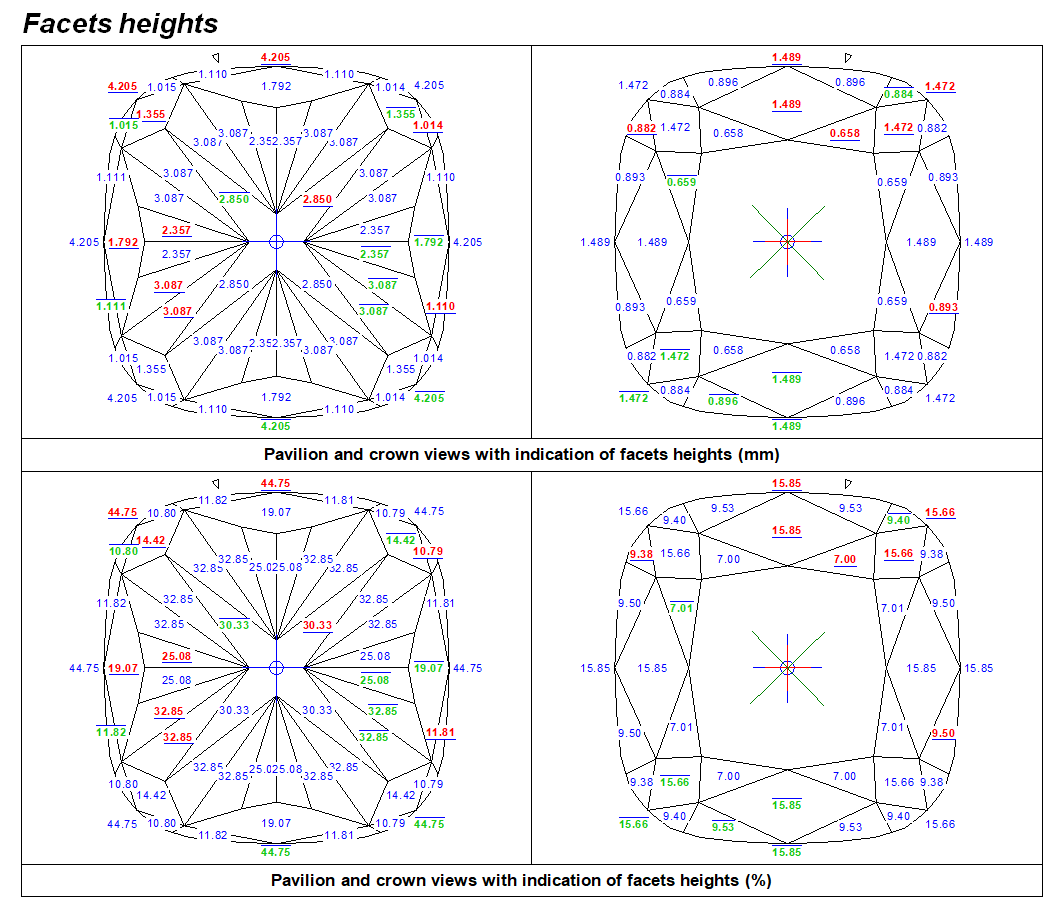
The new images and bookmarks are available for custom reports
The new images containing Crown and Pavilion Height, along with Facets Height Data, are available under bookmarks "PAVILION_HEIGHT_PC_REPORT", "PAVILION_HEIGHT_MM_REPORT", "CROWN_HEIGHT_PC_REPORT", and "CROWN_HEIGHT_MM_REPORT".
The new images can be found in following reports:
- FULL_REPORT_FOR_CUSHION.RTF
- FULL_REPORT_FOR_SQUARE_CUSHION.RTF
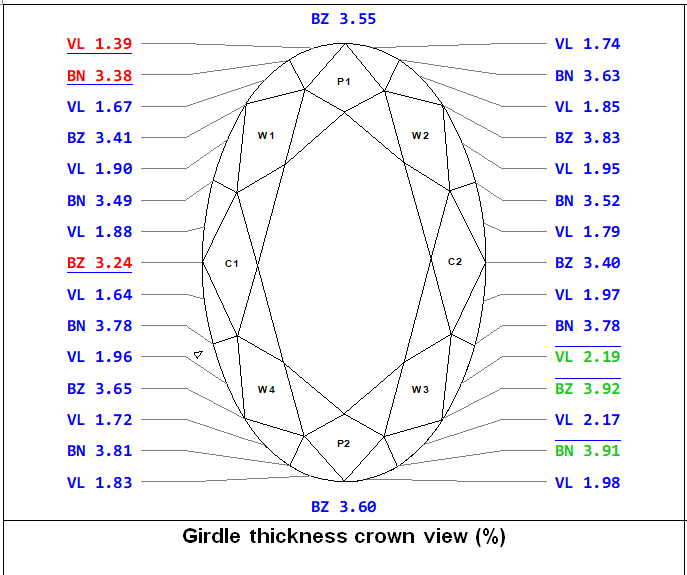
The new Girdle Height image with Valley was added to FULL_REPORT_FOR_BRILLIANT.RTF and FULL_REPORT_FOR_ROUNDED_FANCIES.RTF and available under the bookmark "GIRDLE_THICKNESS_PC_CRN_VIEW_COLUMN."
The new bookmarks for Square StepCut and Square Radiant have been added to the RTF report:
- CORNER_ANGLE_SQUARE_MM_...
- CORNER_ANGLE_SQUARE_PC_...
- PAV_CORNER_ANGLE_SQUARE_MM_...
- PAV_CORNER_ANGLE_SQUARE_PC_...
- CRN_CORNER_ANGLE_SQUARE_MM_...
- CRN_CORNER_ANGLE_SQUARE_PC_...
- PAV_GIRDLE_SIDE_SQUARE_MM_...
- PAV_GIRDLE_SIDE_SQUARE_PC_...
- CRN_GIRDLE_SIDE_SQUARE_MM_...
- CRN_GIRDLE_SIDE_SQUARE_PC_...
Appraisers&Pricelists
Link current Scan to this appraiser
...
Modes renaming and relocation
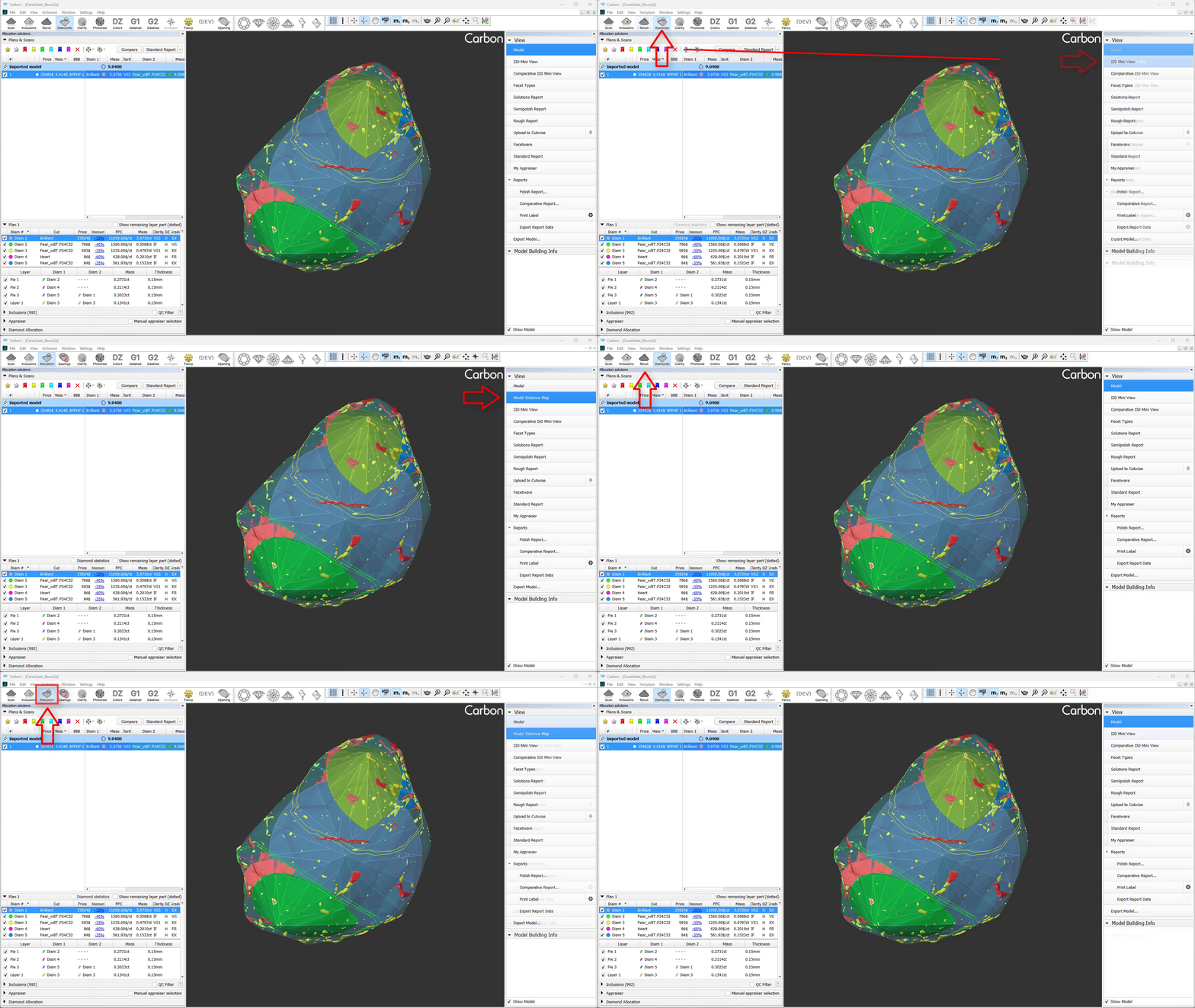
Diamonds mode has been relocated to the right-hand panel alongside other scene display modes and renamed to Model Distance Map.
Recut mode now features a new icon and has been renamed to Allocation.
Batch Operations Panel for Inclusions
...