
...
The algorithm "24. Multinext" has also been added. It operates on one or multiple selected solutions. The user chooses how many extra diamonds need to be added to the selected solutions. In the case of multiple selected solutions, the algorithm will work independently and in parallel on each of them. "24. MultiNext" uses a allocation method identical to "24. MultiDiamond" starting from third solutions. The result of "24. MultiNext" can always be sawn with pie sawing.
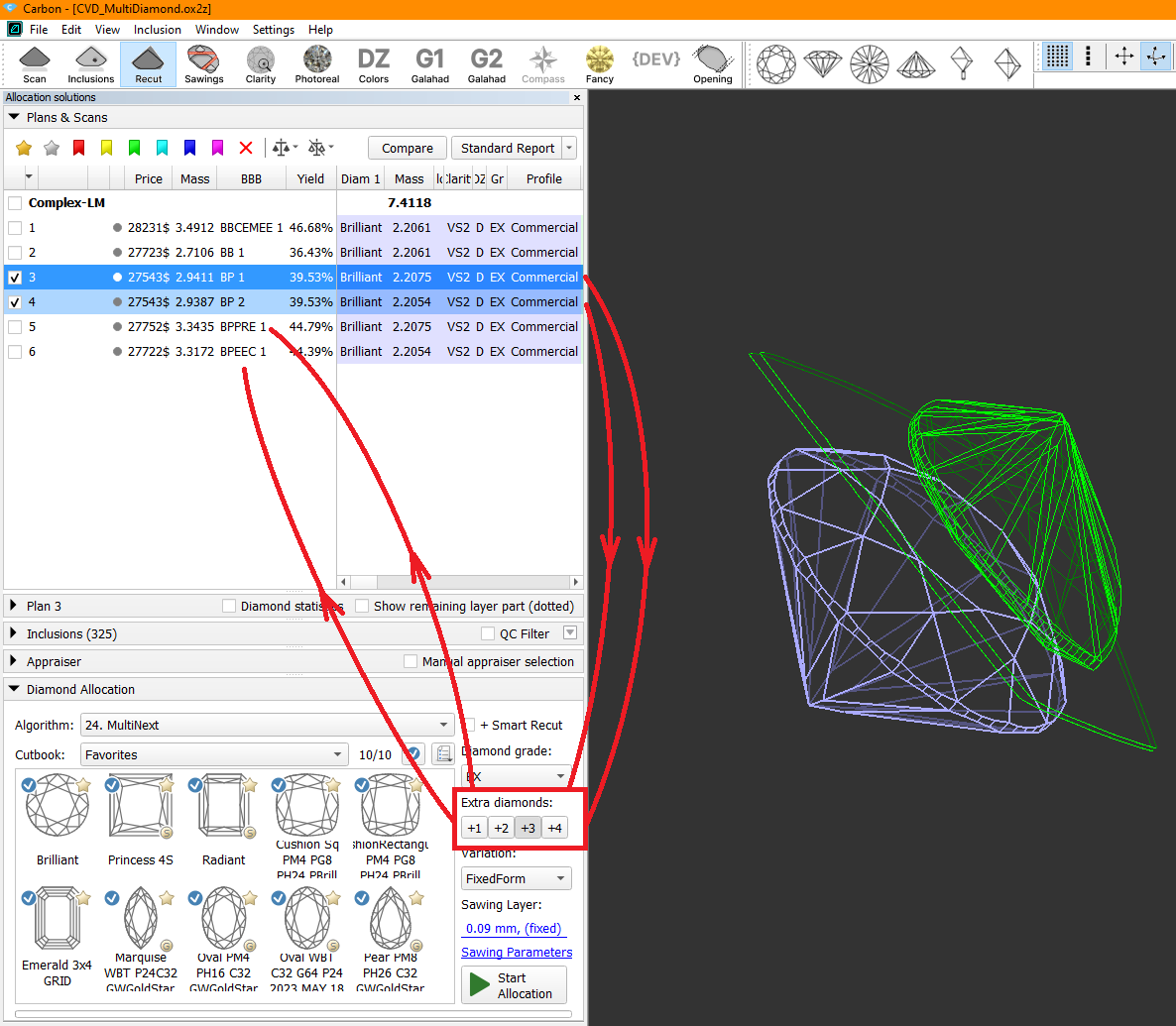
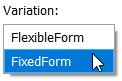
The "24. Multinext" algorithm (similar to decribed above "24. MultiDiamond" algorithm) provies two options in the Variation dropdown menu:
- "FixedForm" to produce solutions exactly of the same form as the allocation forms registered within the cut. Only scale or position may be changed
- "FlexibleForm" to produce solutions in the limits specified by the appraiser.
The "24. MultiNext" algorithm with choosen FixedForm option, compared to previuosly released in ver. 2.0.9 "24. MultiNext (FixedForm, BasicSawing)":
...
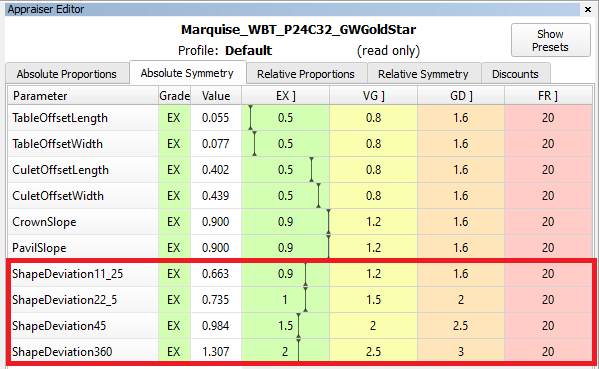
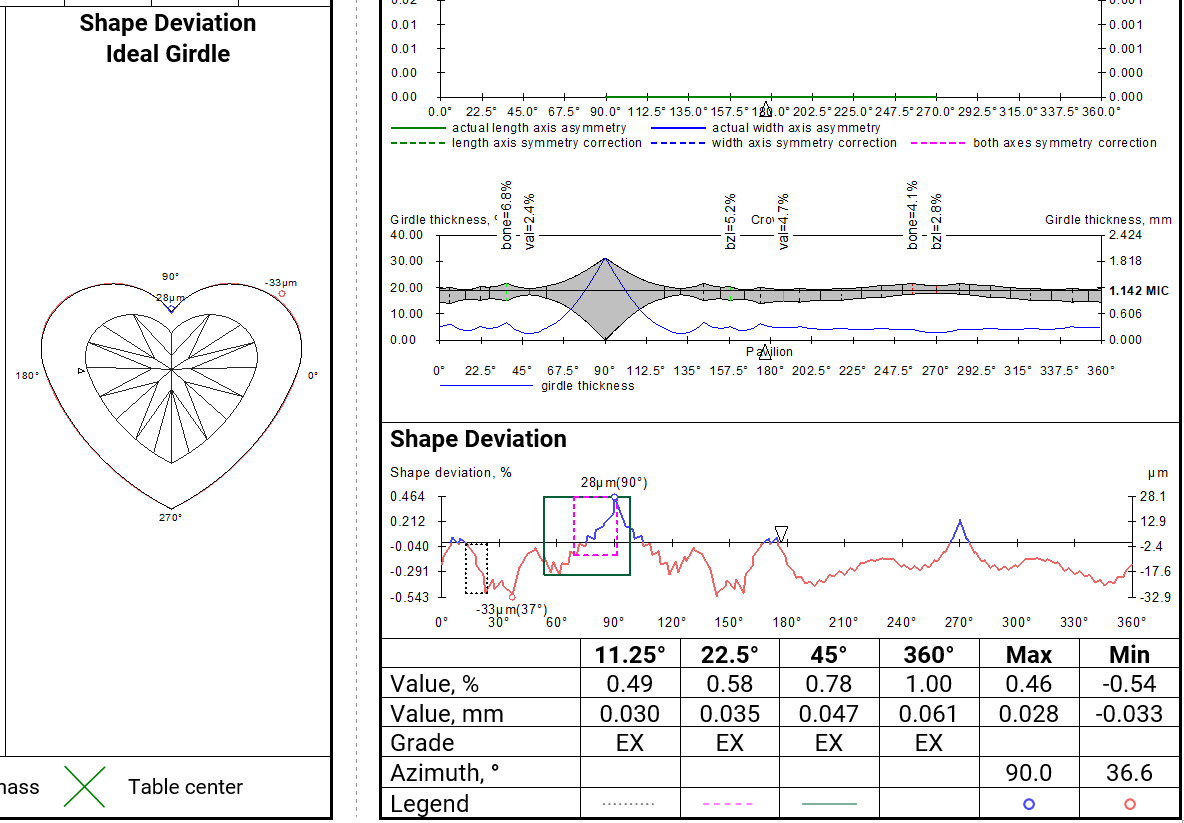
After aligning the girdle shape of the current model with the ideal girdle shape linked to the current cut, we calculate the distances between the two curves. These distances are presented as the Shape Deviation Plot and Shape Deviation Ideal Girdle. Next, we identify azimuth intervals of 11.25, 22.5, 45, and 360 degrees where maximum difference in distances between shapes are observed, and estimate these values. It is in these locations where the imperfections in the girdle shape are most noticeable. The Shape Deviation Plot highlights these areas with rectangular windows, along with indications of global maximum and minimum values.
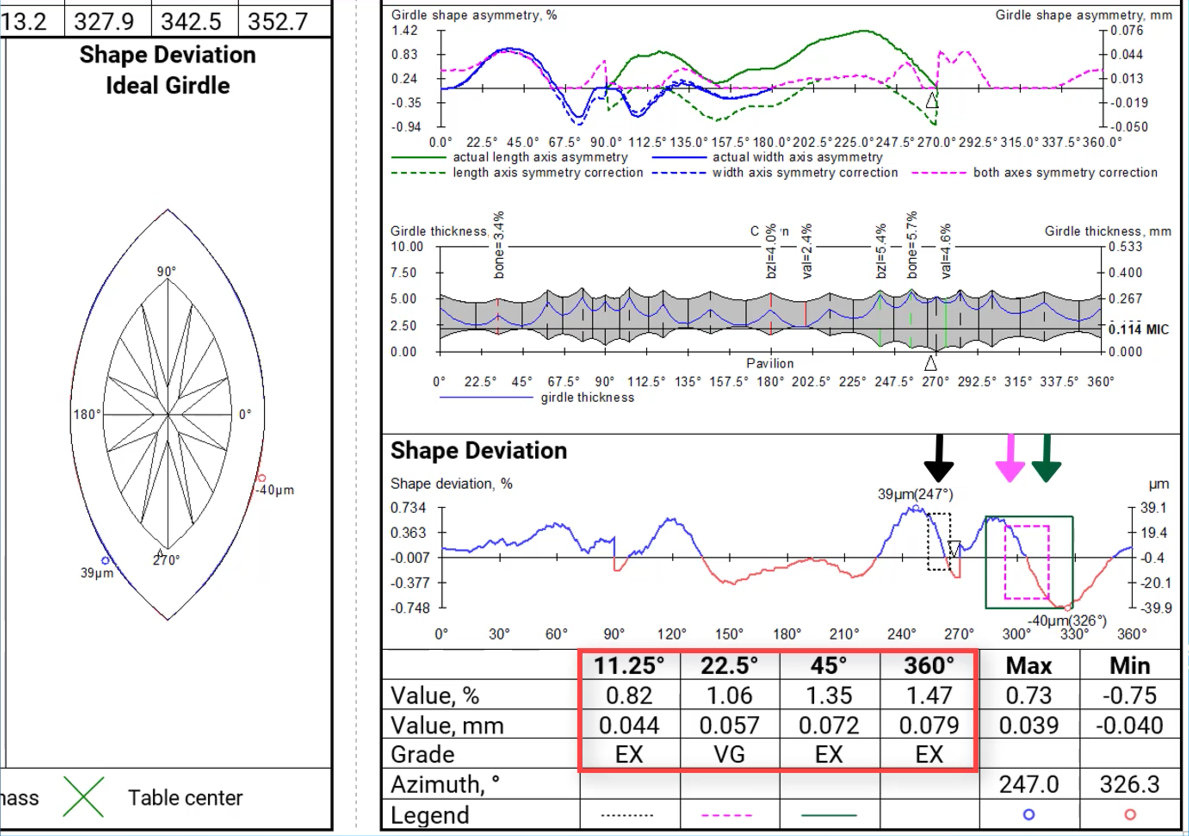
Deviations where the current girdle shape is wider or narrower than the ideal shape are color-coded. This information is also depicted in the Shape Deviation Ideal Girdle image. Here, the current model is outlined in black, with areas highlighted in blue and red denoting the extent to which the girdle shape of the current cut deviates in width from the ideal girdle.
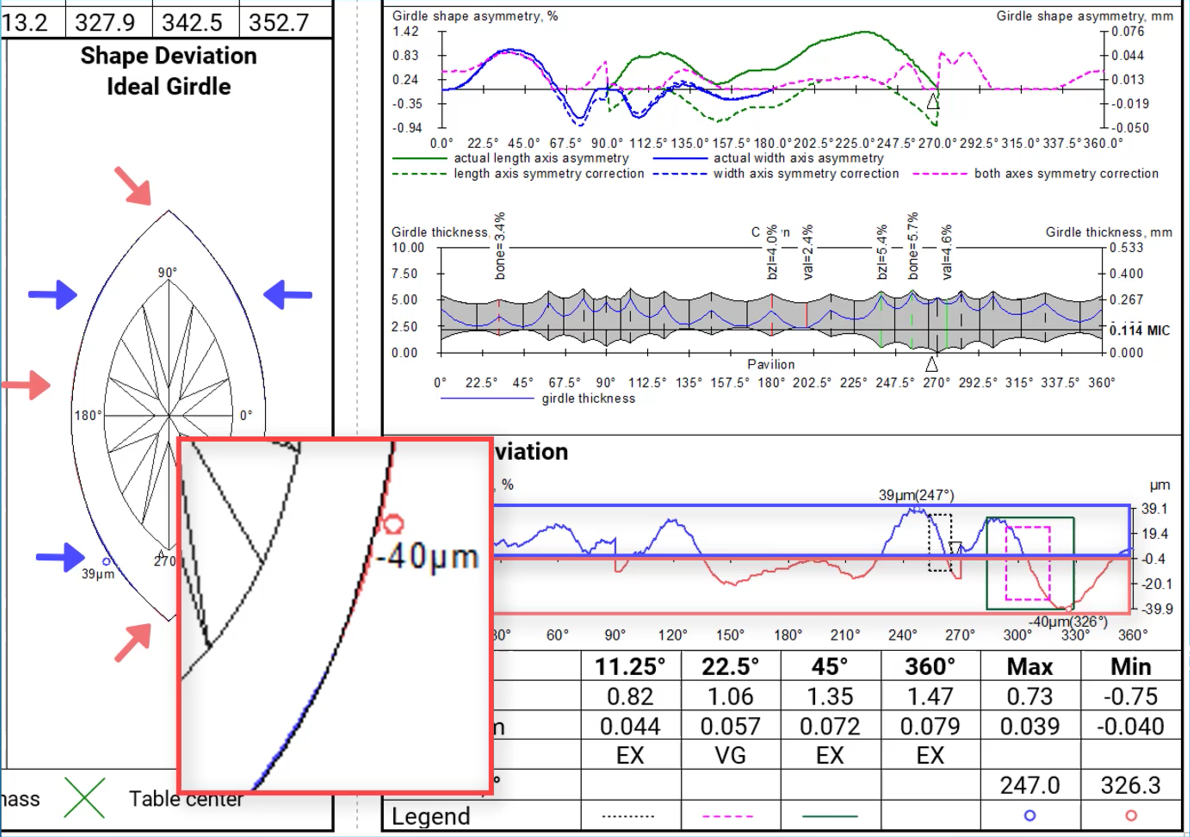
Global maximum and minimum values are also represented in both pictures.
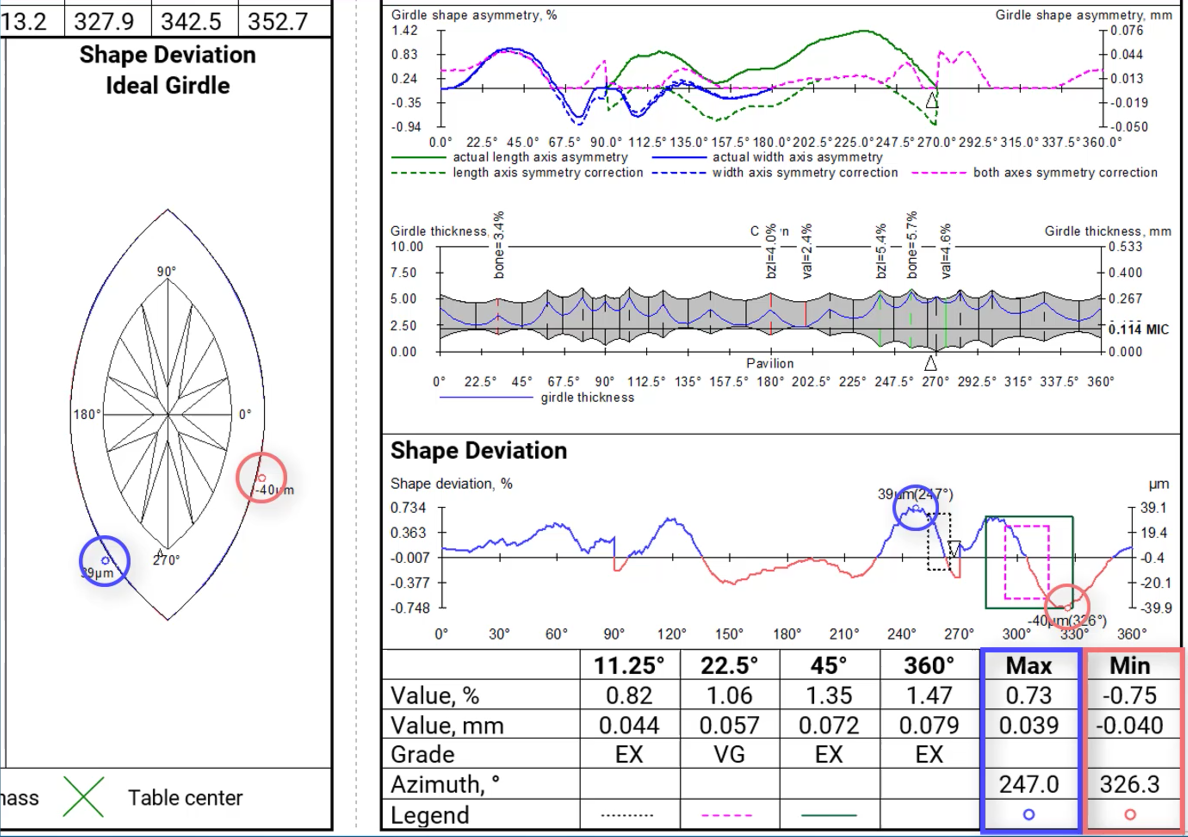
Shape Deviation in appraisers
...
In the reports an ideal ellipse is used as a reference for any сuts recognized as oval and lacking own reference shapes.
Shape deviation now works on is iavalable alsofor non-convex cutsshapes (for example, Heart shape):
Shape Deviation in SmartRecut
...
In the illustrated reports, the Shape Deviation is located in the bottom right corner or in the center:
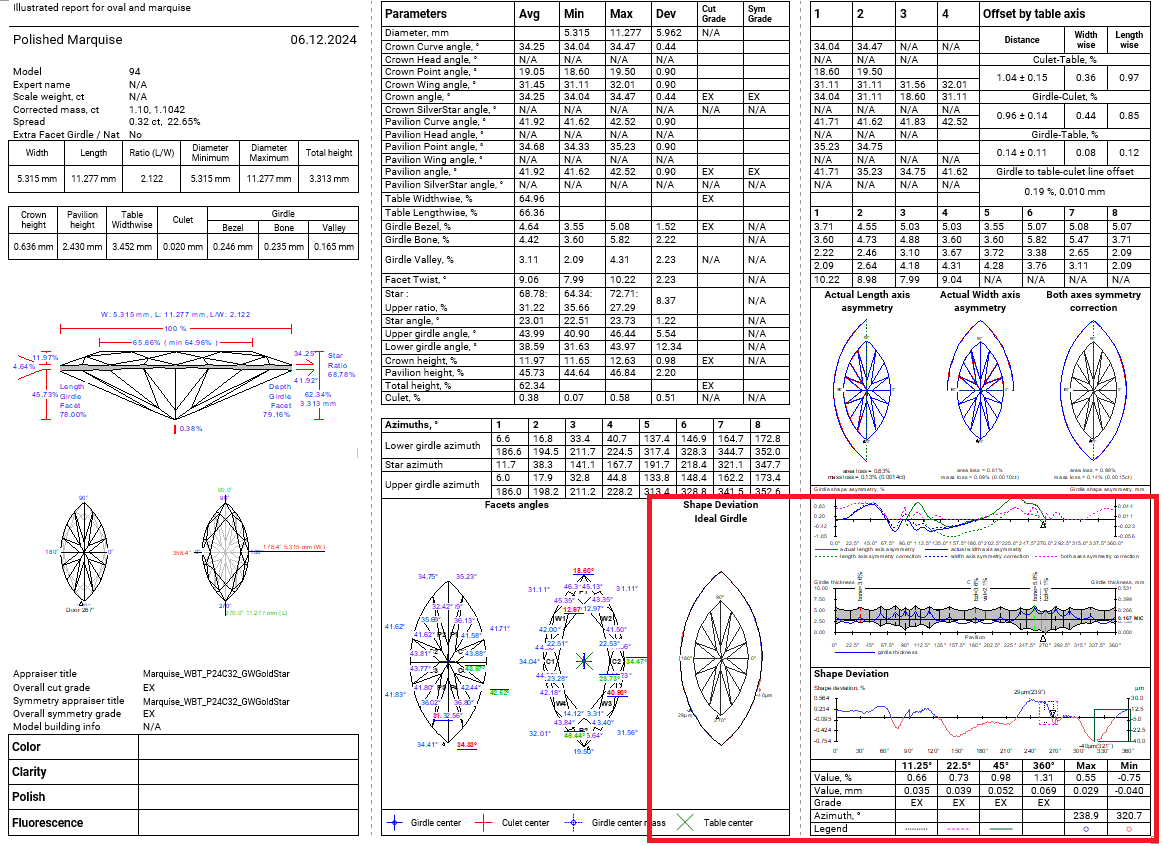
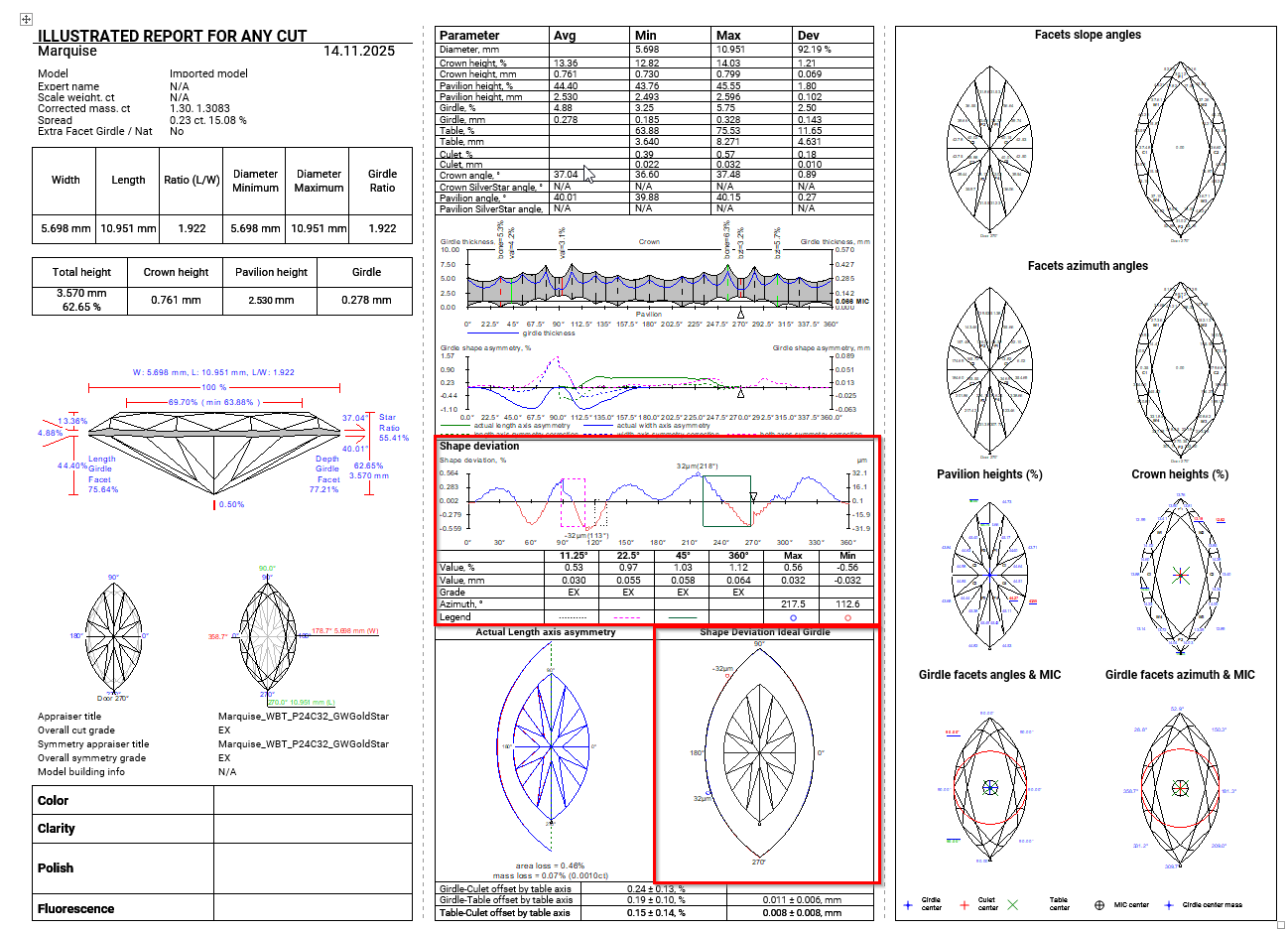
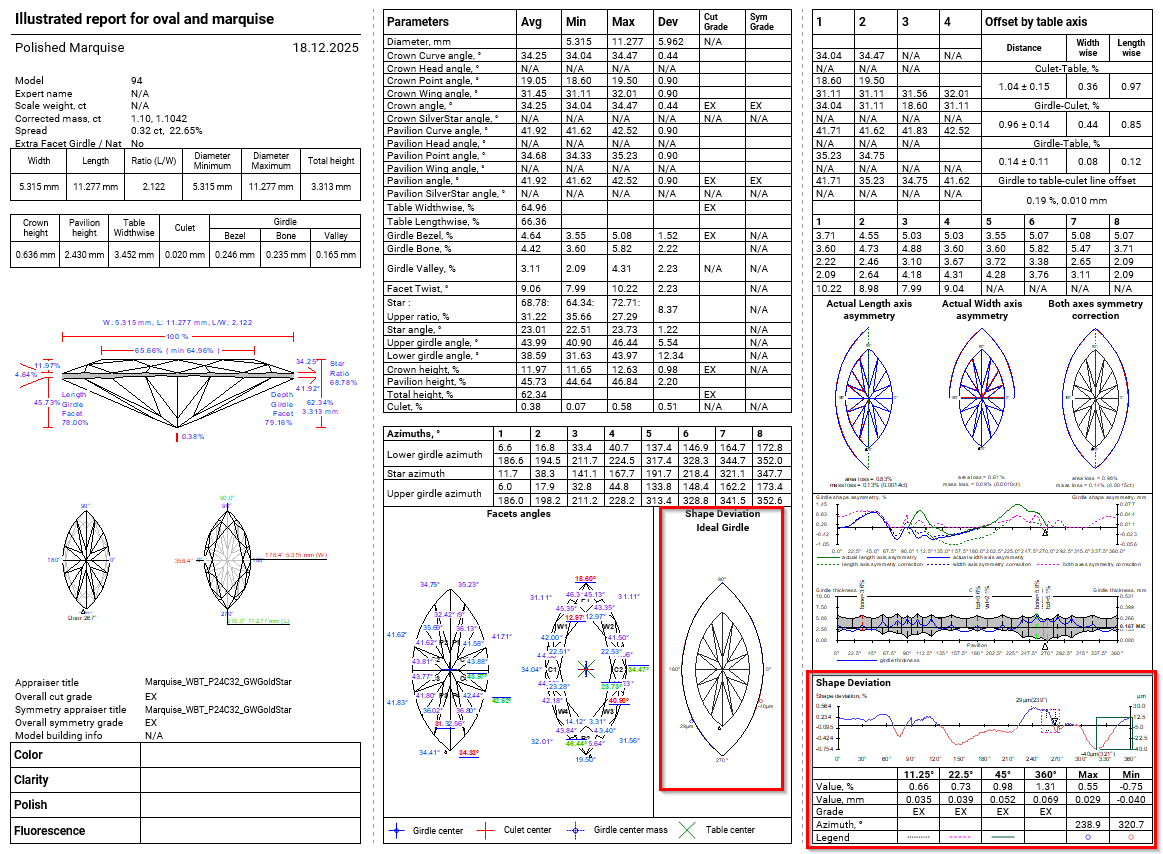
In the full report, this parameter is placed on a separate page.
...