
...
Allocation of 3 (three) or more diamonds has become the standard for all sizes and types of rough rough stones. On average, a solution contains 5 (five) diamonds. An important question when allocating multiple diamonds is "How to perform Sawing?" Not all solutions with 4 (four) or more diamonds can be sawn using modern sawing technologies.
...
Users can specify the desired number of diamonds in a solution, and the algorithm will allocate that exact quanitty quantity of diamonds in the scan model.
When searching for the 3 (three) largest diamonds, the algorithm prioritizes maximizing price. From 4 (four) diamonds onwards, the algorithm also considers the need for existing sawing.
...
24. MultiNext
The algorithm 24. MultinextMultiNext has also been added. It operates on one or multiple selected solutions. The user chooses how many extra diamonds need to be added to the selected solutions. In the case of multiple selected solutions, the algorithm will work independently and in parallel on each of them. 24. MultiNext algorithmuses an allocation method identical to 24. MultiDiamond" starting from third solutions. The result of 24. MultiNext can always be sawn with pie sawing.
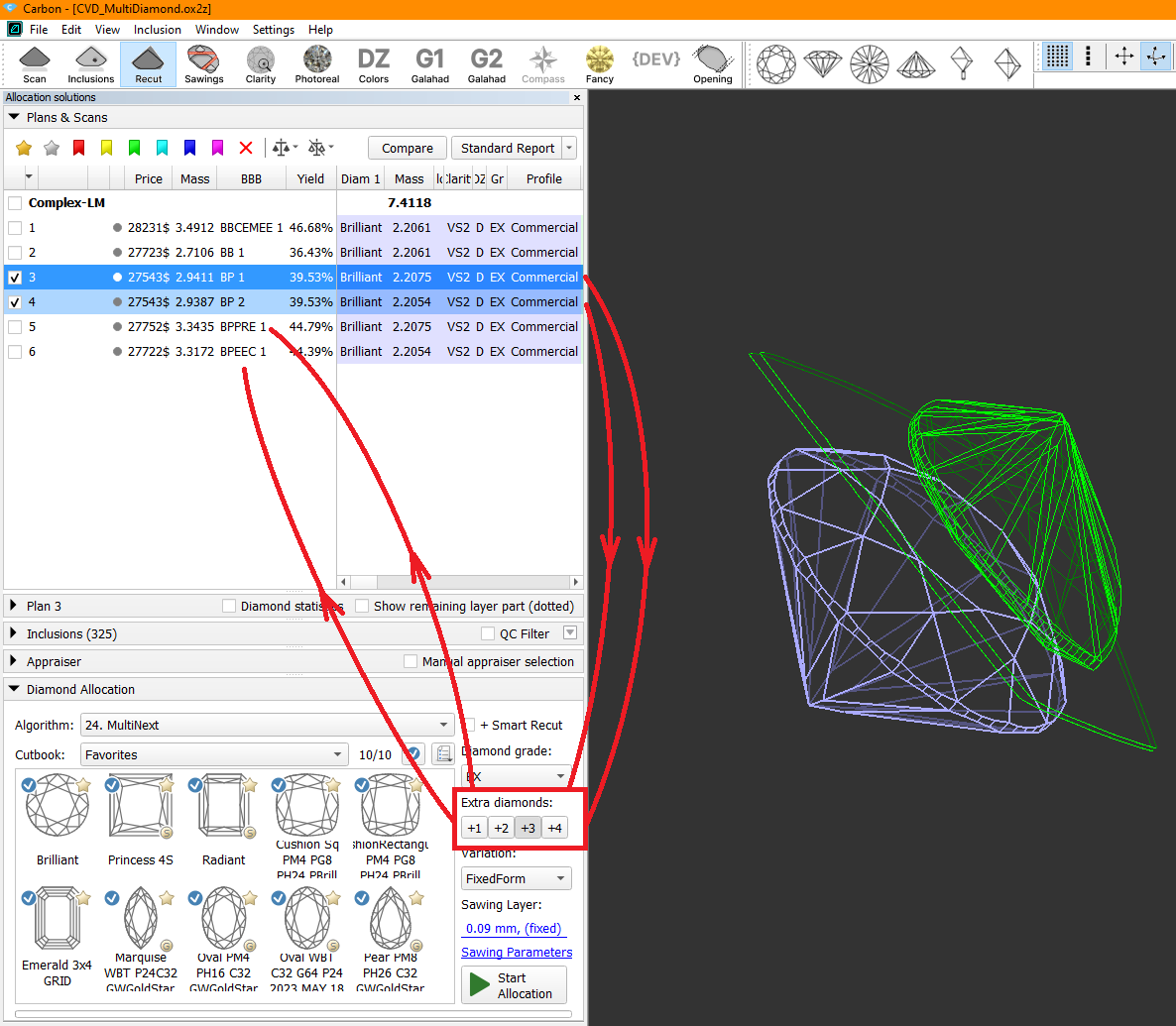
The 24. MultinextMultiNext algorithm (similar to decribed described above 24. MultiDiamond algorithm) provies provides two options in the Variation dropdown menu:
...
Compared to thу previously released 24. MultiNext (FixedForm, BasicSawing) algorithm in HPCarbon version 2.0.9m the new 24. MultiNext algorithm with choosen chosen FixedForm option:
- Is faster;
- In most cases provides higher solution price;
- Creates solutions that frequently cannot be sawn without using Pie Sawing.
...
Some customers evaluate results using external price lists that our algorithms cannot access. They need a simpler, faster way to manually guide the allocation algorithms. Specifically, they want direct control over which inclusions are prohibited in solutions and which ones factor into the final price. In earlier versions, users marking inclusions as green expected a maximum-volume solution, ignoring the "permitted green" inclusions. However, the algorithm instead reduced volume to create a cleaner, more expensive result per its built-in pricing.
Thre There is example where the change in behavour behavior of green inclusions is shown obviously:
...
Operators use manual tools during planning after getting the initial solution of global allocation. One of them is a movement of layer and recalculation of diamonds allocation.
This operation is required both for natural rough diamonds and grown CVD diamonds to get symmetrical solutions, or fixed mass solutions (such as 1ct+1ct, 1ct+2ct). Current algorithms may not provide that kind of solution.
However, you can achieve the desired result manually by using the movement panel for the layer and applying the Swim algorithm to each diamond individually. It takes time.
We have developed an autoswim a mode that eliminates the need for manual use of the Swim algorithm, saving you valuable time.
...
Algorithm Selection Integrated into Main Toolbar
The AutoSwim Fast Swim algorithm settings (activated after plane adjustment) are accessible in the main toolbar.
...
The saw disk of the sandwich will be created relative to the nearest diamond and positioned parallel to its nearest facet at the distance specified during the sandwich creation.
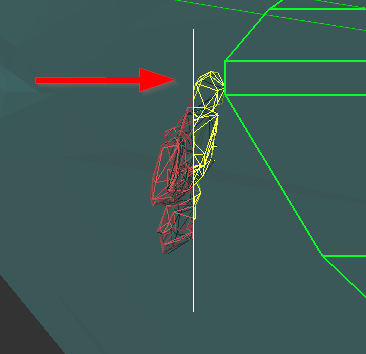
After creation expart ex-part sandwich becomes active.
2. If it is necessary to change the position of the saw disk, you need to activate object move mode (hand icon on the toolbar). After that, the saw disk can be moved similarly to other objects in "hand" mode. This means using: Shift for flat-parallel movement, 'v' for rotation around the vertical axis, 'h' for rotation around the horizontal axis, and 'c' for rotation around the axis normal to the scene.
...
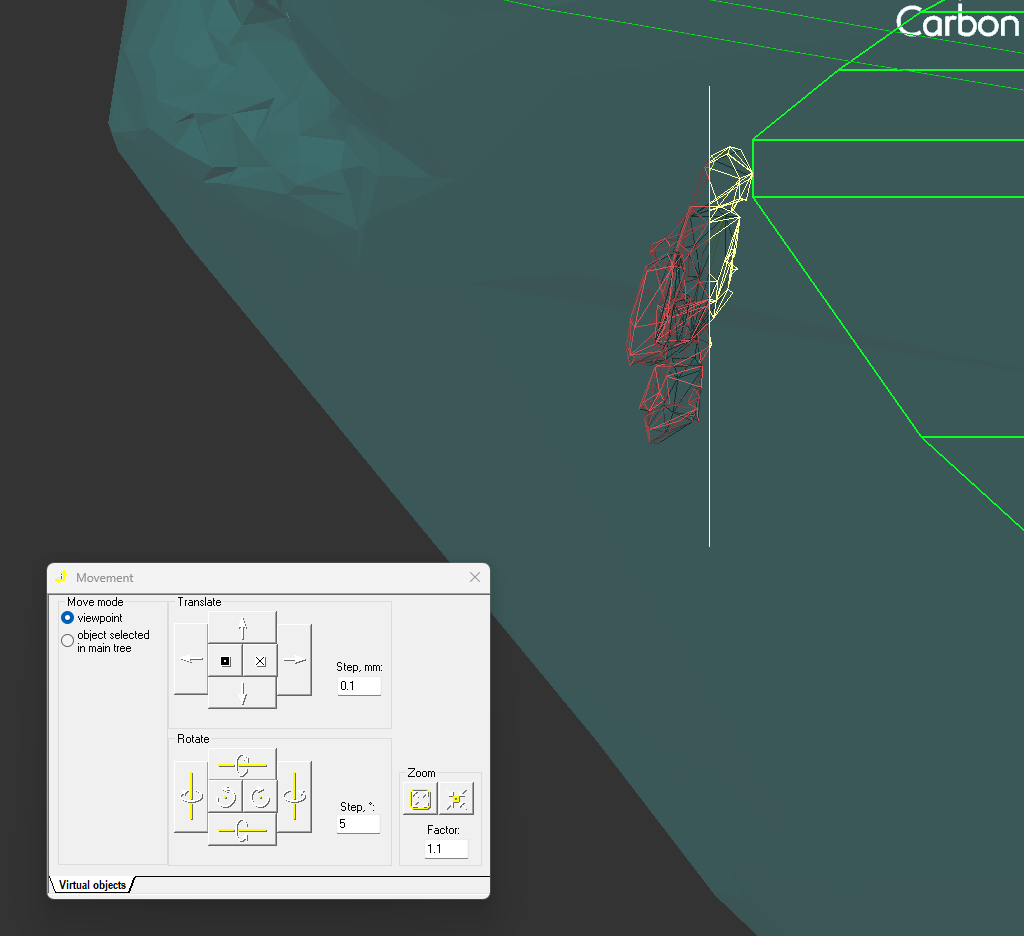
The position of saw disk also could be changes via Movevemt Movement panel:
3. Additionally, there is an option to apply the Quick Sandwich to all inclusions near the active diamond.
...
In the reports an ideal ellipse is used as a reference for any сuts recognized as oval and lacking own reference shapes.
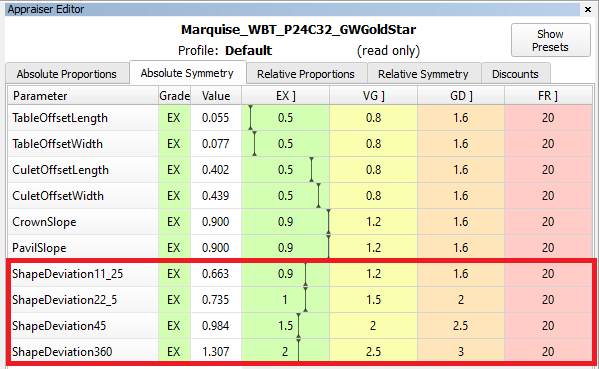
Shape deviation parameter is iavalable alsofor also available for non-convex shapes (for example, Heart shape):
...
The description of Shape deviation parameter and corresponding bookmarks are availbale in available in Shape Deviation.
Shape Deviation for scans
...
...

The green option is recommended for rounded fancy cuts. The necessity and usefulness of the green option for step cuts are still under question, so both green and yellow options are possible for them.
...
In I3D Comparative Remaining Depth mode, min/max indiaction indication added to the graph plot and 3D scene.
Azimuth markers were added to the 3D scene to make a more convenient navigation between the graph plot and the scene.
...
Preplan Creation Improvements
The preplan creation process has been enhanced and stabilized. The "Create sawing preplan" feature now fully supports half-planes, pies, and shapingsshapes, including imported Sarin projects.
New Preplan Creation Methods
Two additional ways to create a preplan have been introduced: from the layer's context menu, you can select "Make preplan for cutting part" and "Make preplan for part on glue." "Make preplan for cutting part" creates a preplan for the part of the rough that should be cut off by the sawing. Typically, this is a sawing preplan for the diamond being cut. "Make preplan for part on glue," on the other hand, creates a preplan for the remaining rough part. This is the part of the rough, that remains at the glue point after being cut by this layer.
...