
...
The Boundary Plane Tool allows placing the plane which virtually cuts off the part of the semi-polished stone to exclude this part from optimization.
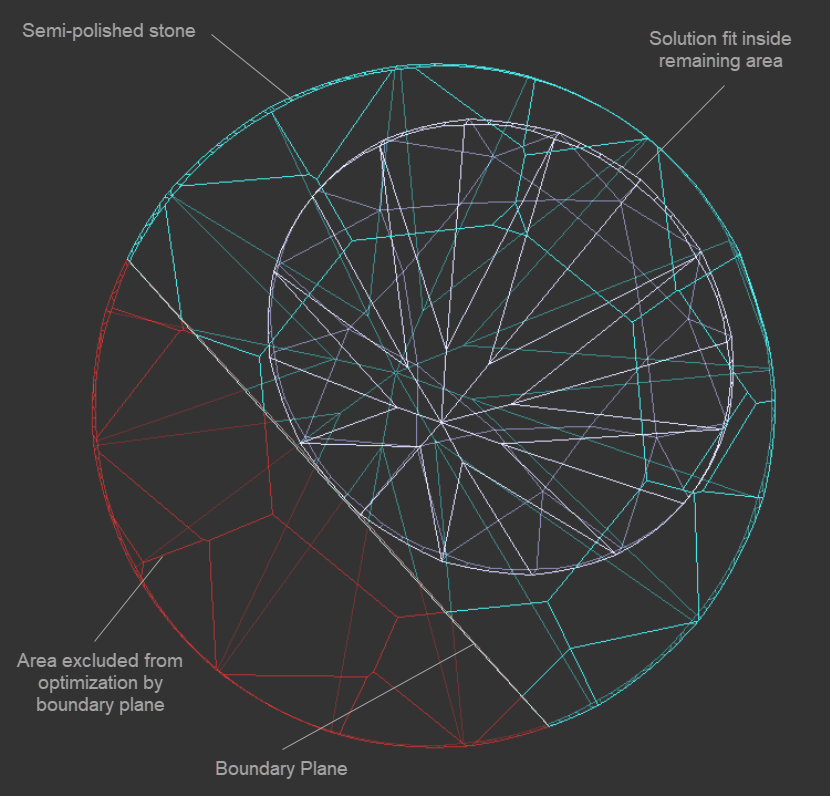
To add a new boundary plane, in the Scene, right-click the model, in the displayed context menu, in the Planes section, select one of the options:
...
- The first click sets the vertical plane normal to the screen
- The second click changes the direction of the plane
- More clicks add additional points and set the plane closest to all the points added
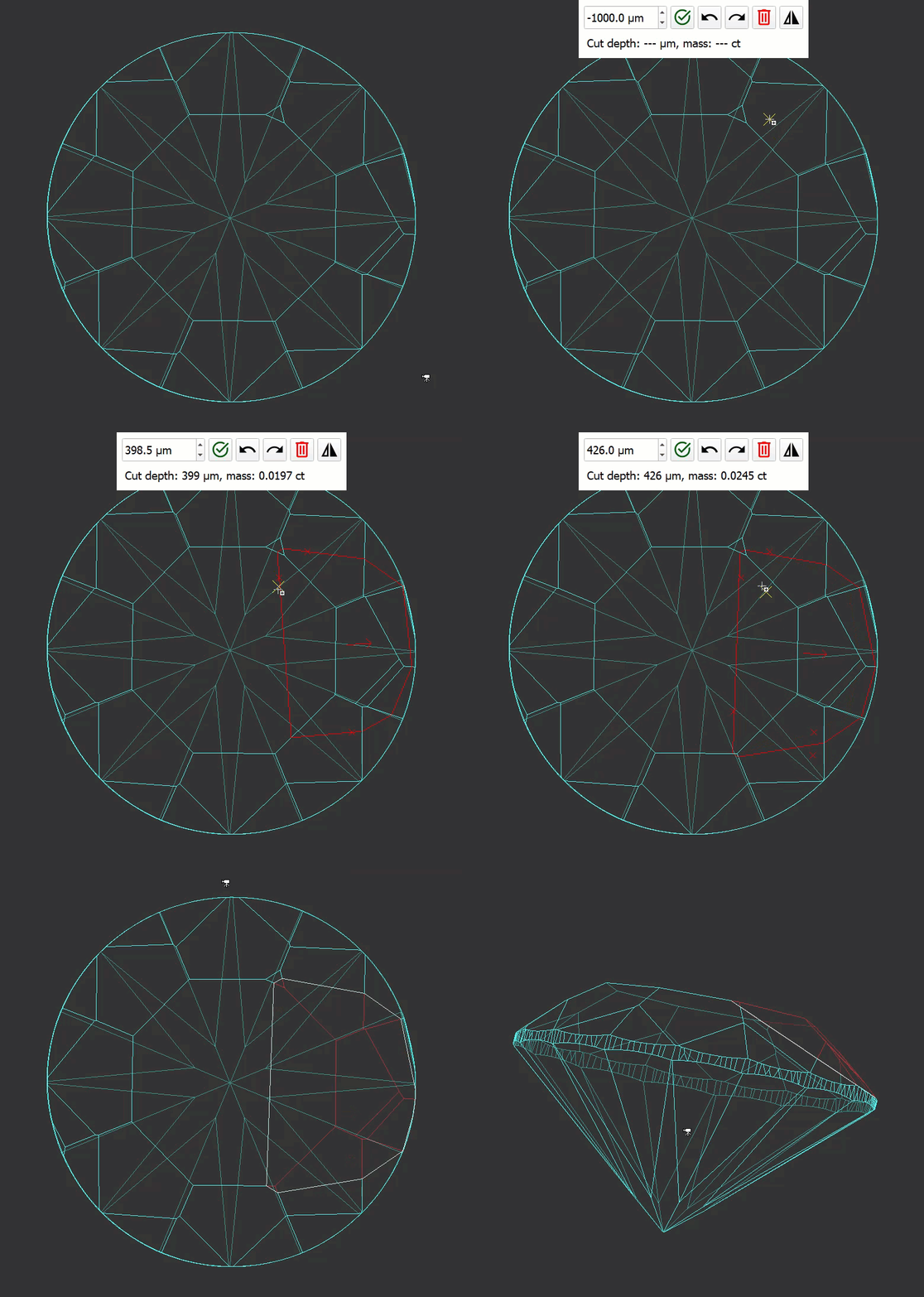
As soon as you set the plane, you may set the offset depth, then apply the changes.
...
When using this option, you need to select the facets which will be used to calculate the combined facet (1), then set the offset depth (2), then apply the changes (3).
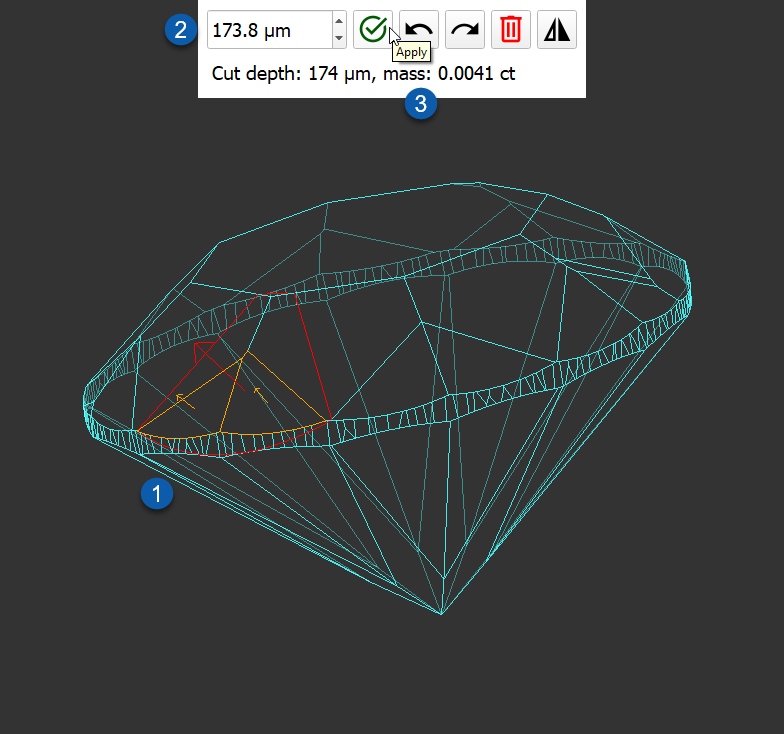
Offset Depth
...
| Info |
|---|
You can type in the offset depth directly or use arrows or scroll the mouse button. |
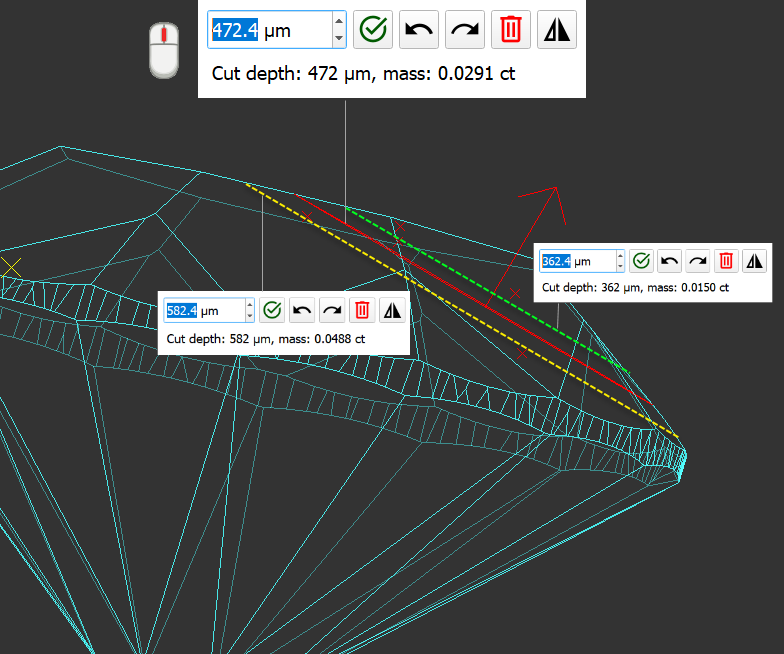
Editing Planes
...