1. Open Cutwise Agent, log in with a Cutwise account.
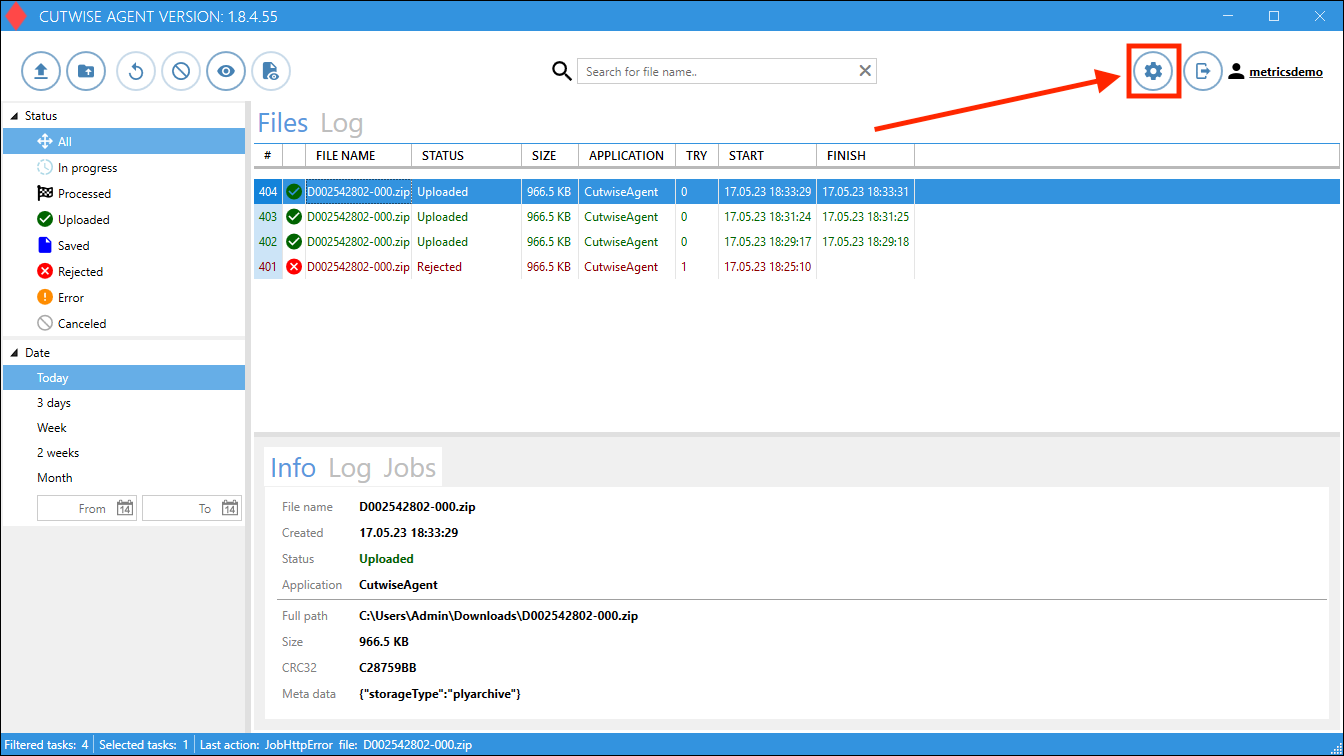
2. Go to Settings:
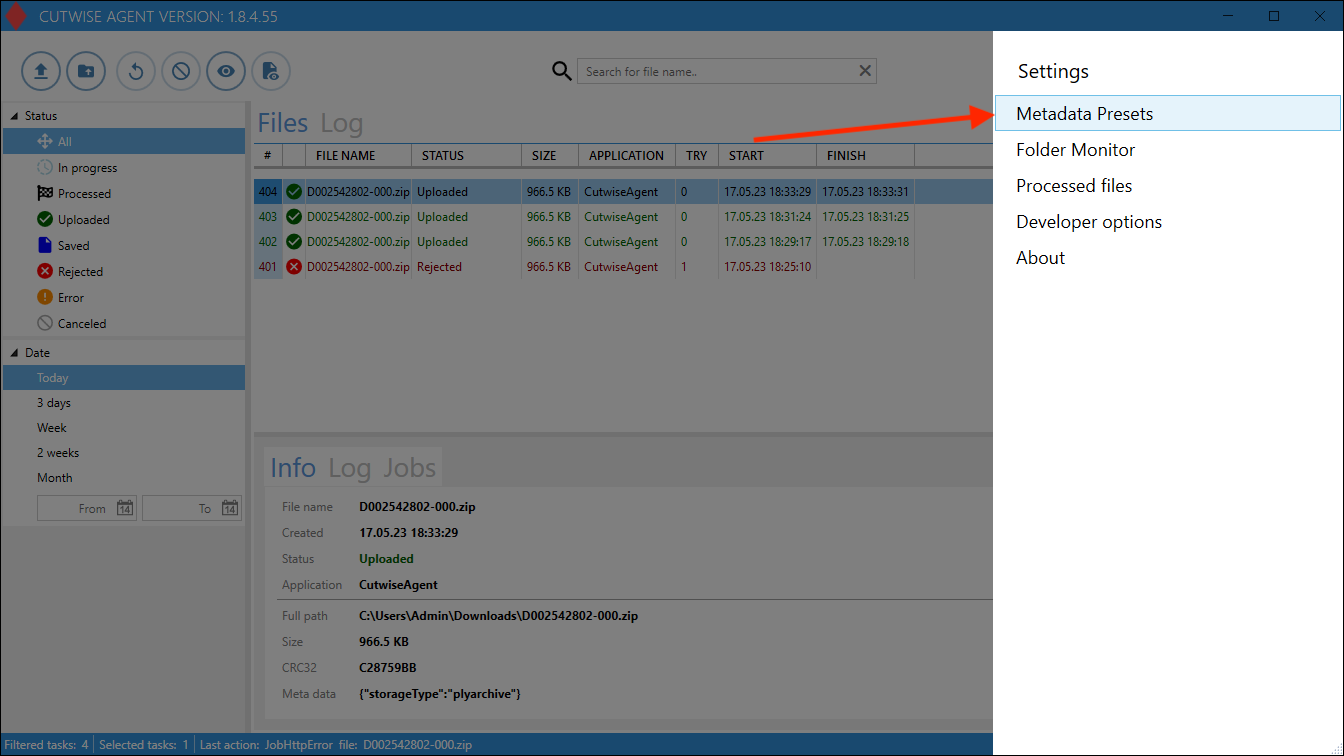
4. Click on the "Load customer config" button:
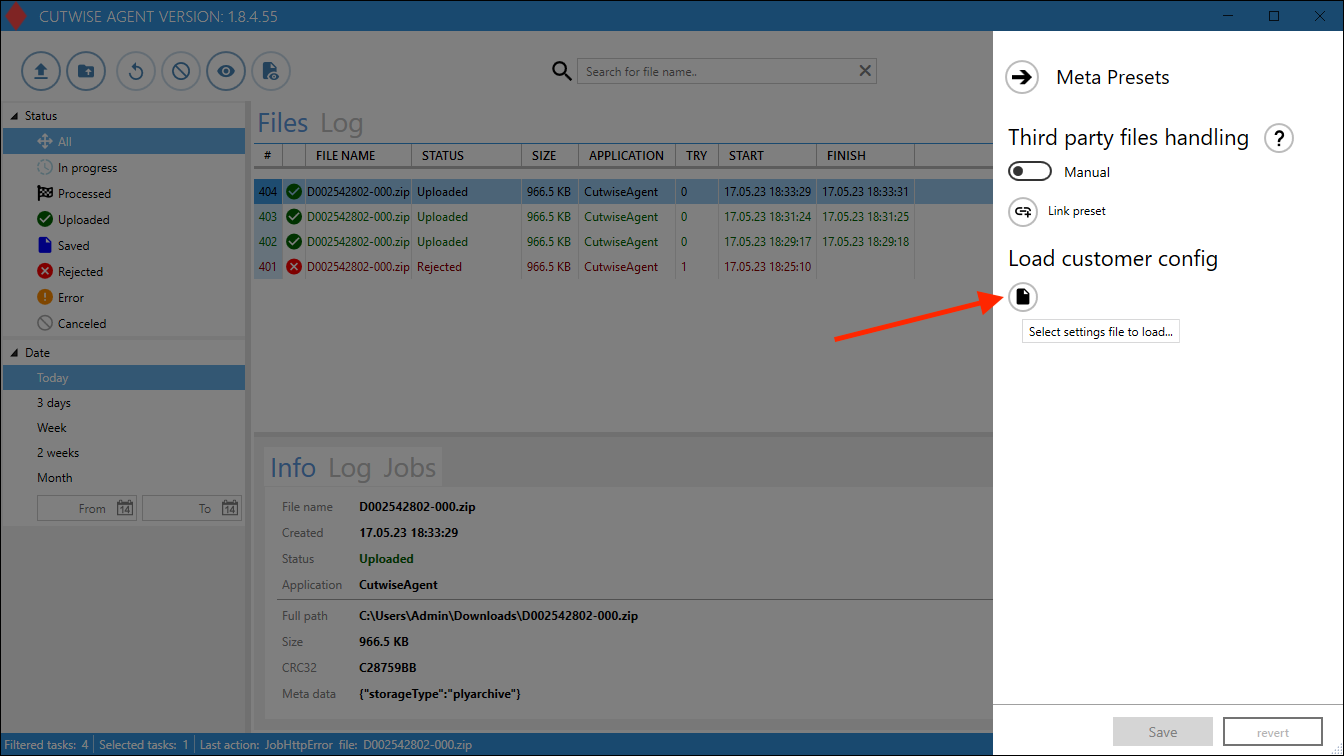
5. In the menu that appears, download this config file:
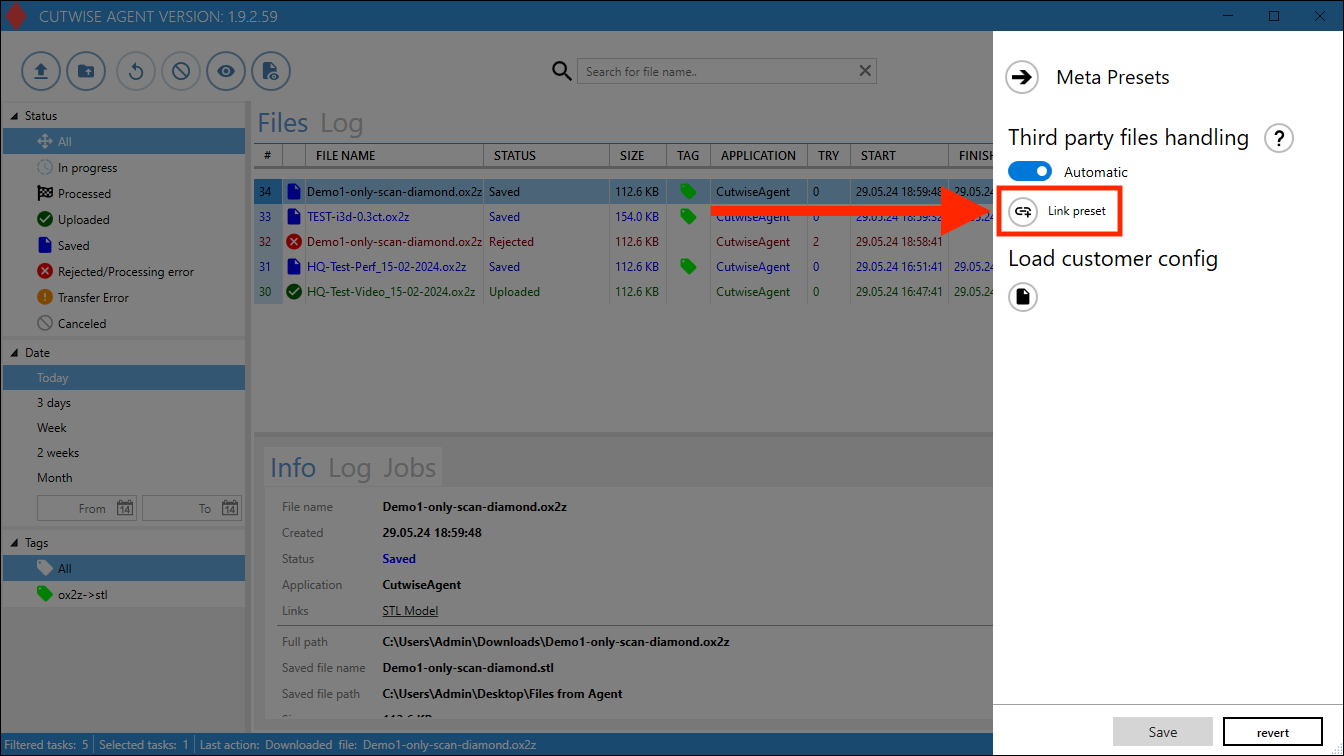
6. Click to "Link Preset" preset button
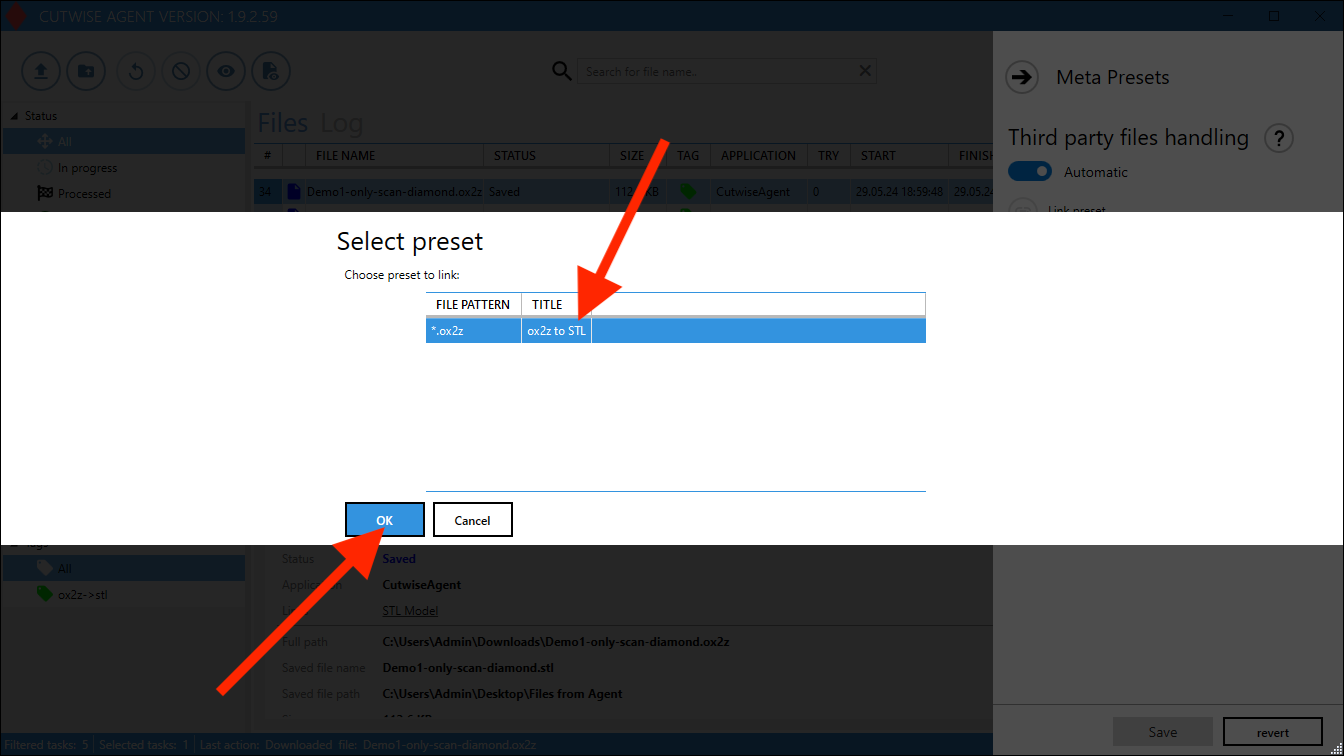
7. Choose the preset and click to "OK" button
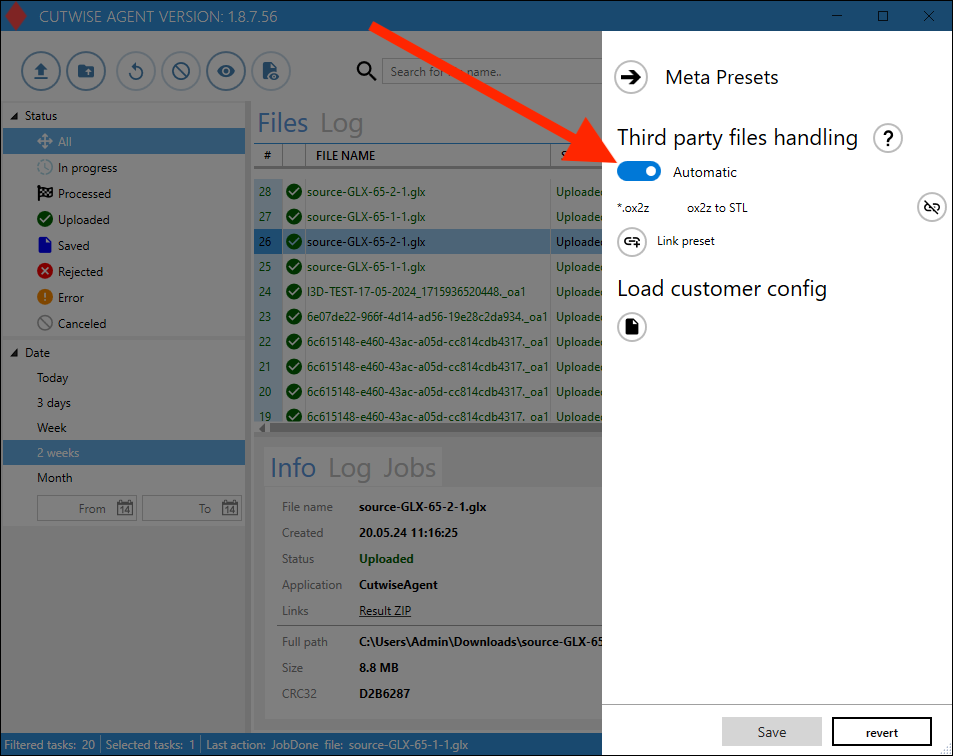
8. Check that the Third party files handling set as "Automatic".
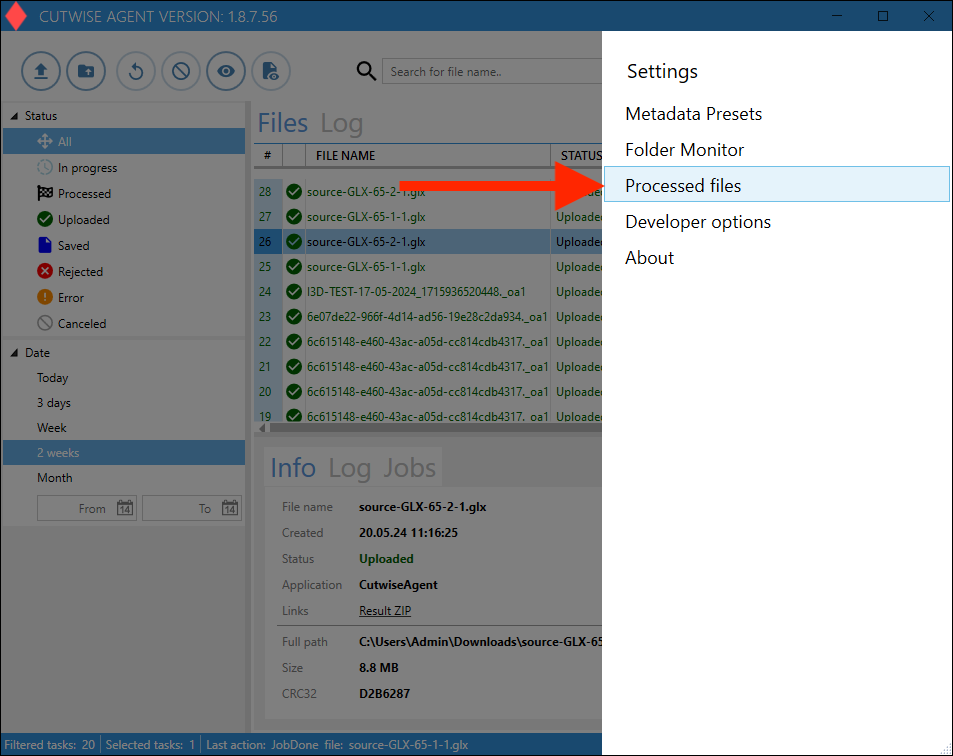
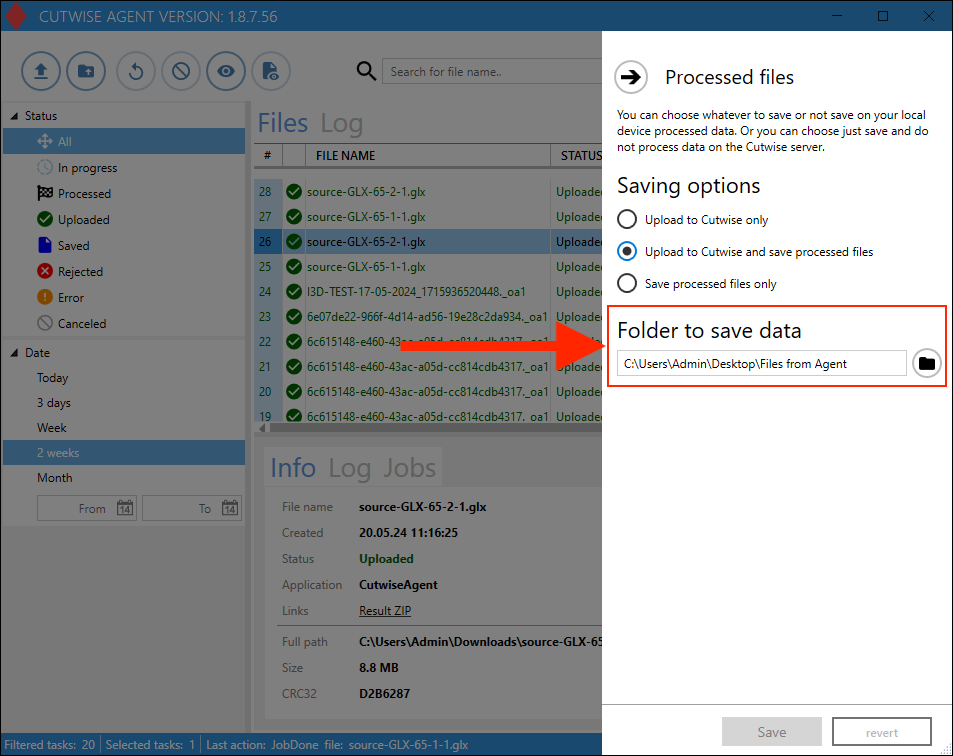
9. Go to the "Processed Files" settings
10. Change the folder for result files (or you can use the default folder).
 The resulting STL files will be saved in this folder.
Click the “Save” button for saving all settings.
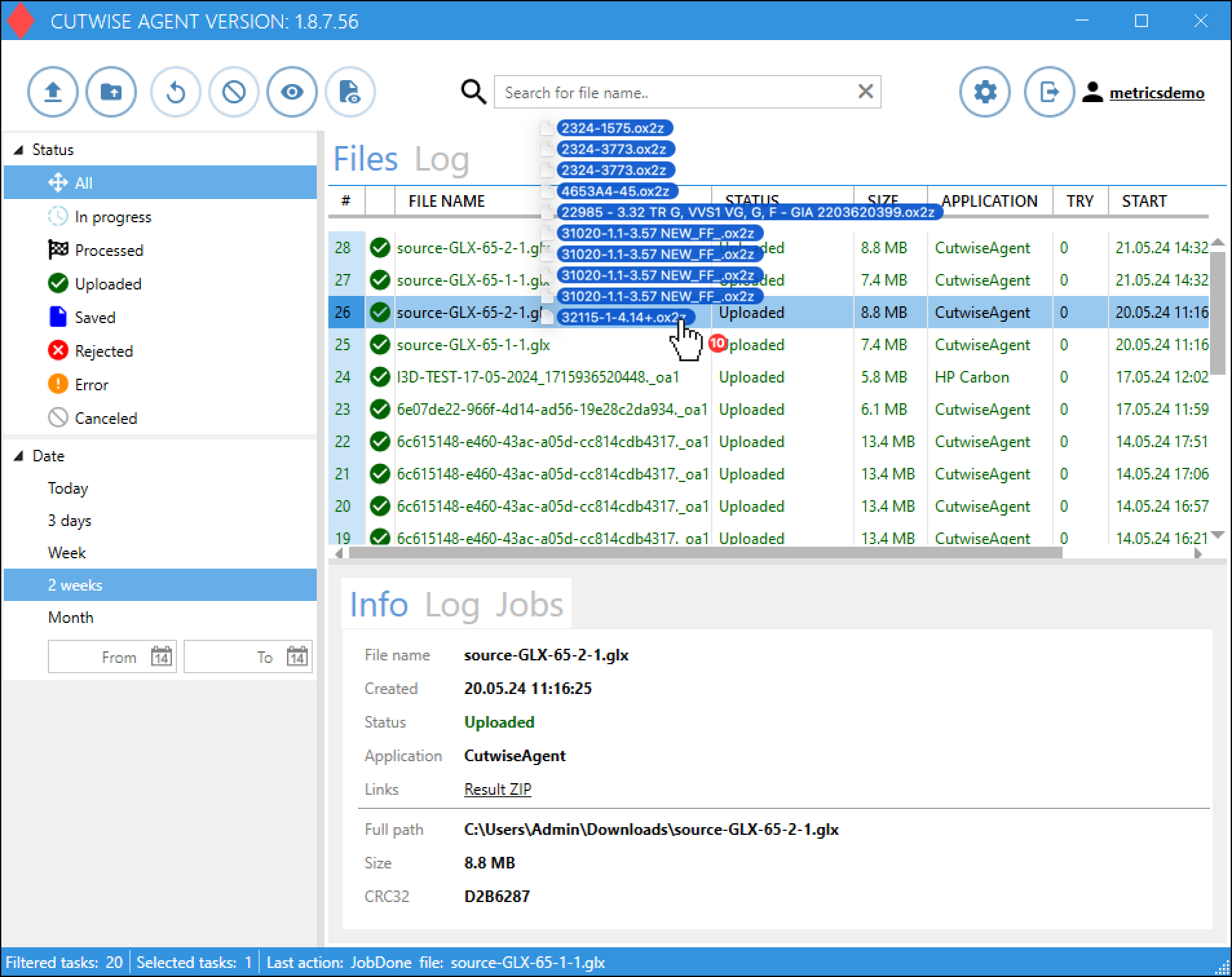
11. Drag n drop files into the Cutwise Agent interface (or use the monitoring folder).
Uploading and conversion of files will start automatically.
After a while you can download file from Cutwise Agent Interface
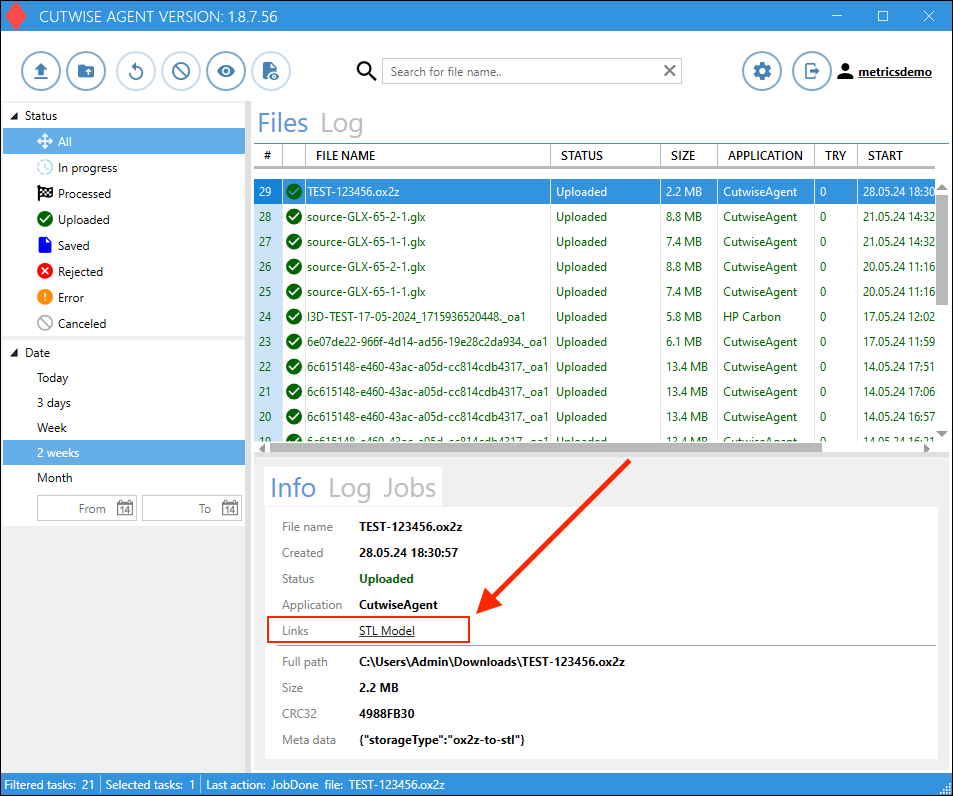
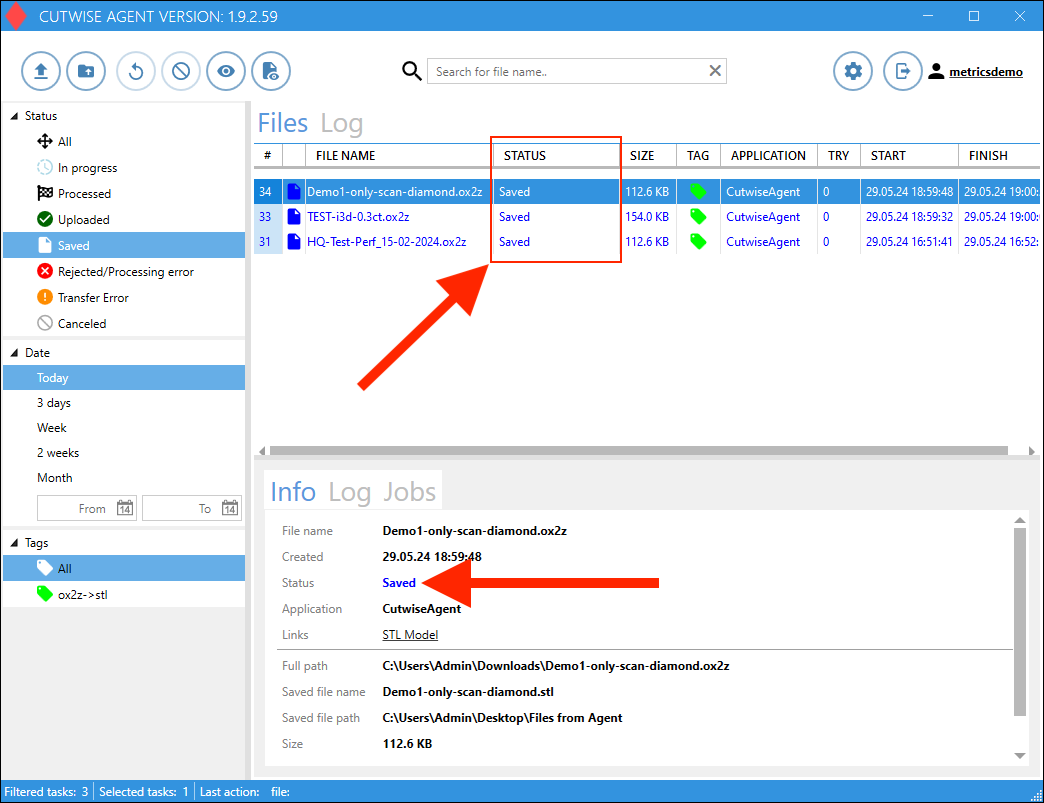
When the status changes to "Saved", the STL files are downloaded to PC and available in the folder from step 10.