Here you can find information about what is new in HP Carbon version 2.2.16.
This version is available for download from the Octonus official web site. |
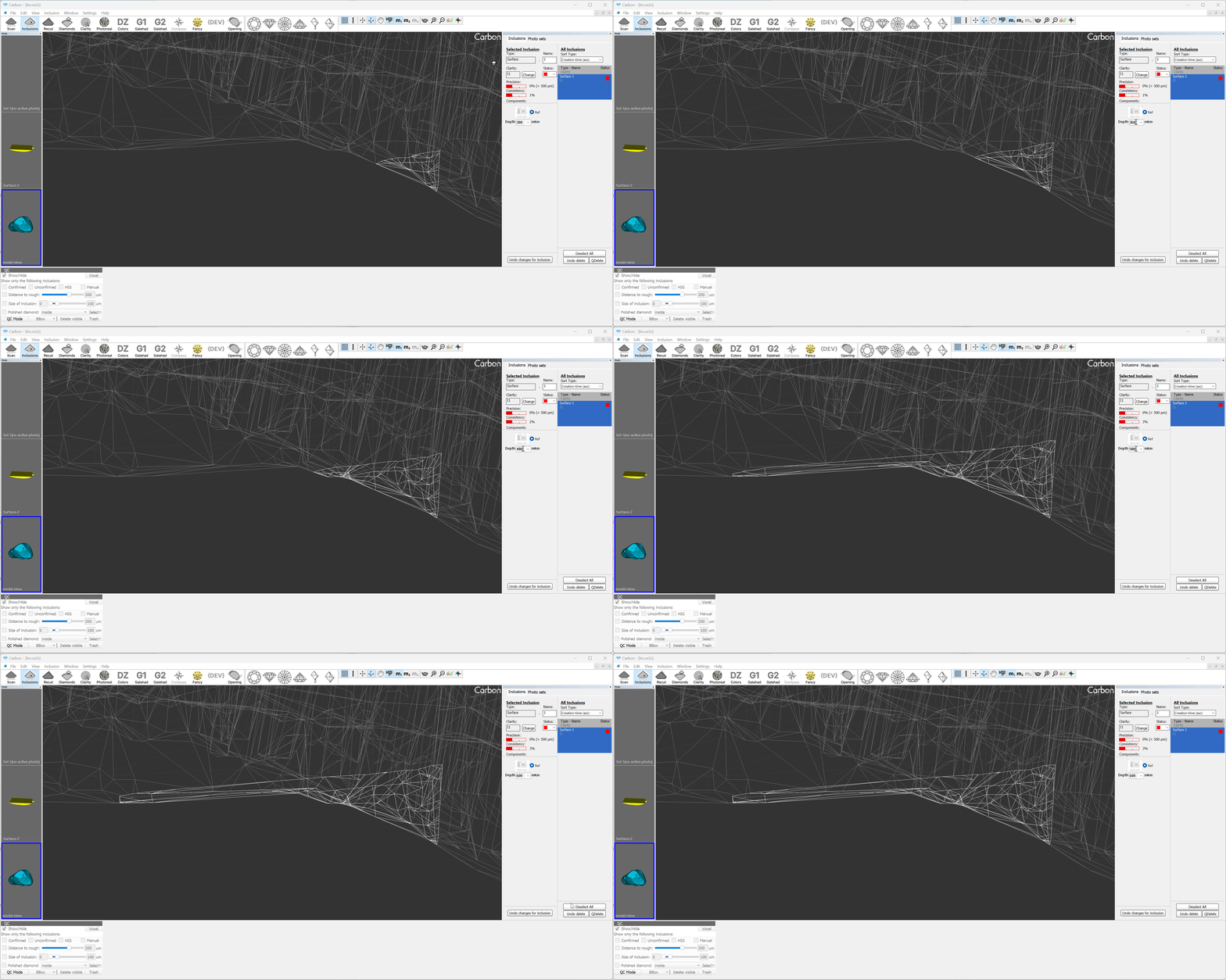
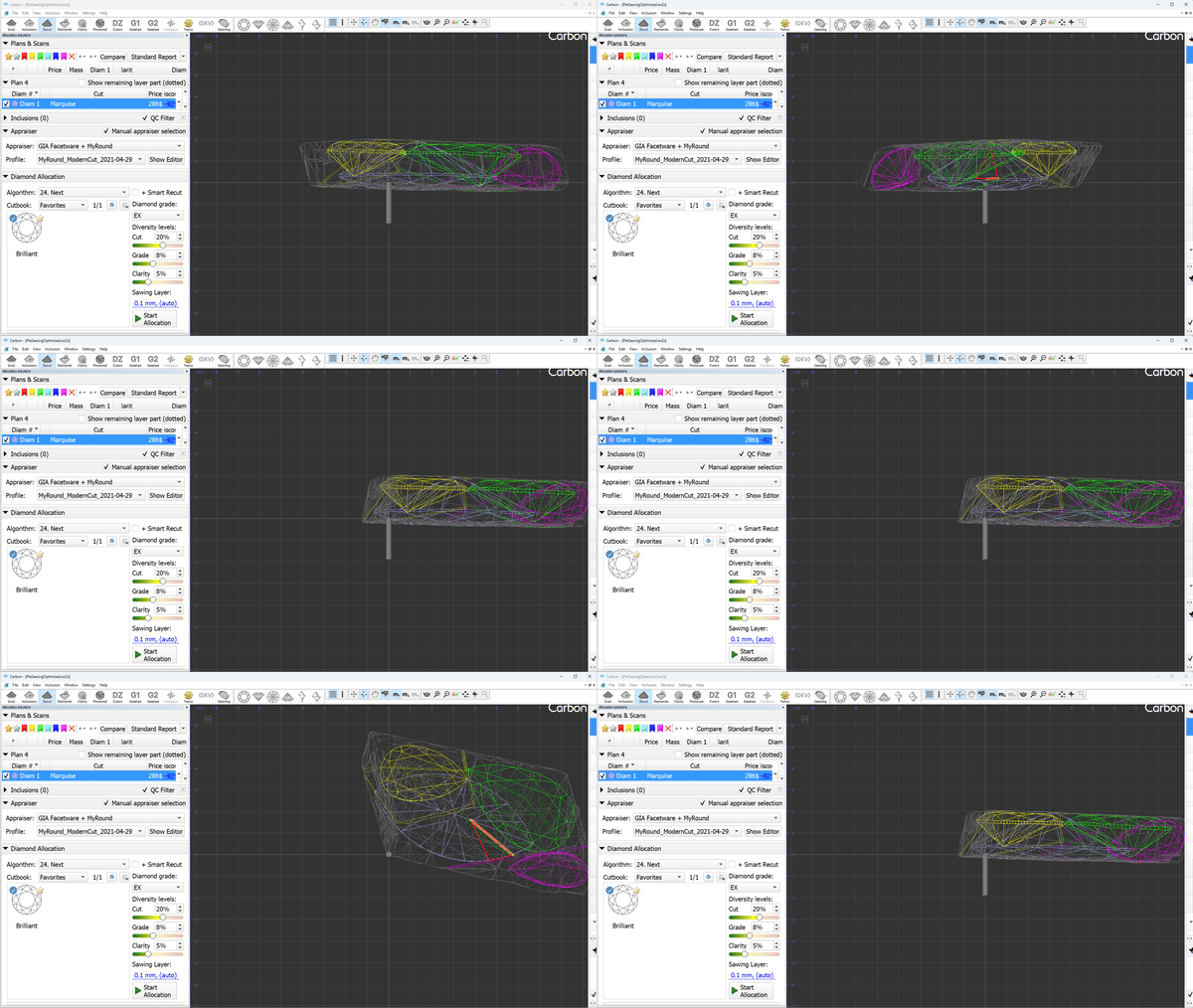
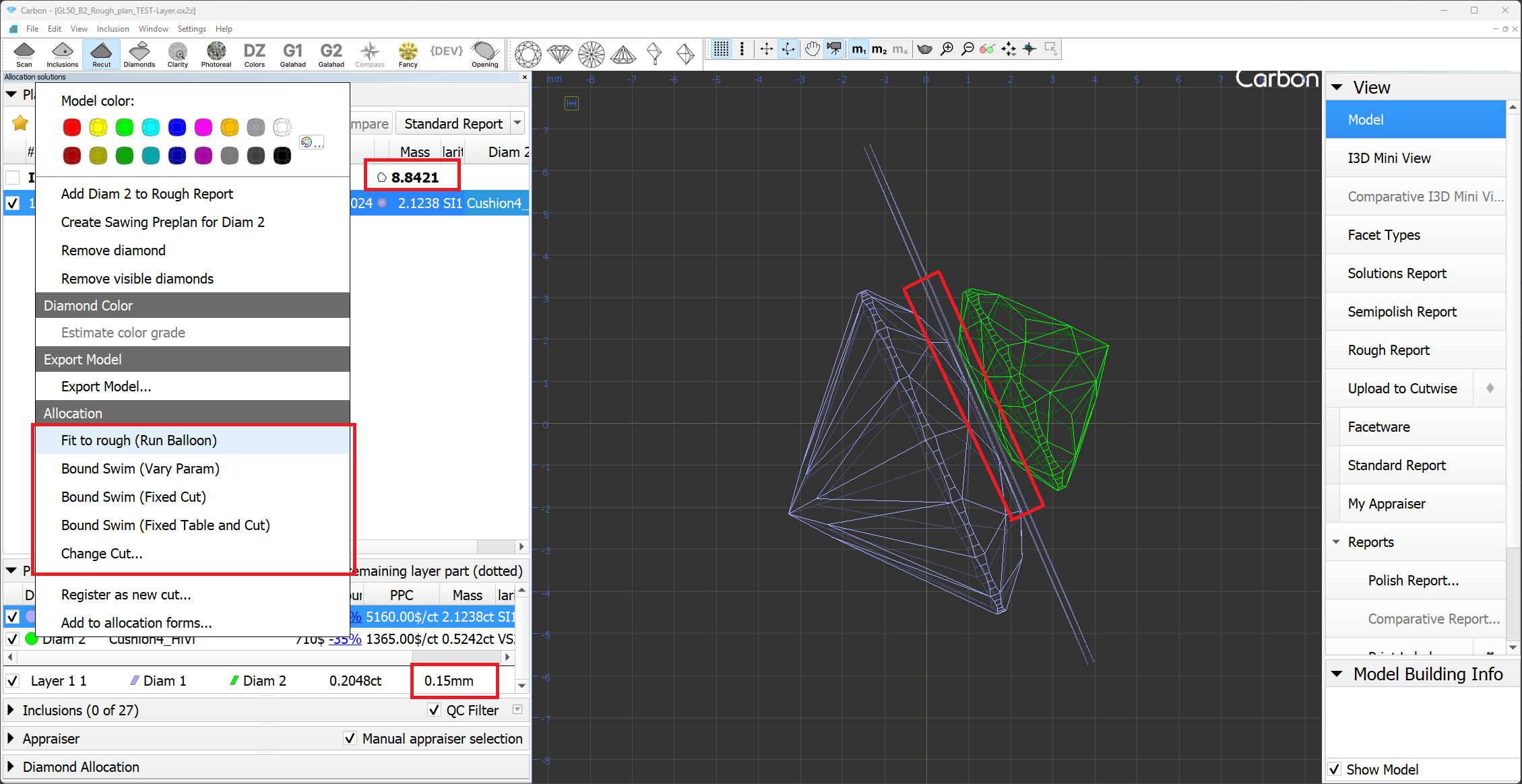
Allocation of 3 or more diamonds has become the standard for all sizes and types of rough stones. On average, a solution contains 5 diamonds. An important question when allocating multiple diamonds is "How to perform Sawing?" Not all solutions with 4 or more diamonds can be sawn using modern sawing technologies. The picture shows an example that cannot be sawn.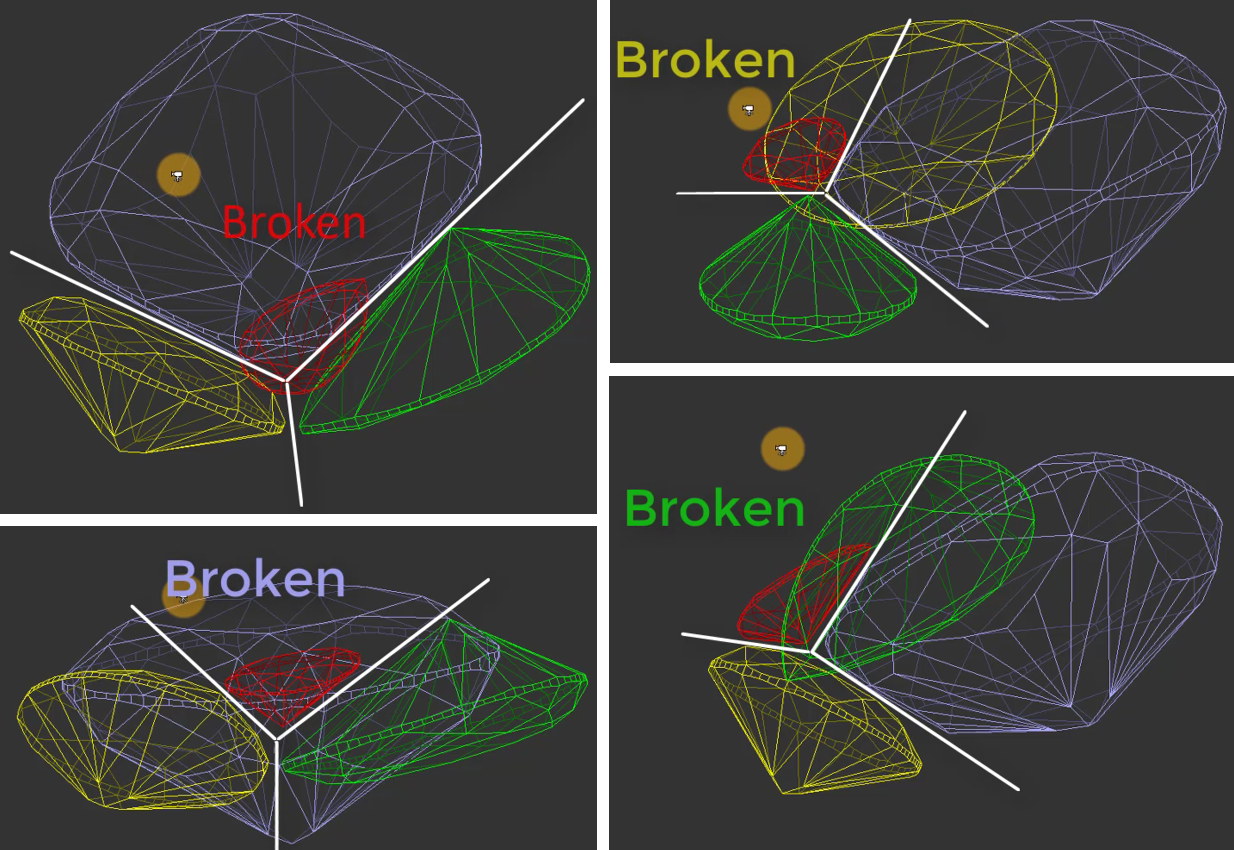
Introducing our new algorithm "24. MultiDiamond."
Solutions from the "24. MultiDiamond" algorithm can always be sawn, and we provide a sequence of sawing layers and pies to guide this process.
Users can specify the number of diamonds they want in a solution and the algorithm will find that many diamonds in the scan model.
When searching for the three largest diamonds, the algorithm prioritizes maximizing price. From 4 diamonds onwards, the algorithm also considers the need for existing sawing.
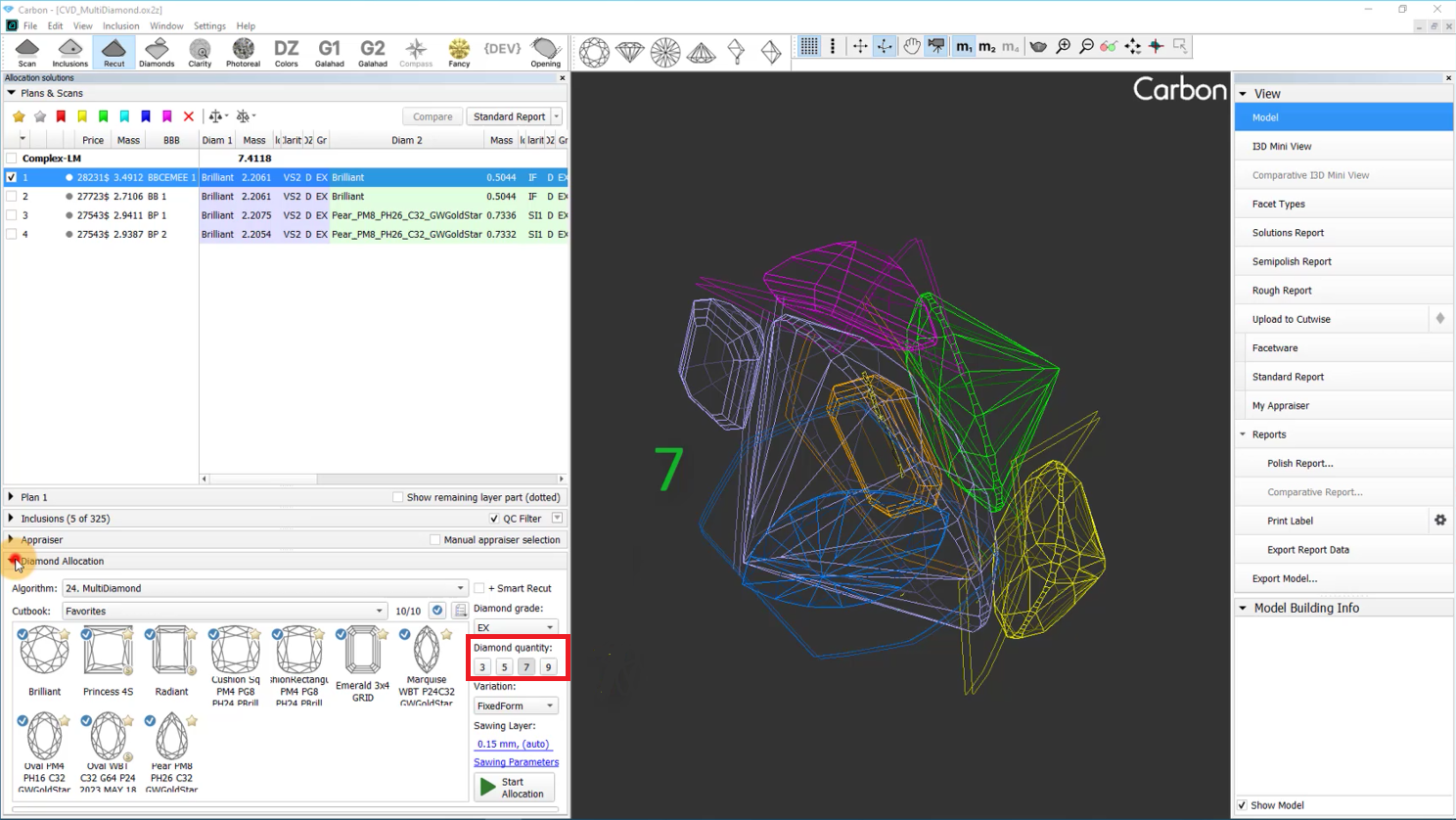
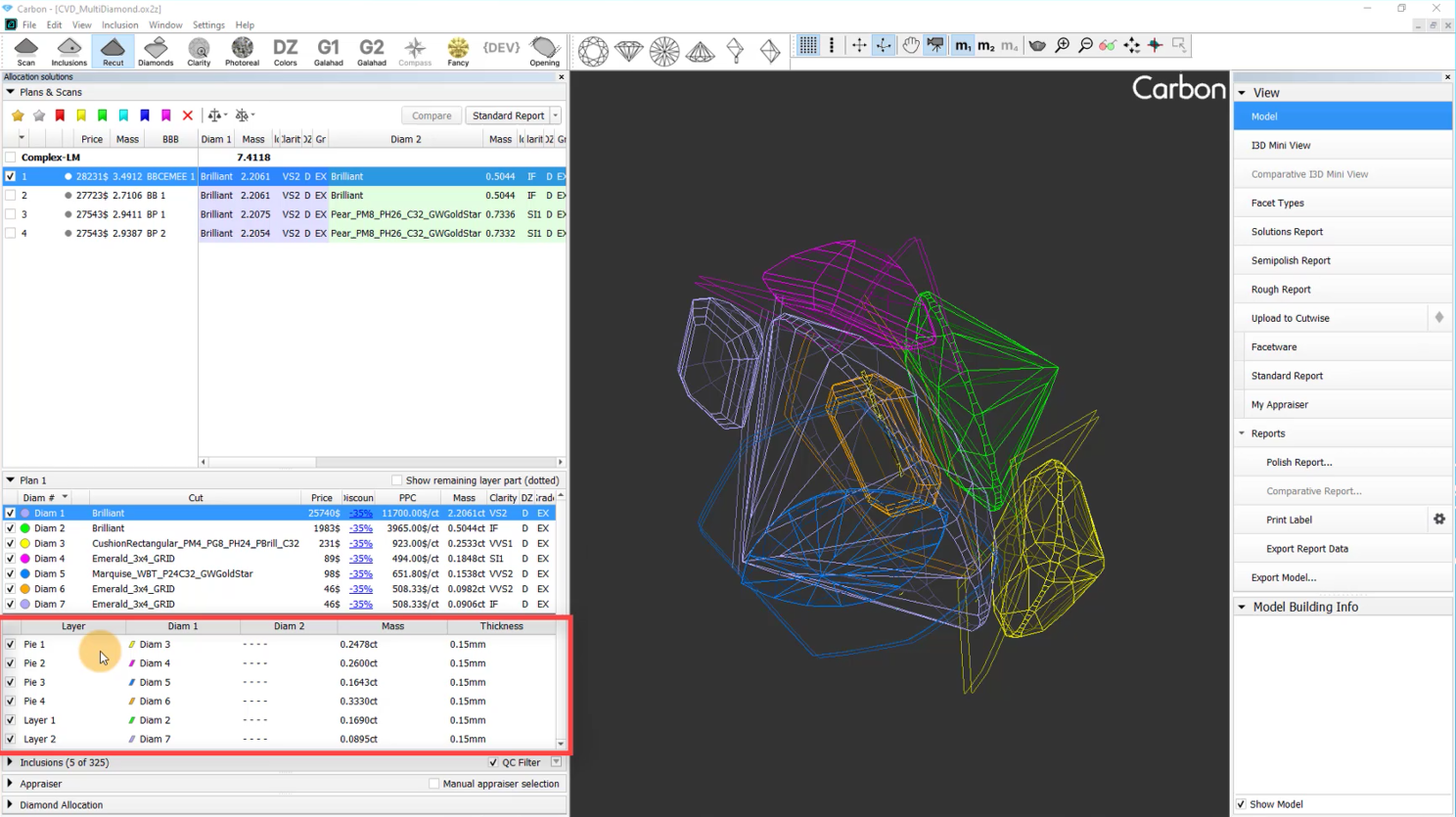
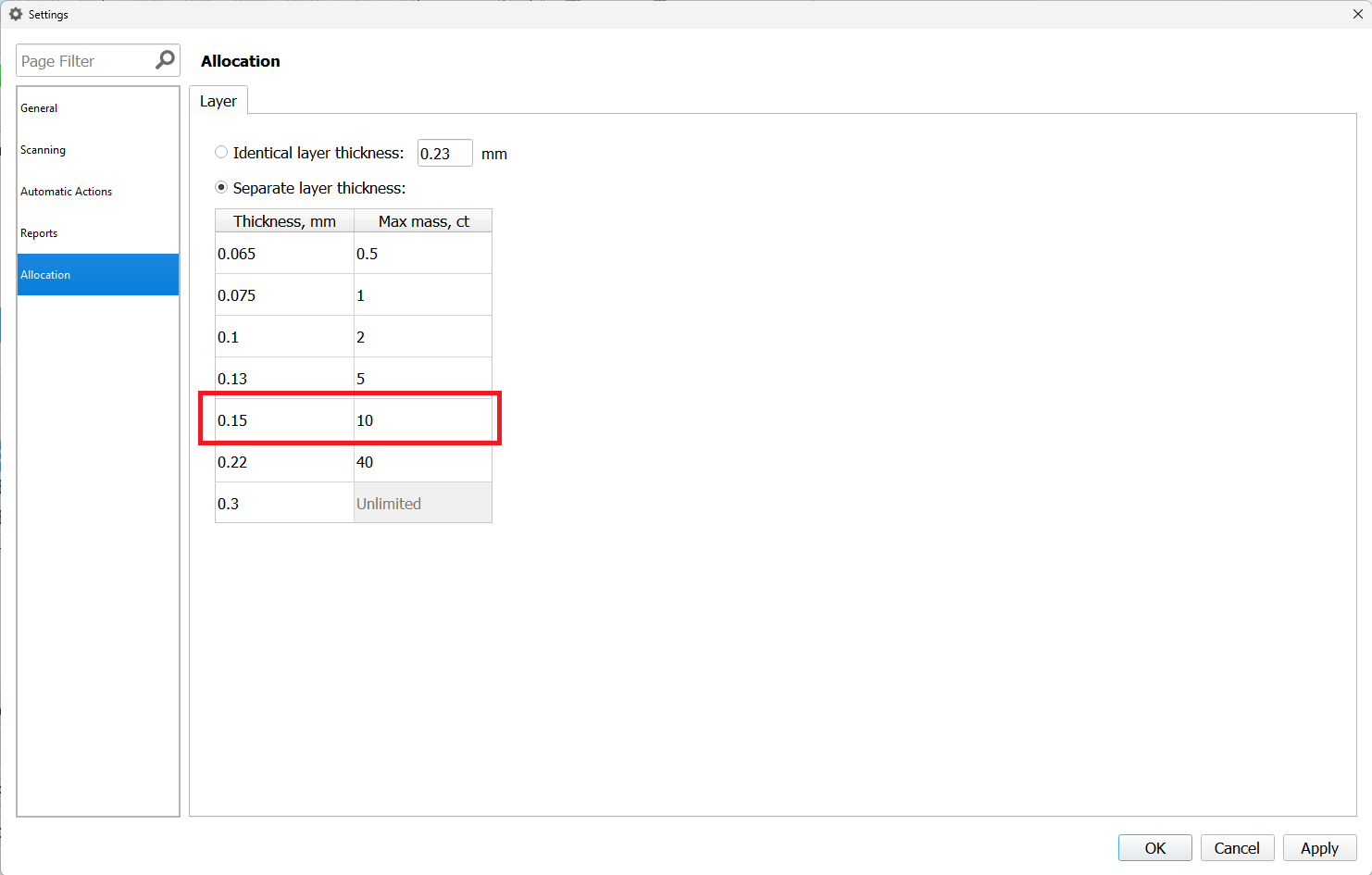
Furthermore, users can adjust the thickness of sawing planes used in the optimization process, and choose the "Variation" mode. Currently, two options are available:
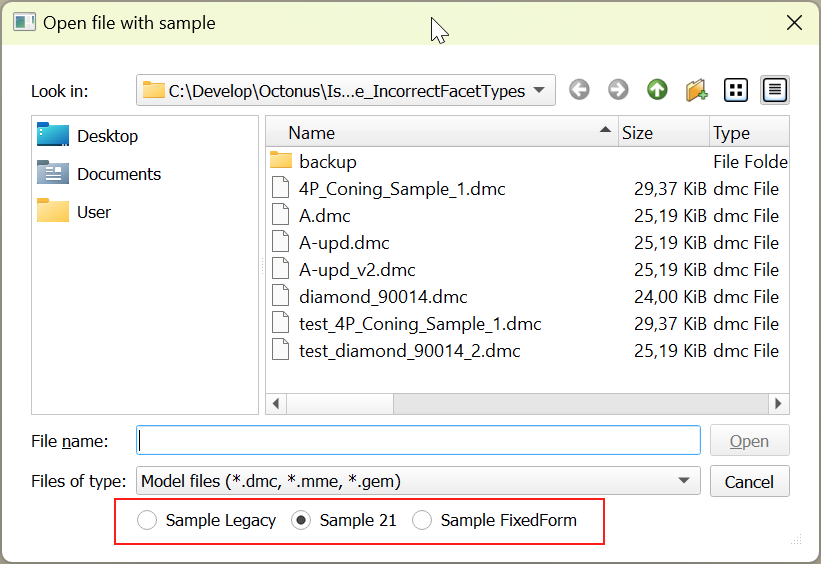
"FixedForm" to produce solutions exactly of the same form as the allocation forms registered within the cut. Only scale or position may be changed
"FlexibleForm" to produce solutions in the limits specified by the appraiser.
The algorithm "24. Multinext" has also been added. It operates on one or multiple selected solutions. The user chooses how many extra diamonds need to be added to the selected solutions. In the case of multiple selected solutions, the algorithm will work independently and in parallel on each of them. "24. MultiNext" uses a allocation method identical to "24. MultiDiamond" starting from third solutions. The result of "24. MultiNext" can always be sawn with pie sawing.
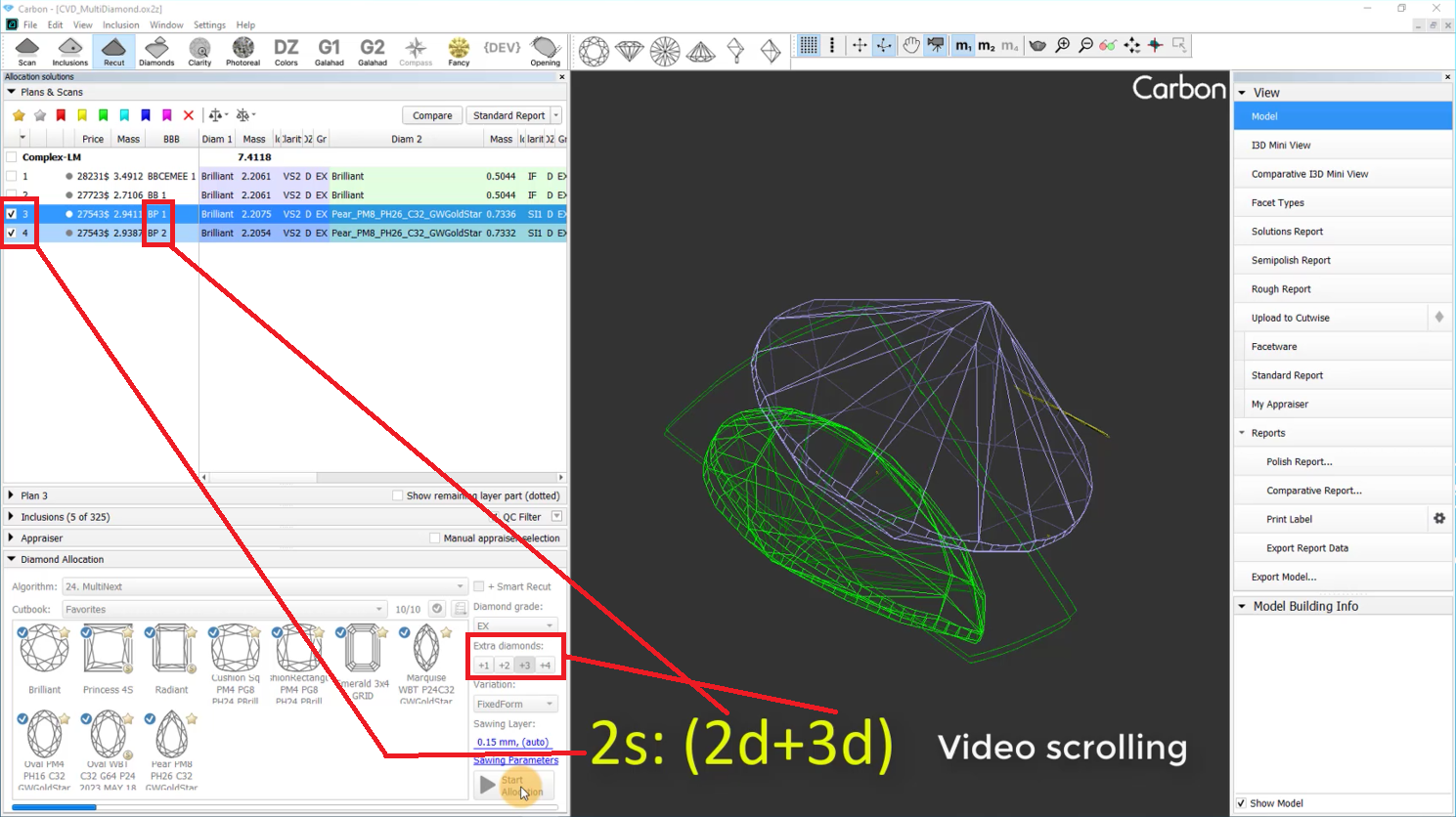
The algorithm "24. MultiNext" with FixedForm Variation, compared to "24. MultiNext (FixedForm, BasicSawing)":
1) Is faster
2) In most cases provides higher solution price
3) Frequently cannot be sawn without using Pie Sawing.
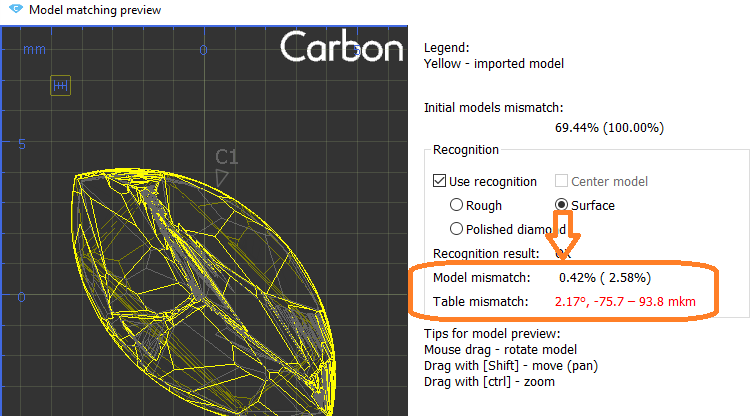
Operators use manual tools during planning after getting the initial solution of global allocation. One of them is a movement of layer and recalculation of diamonds allocation.
This operation is required both for natural rough diamonds and grown CVD diamonds to get symmetrical solutions, or fixed mass solutions (such as 1ct+1ct, 1ct+2ct). Current algorithms may not provide that kind of solution.
However, you can achieve the desired result manually by using the movement panel for the layer and applying the Swim algorithm to each diamond individually. It takes time.
We have developed an autoswim mode that eliminates the need for manual use of the Swim algorithm, saving you valuable time.
You can navigate the scene using your mouse. However, for more precise adjustments, you'll need to use the movement panel, which can sometimes be inconvenient.
We'd like to introduce OX/OY/OZ rotation modificators.
| Video | Axes rotation modificator - rotation along OX/OY/OZ axes | ||||
|---|---|---|---|---|
| Published: | 2024, December 13 | Last Updated: | 2024, December 13 | v.1.0 |
| ||||
Video summary: To rotate along those axes, simply press the X, Y or Z button respectively and rotate the scene
| ||||
| Video keywords: rotation, scene, axes | ||||
Data | ||||
| Published in: | Release Notes | 2025-08-27 - HP Carbon 2.2.16 | ||
| Documentation | NA | |||
| Playlists | NA | |||
Additionally, the glue point orientation button now puts the glue point not only in vertical position, but exactly at the scene center.
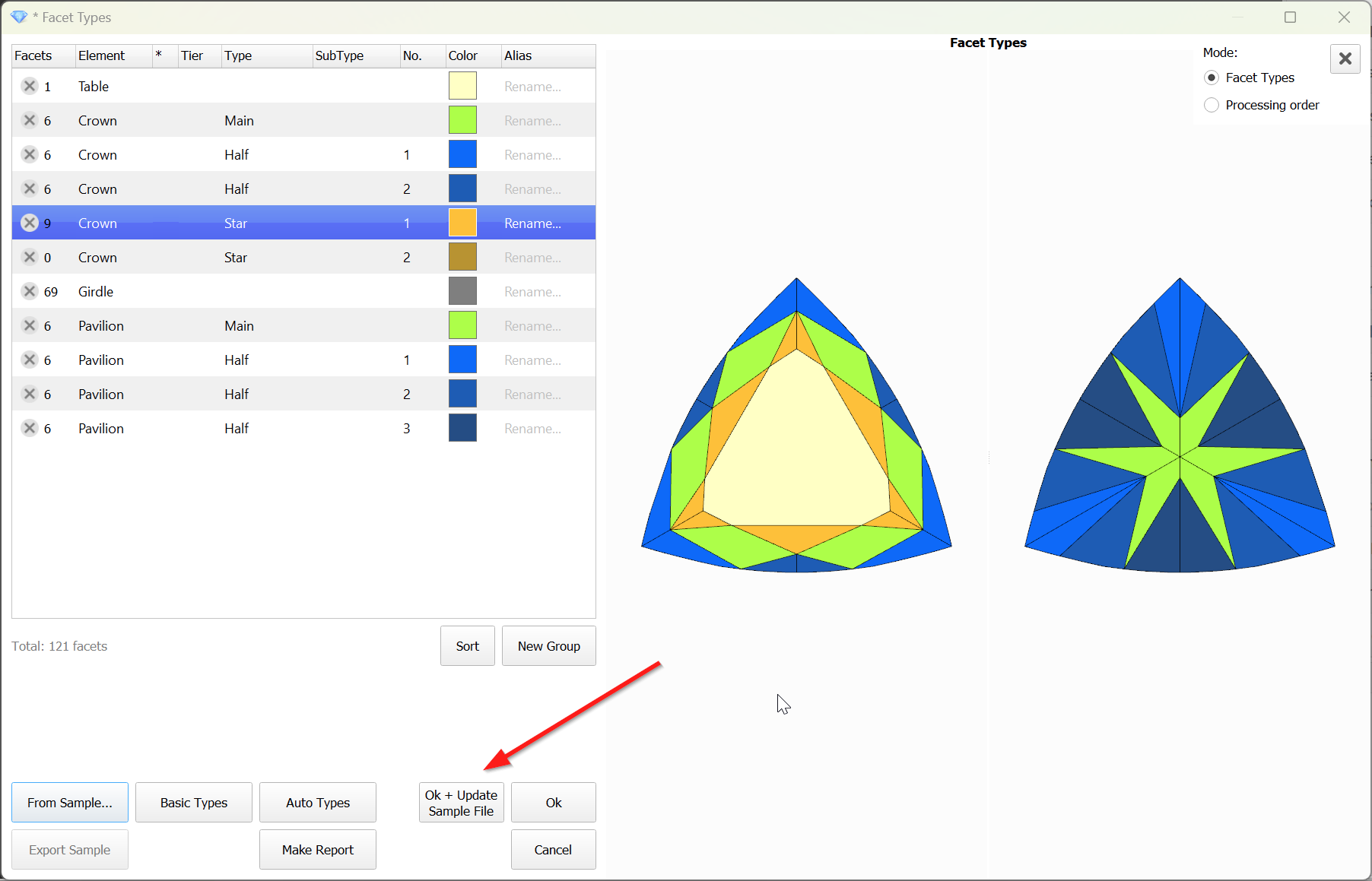
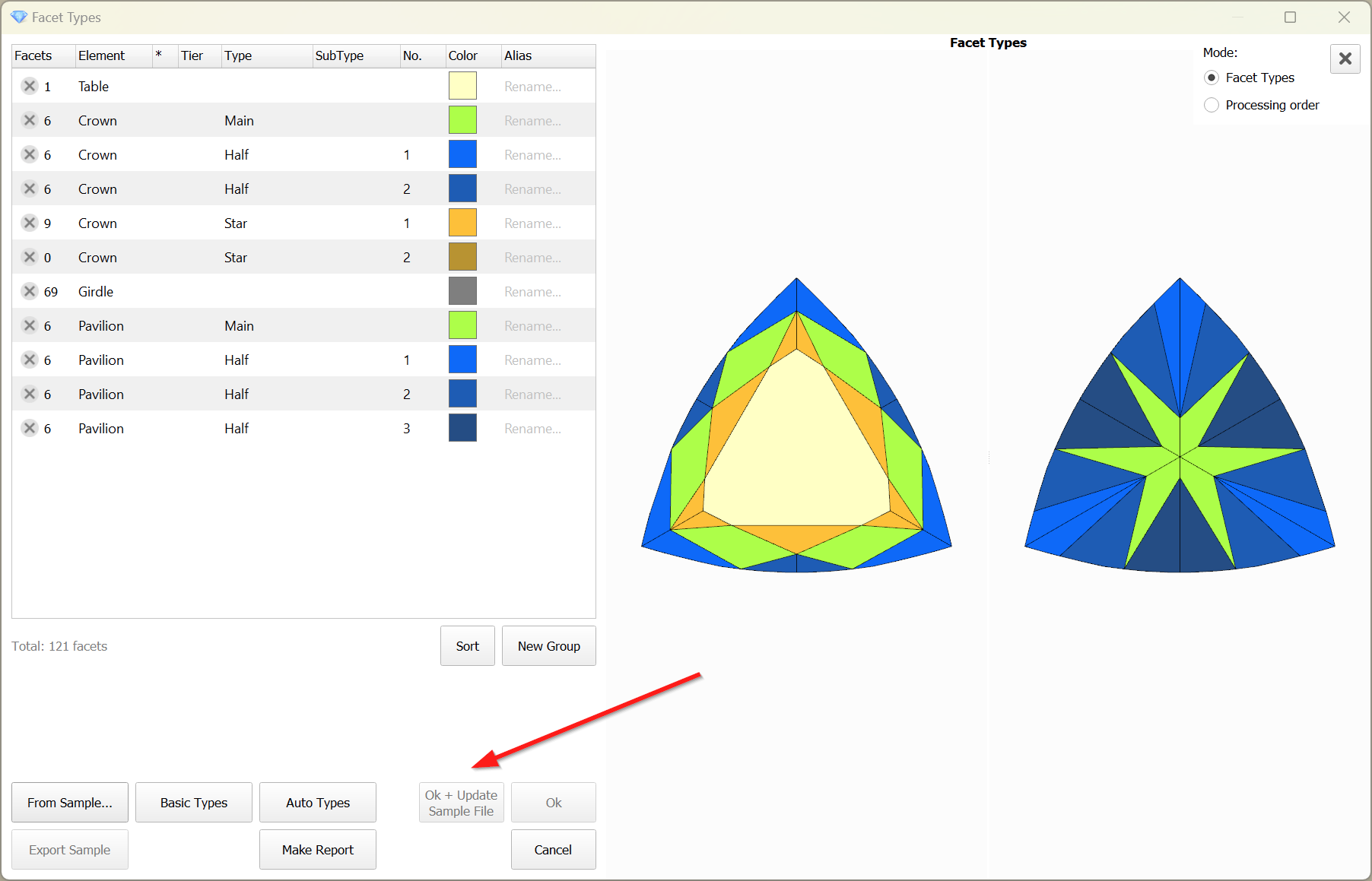
When editing the Facet Types of a sample, the modified types are not saved to the sample file by default. However, this feature proves to be quite useful and convenient. Therefore, this functionality has been implemented.
To save the modified Facet Types to the sample file, the 'Ok + Update Sample File' button is provided.
The button is disabled when the file is unavailable:
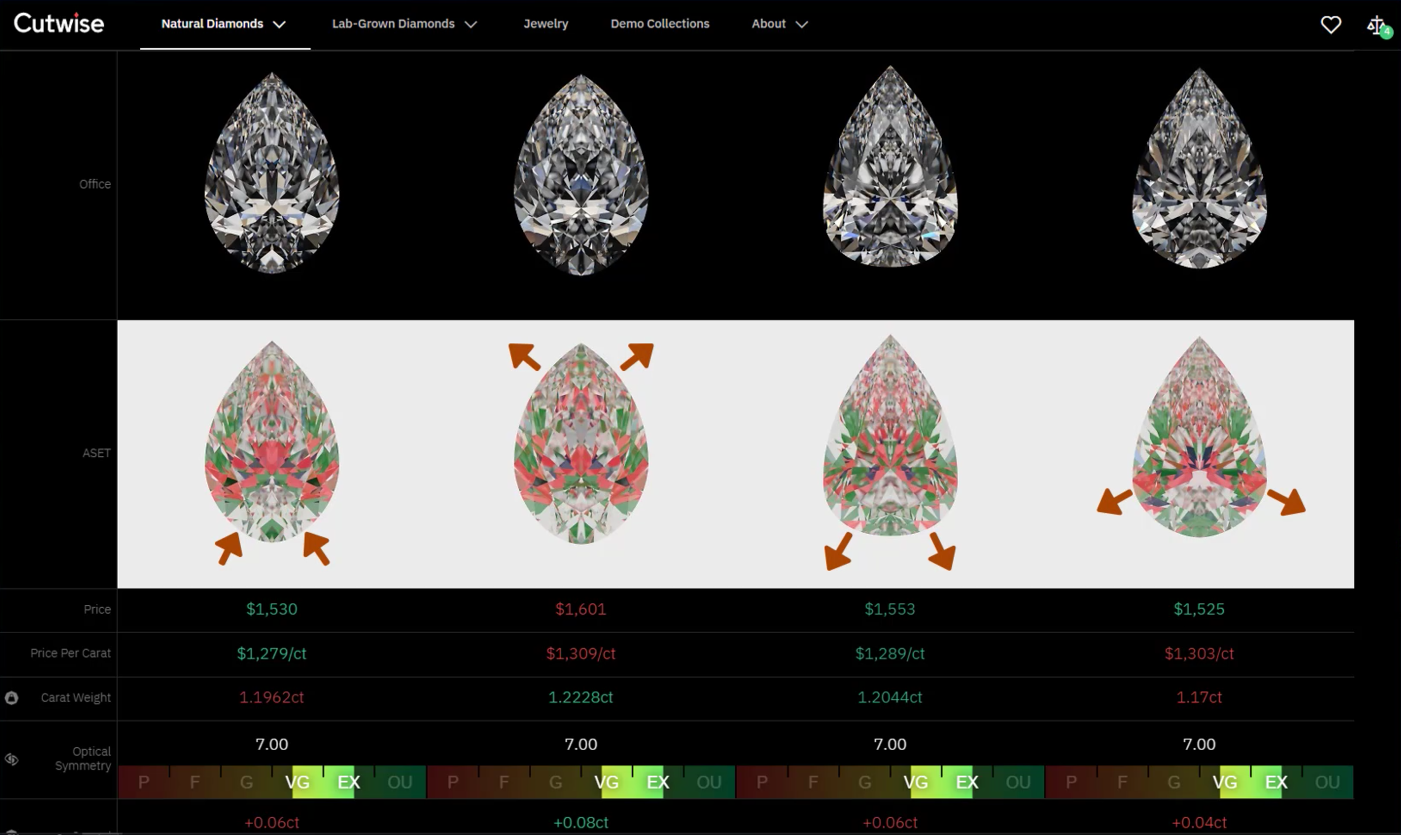
The realization of an unattractive girdle shape in a Fancy diamond often comes too late, after the stone has been cut and fails to attract buyers. Operators aiming to increase carat weight may enlarge the girdle shape without having the necessary knowledge and tools to assess its beauty.
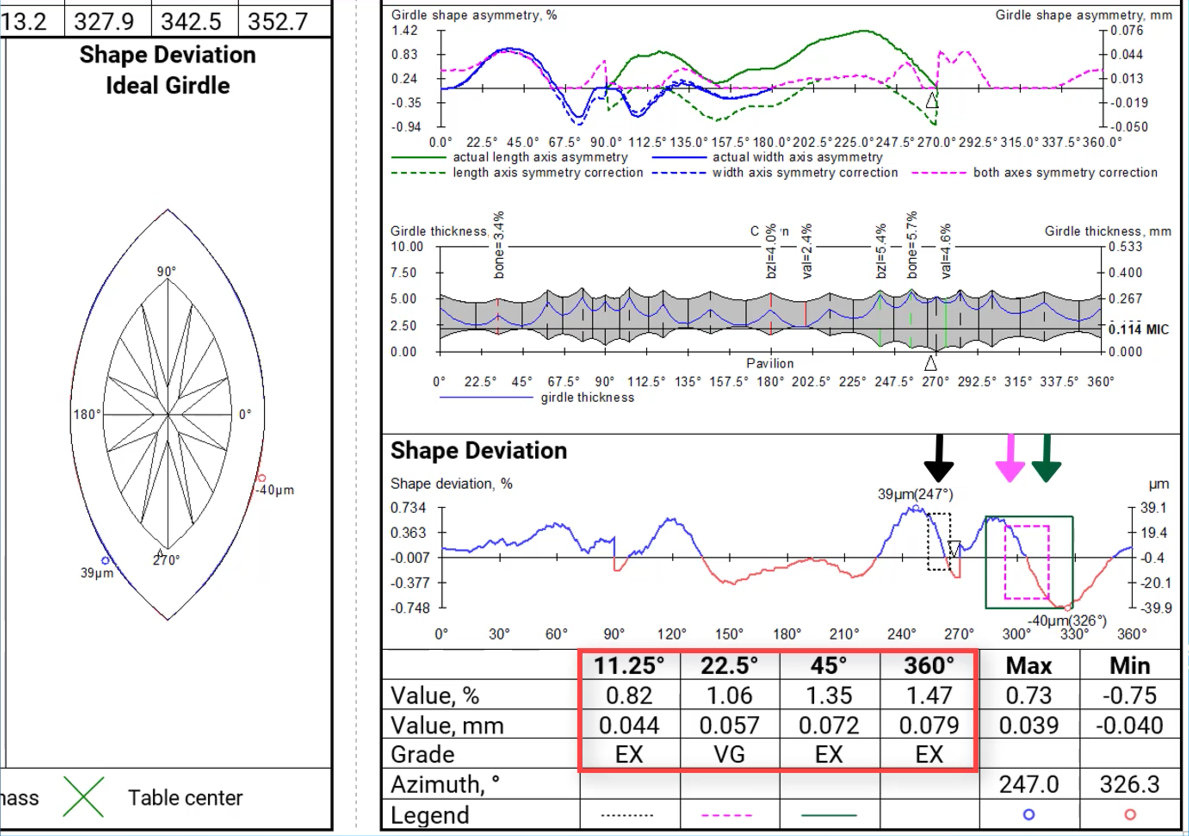
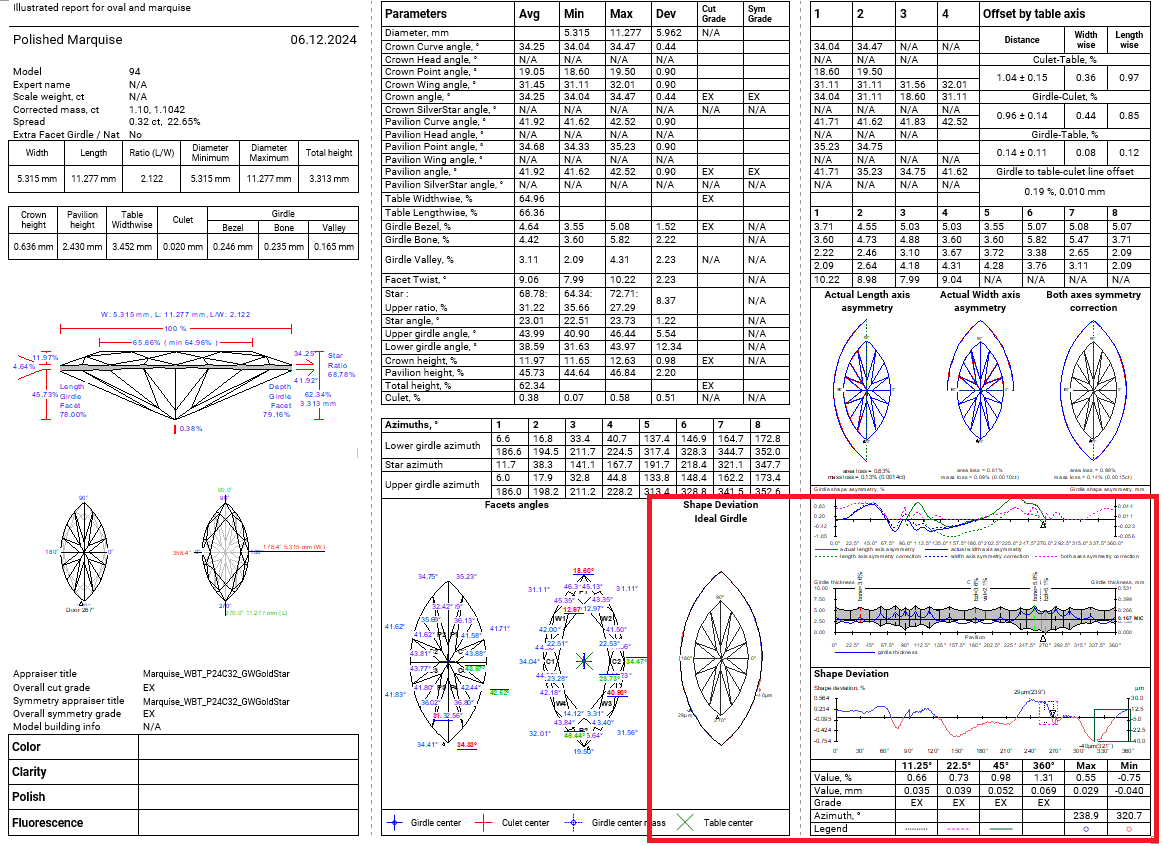
To address this issue, we have developed the Shape Deviation parameters. These parameters help to compare how the girdle shape differs from the ideal shape, just like the 2RRoundness parameter does for the Brilliant cut. The Shape Deviation Grade enables operators to easily reject unacceptable girdle shapes.
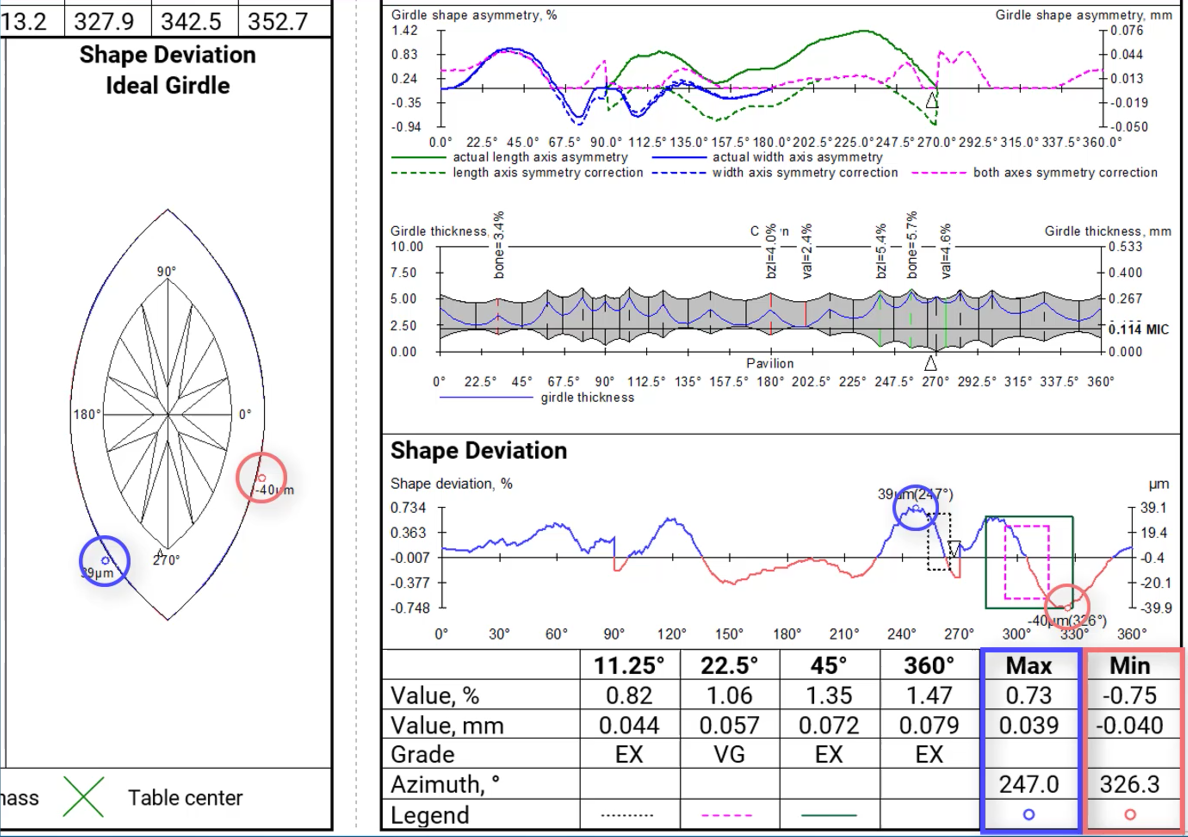
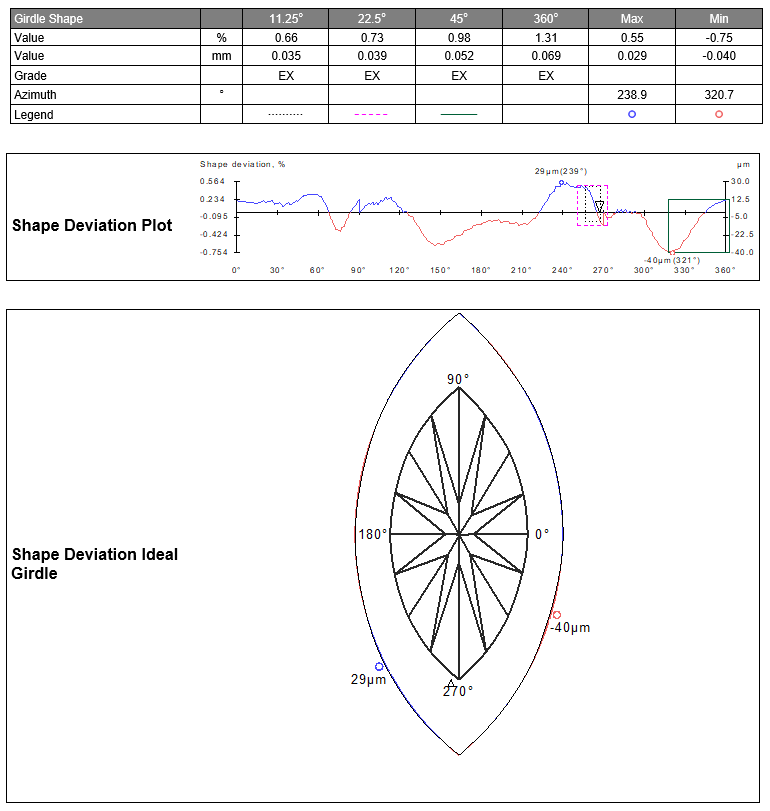
After aligning the girdle shape of the current model with the ideal girdle shape linked to the current cut, we calculate the distances between the two curves. These distances are presented as the Shape Deviation Plot and Shape Deviation Ideal Girdle. Next, we identify azimuth intervals of 11.25, 22.5, 45, and 360 degrees where maximum difference in distances between shapes are observed, and estimate these values. It is in these locations where the imperfections in the girdle shape are most noticeable. The Shape Deviation Plot highlights these areas with rectangular windows, along with indications of global maximum and minimum values.
Deviations where the current girdle shape is wider or narrower than the ideal shape are color-coded. This information is also depicted in the Shape Deviation Ideal Girdle image. Here, the current model is outlined in black, with areas highlighted in blue and red denoting the extent to which the girdle shape of the current cut deviates in width from the ideal girdle.
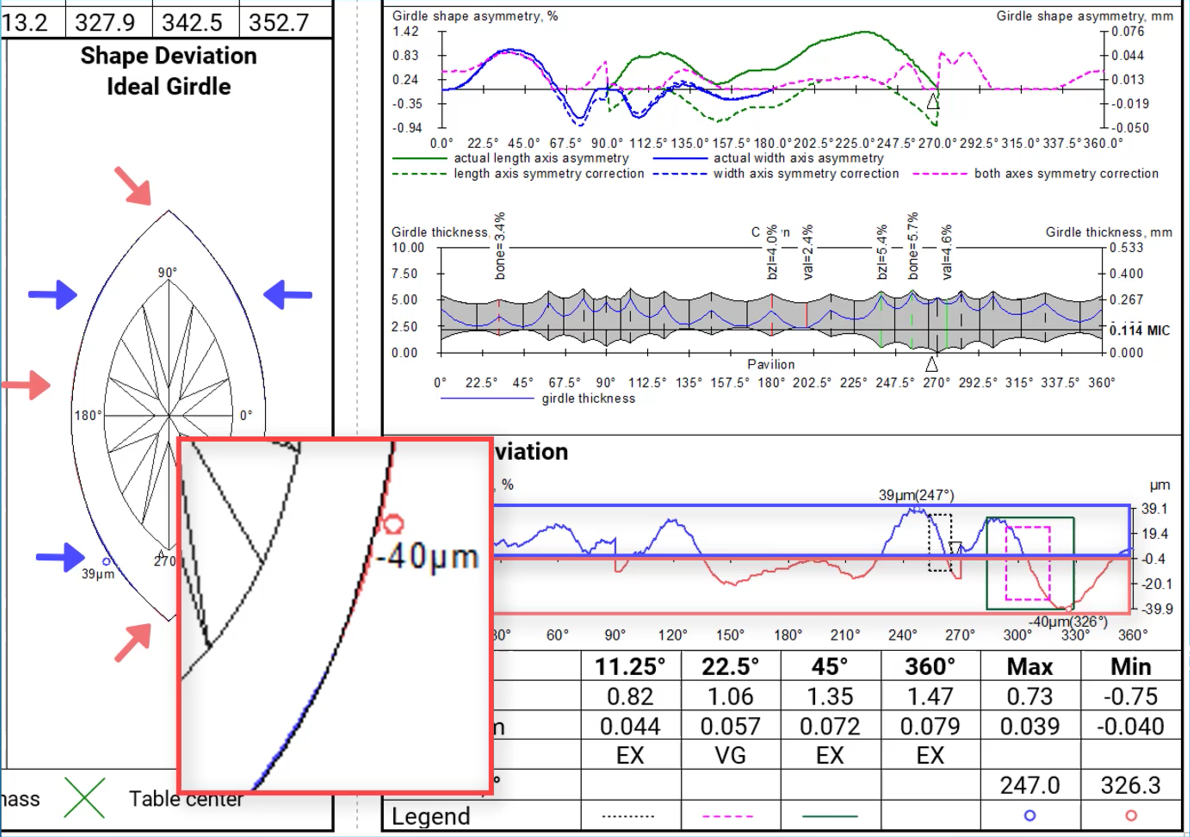
Global maximum and minimum values are also represented in both pictures.
The parameter is currently available for the following Octonus cuts:
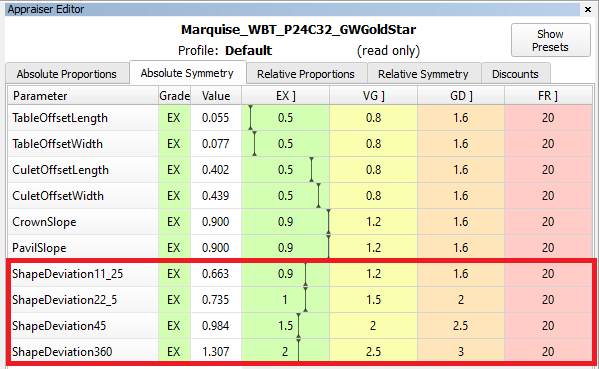
We use classic shapes with different Girdle Ratios as shape references for these cuts. The classic marquise shape consists of two circle arcs. The classic pear shape consists of three circle arcs. The parameter has been integrated into these cuts appraisers in the Absolute Symmetry tab.
In the reports an ideal ellipse is used as a reference for any сuts recognized as oval and lacking own reference shapes.
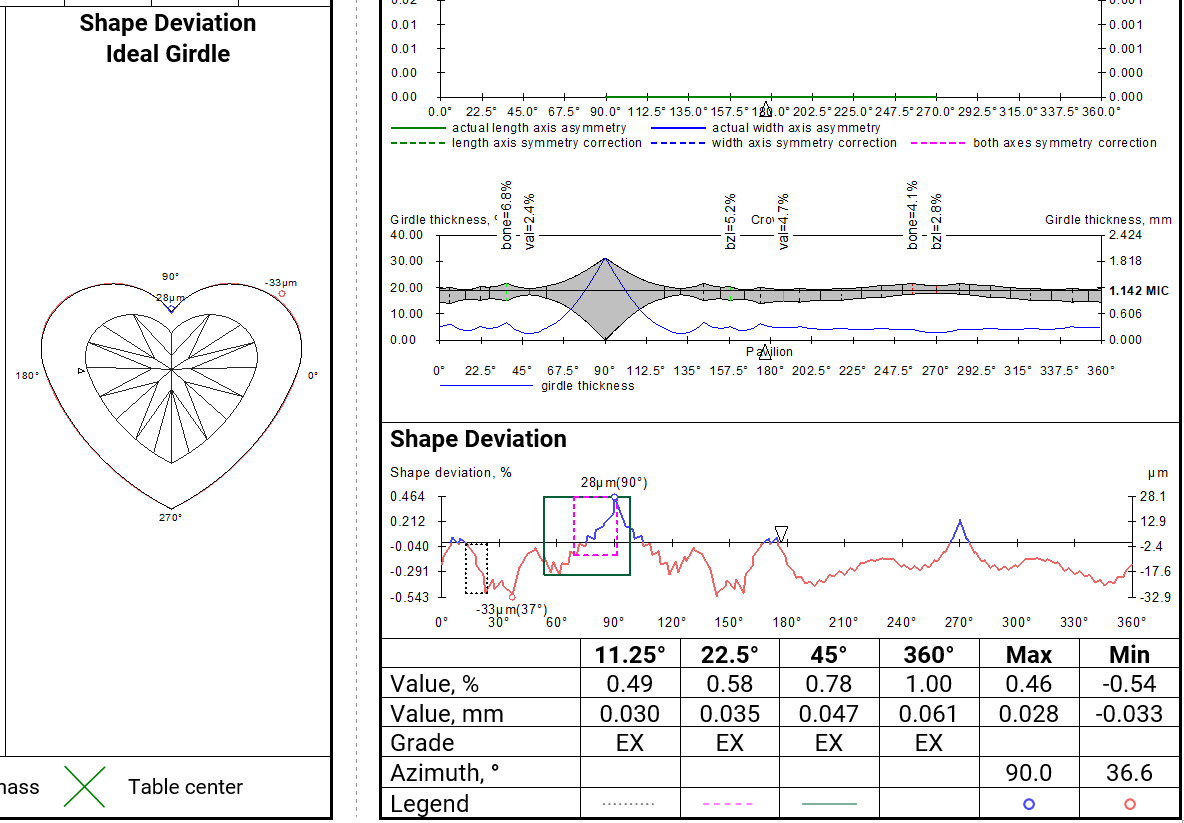
Shape deviation now works on non-convex faces
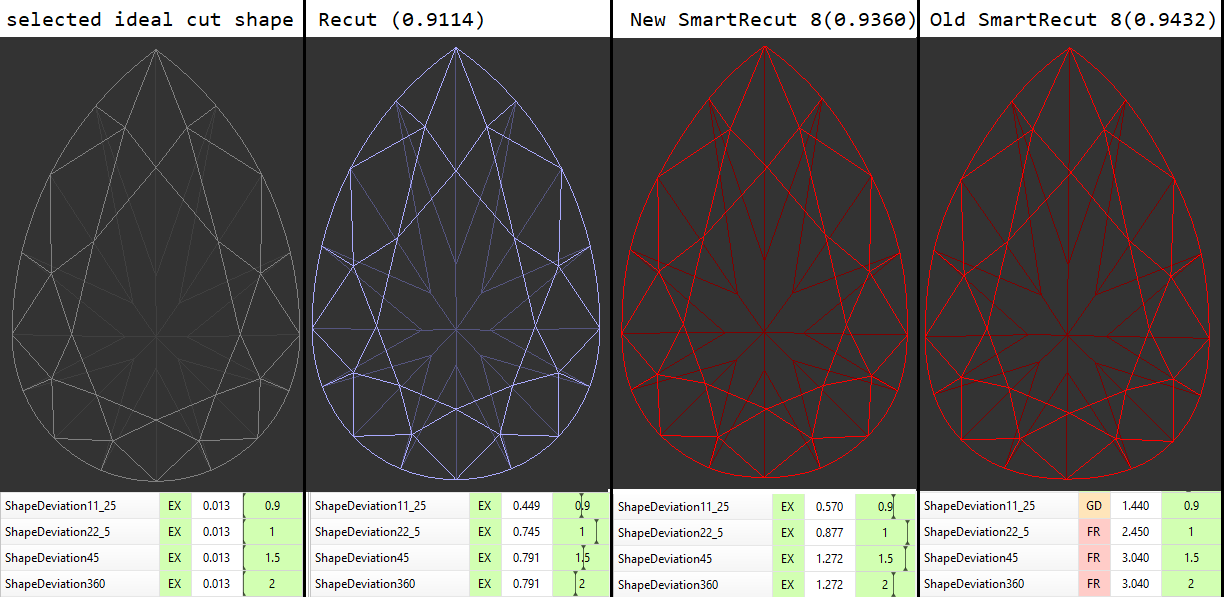
SmartRecut controls the new parameter if they are present in the appraiser. There is a comparison of SmartRecut solution with and without using this parameter on the picture. It is important to note that this parameter prevents the continuous deterioration of the girdle shape in the SmartRecut on SmartRecut scenario.
The parameter has been included into reports:
In the illustrated reports, the Shape Deviation is located in the bottom right corner.
In the full report, this parameter is placed on a separate page.
The description of Shape deviation parameter and corresponding bookmarks are availbale in Shape Deviation.
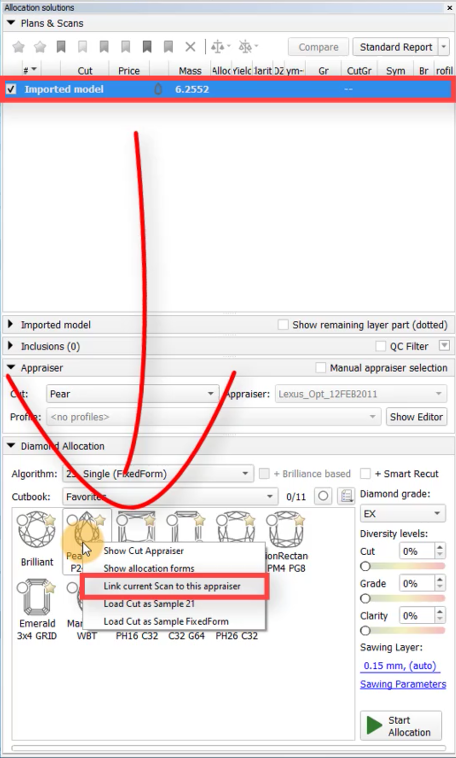
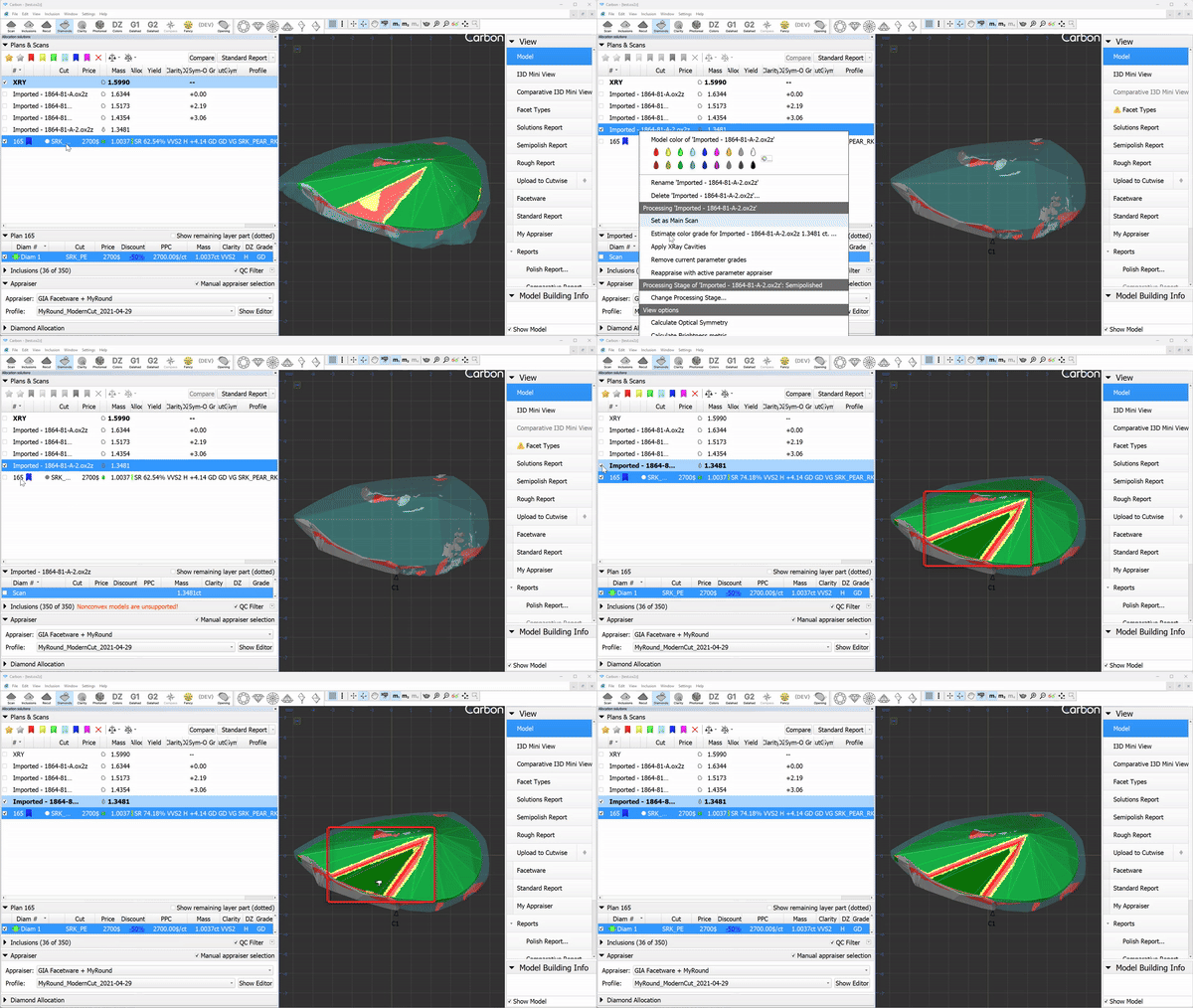
The Shape Deviation parameter can be utilized not only for solutions but also for scans of finished diamonds. To do this, select the scan, right-click on the corresponding cut in the "Cut Book," and choose "Link current scan to this appraiser." The scan can then be evaluated in the Appraiser Editor or Polish Report can be built.

The green option is recommended for rounded fancy cuts. The necessity and usefulness of the green option for step cuts are still under question, so both green and yellow options are possible for them.
 AnycutBasic : Goodwin type cuts support AnycutBasic appraiser as well, but with the lack of important advantage of having slope angles in the appraiser.
 Goodwin* : The appraiser control Crown and Pavilion Slopes. The selection of the most important cut facets is performed automatically. The only advantage of this type of templates over other options is the 2C3P version, which is well suited for rectangular cushions with a two-tier pavilion.
 Goodwin_Starts* : The appraiser control Crown and Pavilion Slopes. The selection of the most important cut facets is done by the user using gold and silver stars. This prevents the desynchronization of values at all stages of the diamond's life cycle.
 Goodwin_GirdleShape_Starts* : The appraiser additionally control the Shape Deviation parameter, responsible for the beauty of the girdle shape.
You can read the full article about choosing an appraiser: Which appraiser template to choose? |
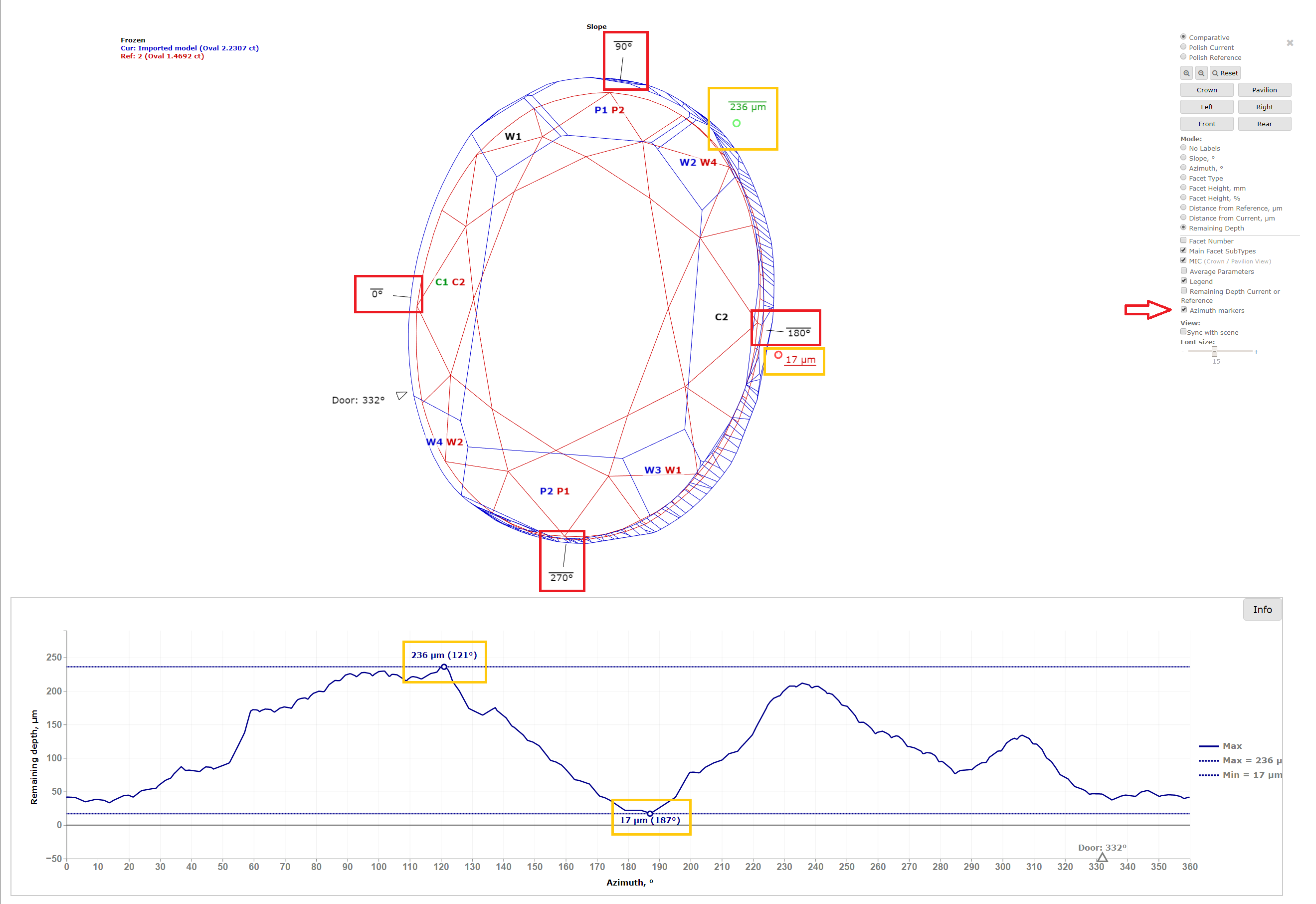
In I3D Comparative Remaining Depth mode, min/max indiaction added to the graph plot and 3D scene.
Azimuth markers were added to the 3D scene to make a more convenient navigation between the graph plot and the scene.
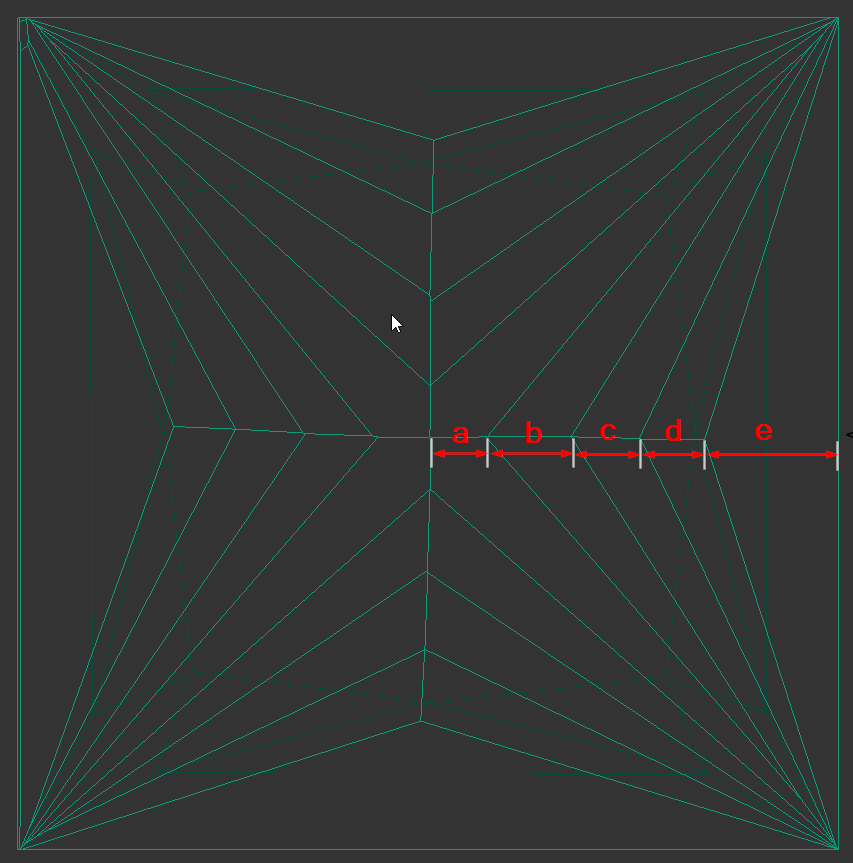
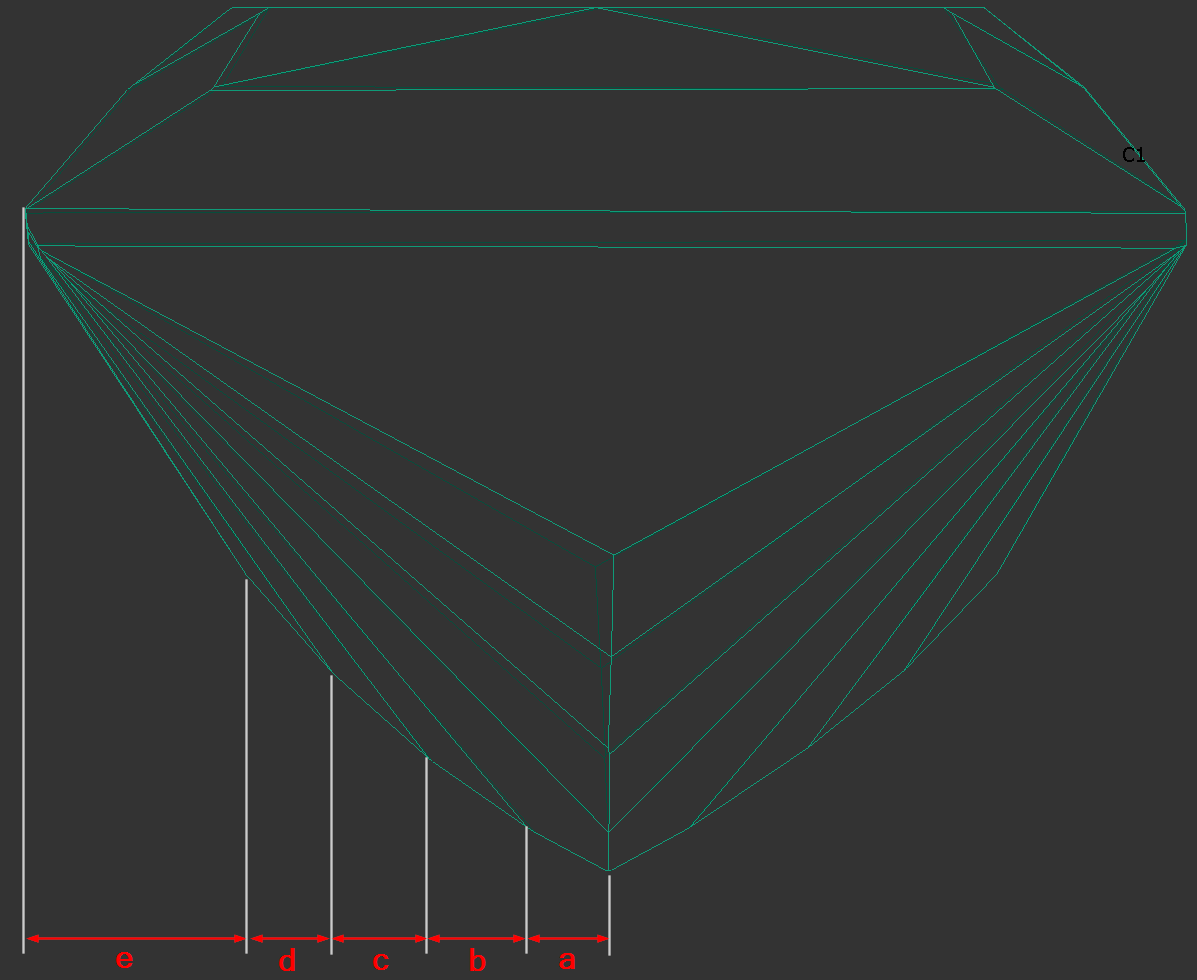
The parameters are calculated in mm and %. If Princess Cut has RT <= 1.05, then the parameters in % are calculated in relation to the width, and if more than 1.05, then the parameters in relation to the length are also added. The distances are calculated in projection on the plane of the table.
|
|
|---|
The bookmarks follow.
"a":
"PAV_MAIN_FACET_EDGE_WIDTH_MM",
"PAV_MAIN_FACET_EDGE_WIDTH_PC",
"PAV_MAIN_FACET_EDGE_LENGTH_MM",
"PAV_MAIN_FACET_EDGE_LENGTH_PC".
"d", "c", "b" ( numbering i comes from the girdle - that's how it was decided to number the chevrons ):
"CHEVRONi_EDGE_WIDTH_MM",
"CHEVRONi_EDGE_WIDTH_PC",
"CHEVRONi_EDGE_LENGTH_MM",
"CHEVRONi_EDGE_LENGTH_PC",
"e":
"PAV1_MAIN_FACET_EDGE_WIDTH_MM",
"PAV1_MAIN_FACET_EDGE_WIDTH_PC",
"PAV1_MAIN_FACET_EDGE_LENGTH_MM",
"PAV1_MAIN_FACET_EDGE_LENGTH_PC",
We added the following dimensions (in mm and as a percentage with respect to width).
See new bookmarks:


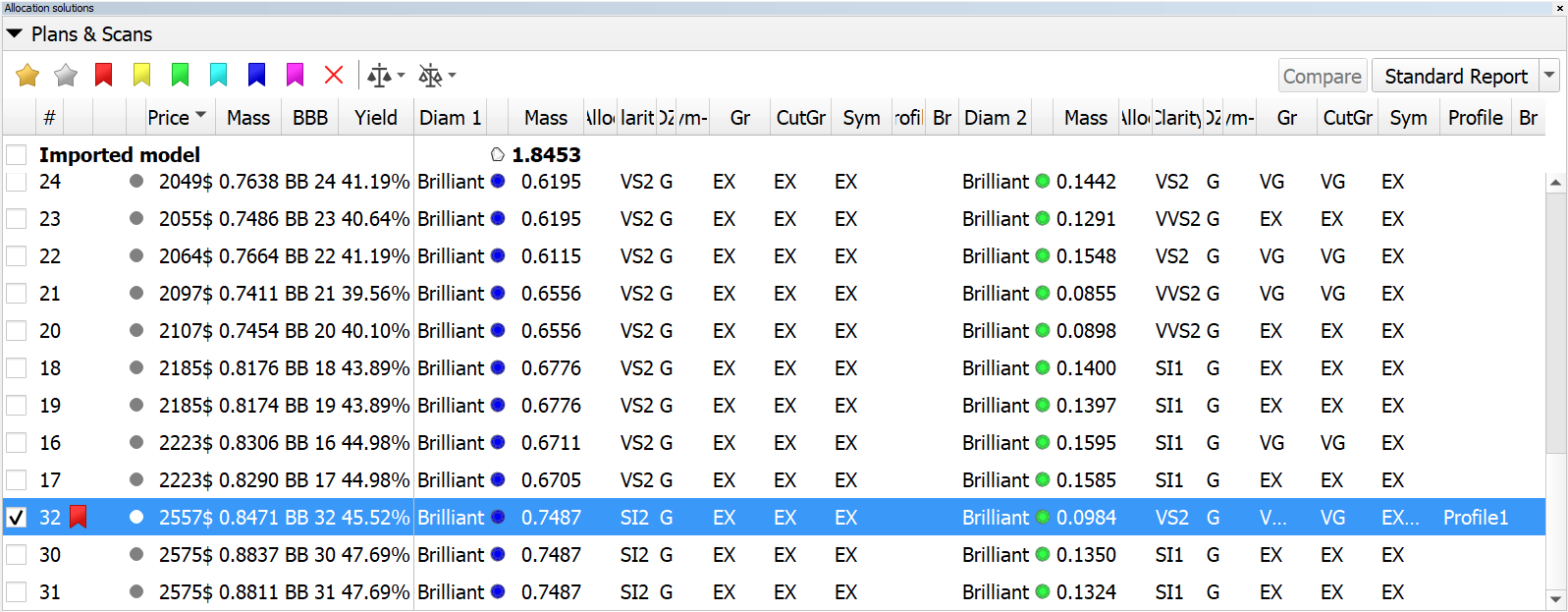
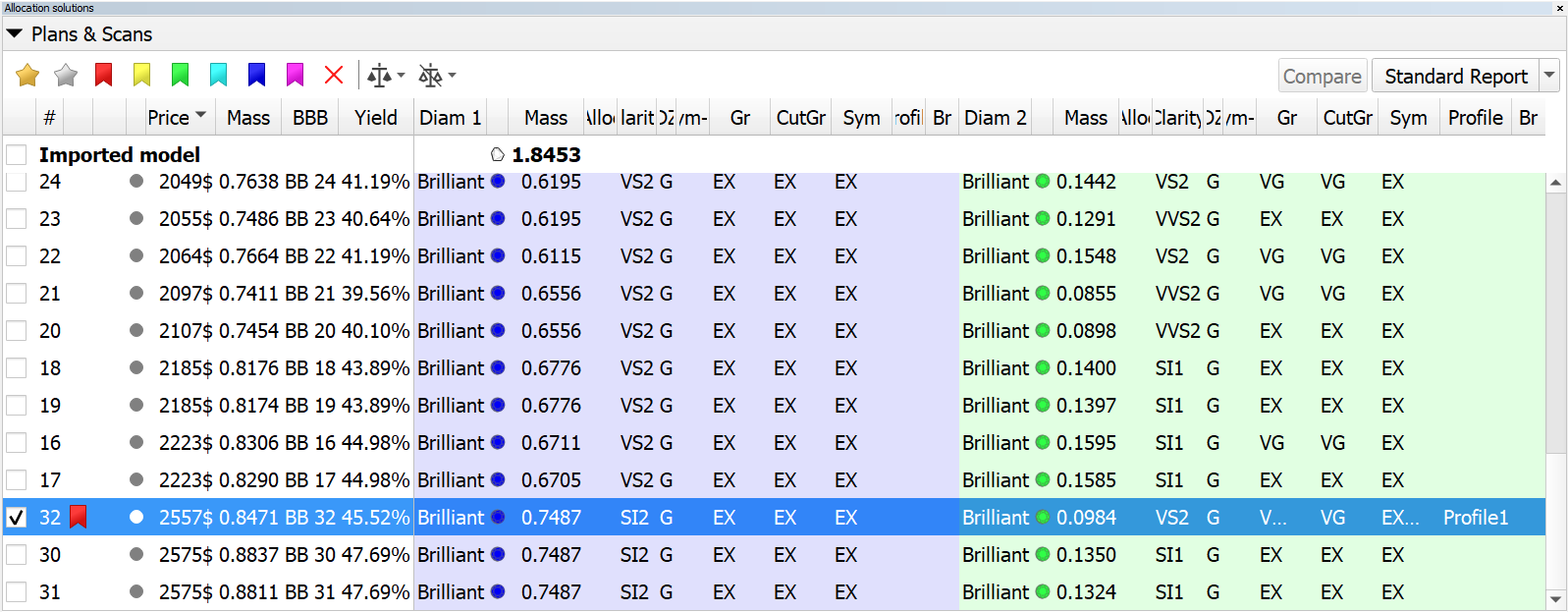
Solution list. Restored cell background colors in multi-diamond mode.
|
| now |
|---|
|