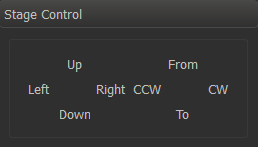
This panel allows controlling the stage in 4 dimensions.
In the configuration file (e.g. msaconfig.xml) stage step size can be controlled.
 <config>
    <id>com.octonus.dm.StageControlGUI/0.1</id>
    <values>
      <section name="Steps">
        <!--key name="X" value="5"/> <!-- pixels! -->
        <!--key name="Y" value="5"/> <!-- pixels! -->
        <!--key name="Rx" value="10"/> <!-- degrees! -->
        <!--key name="Ry" value="10"/> <!-- degrees! -->
		</section>
    </values>
  </config>
|
Actual step size in mm will calculated depending on pixels size, taking into account current zoom level.