
...
| Panel | ||||||
|---|---|---|---|---|---|---|
| ||||||
|
Model building
Light dazzle correction
To improve the model building process, we implemented a mechanism to include contours with light dazzle from the model building. It results in improving of model building quality.
Some examples:
...
...
...
...
...
...
...
...
Sometimes clients faced following message during attempt of scan&build models containing contours with light dazzle:
Model was not built for such cases.
Now contours with light dazzle are corrected during scanning. For example, compare contours for the same photo with light dazzle below:
...
Before
...
After
...
...
...
...
...
...
Algorithms of allocation
Algorithm 23. Cascade
The new algorithm 23. Cascade is available since version 1.12.10, designed for finding solutions comprising two diamonds, offers several advantages over its predecessor, the 13. Cascade-2M algorithm.
...
The "+ Brilliance Based" option is available in the "23. FixedForm" and "23. Single" algorithms. It allows users to obtain a range of solutions from optimal mass to optimal Brilliance. The SmartRecut algorithm is automatically launched with a single preset for all these solutions. Brilliance Based solutions are marked with shine icons in the label field. The "+ Brilliance Based" option only affects Brilliance Based Cuts

The option “+ Brilliance based” is disabled if no such cut is selected. Note! The only cut that currently supports this option is Princess.3S_Performanceware.

To ensure the algorithms can select Brilliance Based solutions, they need to calculate them in addition to the standard solutions. This may take a bit longer, but the additional processing time is insignificant compared to the overall duration.
...
Cut Princess.3S_Performanceware is implemented on the base of cut Princess.3S. This is the first cut that works with the "Brilliance based" technology, see above.
Seamless Technological Pipeline. Preplan concept.
Preplans segment
Preplans are separated into a single section in the solutions list. The 'Cut' column will indicate 'Preplan' for them.
...
A quick sandwich tool has been added, which makes it possible to separate a smaller peace of inclusion. This may increase plan weight with the same clarity.
Please look at the video with demo of tool advantages and settings:
Include Page Video | Quick Sandwich - Tool to separate
...
part of inclusion
...
...
Video summary:
- Splitting inclusions into parts, known as "sandwich", may increase plan weight with the same clarity.
- The quick sandwich cuts a small part from the inclusion with parallel to the diamond plane.
There are preset offset values with the expected clarity of the separated part. - This tool gives you an oportunity to significantly improve the solution.
...
Data
...
...
2024-02-13 - HP Carbon 1.12.4 Beta
...
Video | Quick Sandwich - Tool to separate part of inclusion
The quick sandwich tool is available in two places:
...
- Added context menu to scene.
Unified Safe buffer elements in all menus (in the scene, list, and panel header).
in the scene in the list in the panel header 


User interface
...
updates
Inclusion selection tool
Now the selection with inclusion can be removed.
For that purposes, you need to click on an empty space in the scene with the inclusion selection tool active.
Also, for convenience, you can use the SHIFT modifier instead of the tool on the panel.
...
- Excluded the usage of Stone ID for file names in Cutwise export packages due to compatibility issues with the Cutwise server unpacker.
- Fixed the issue of the 'Upload to Cutwise' button remaining inactive when opening a new project before obtaining a link to an uploaded project.
- The option “+ Brilliance based” is disabled if no such cut is selected. Note! The only cut that currently supports this option is Princess.3S_Performanceware.
- Aqua preplans are now considered in the Recognition process in HP Carbon.
- Fixed an issue where Automatic actions or Report Buttons' actions were unintentionally triggered for all shapes when the current shape is AnyCut.

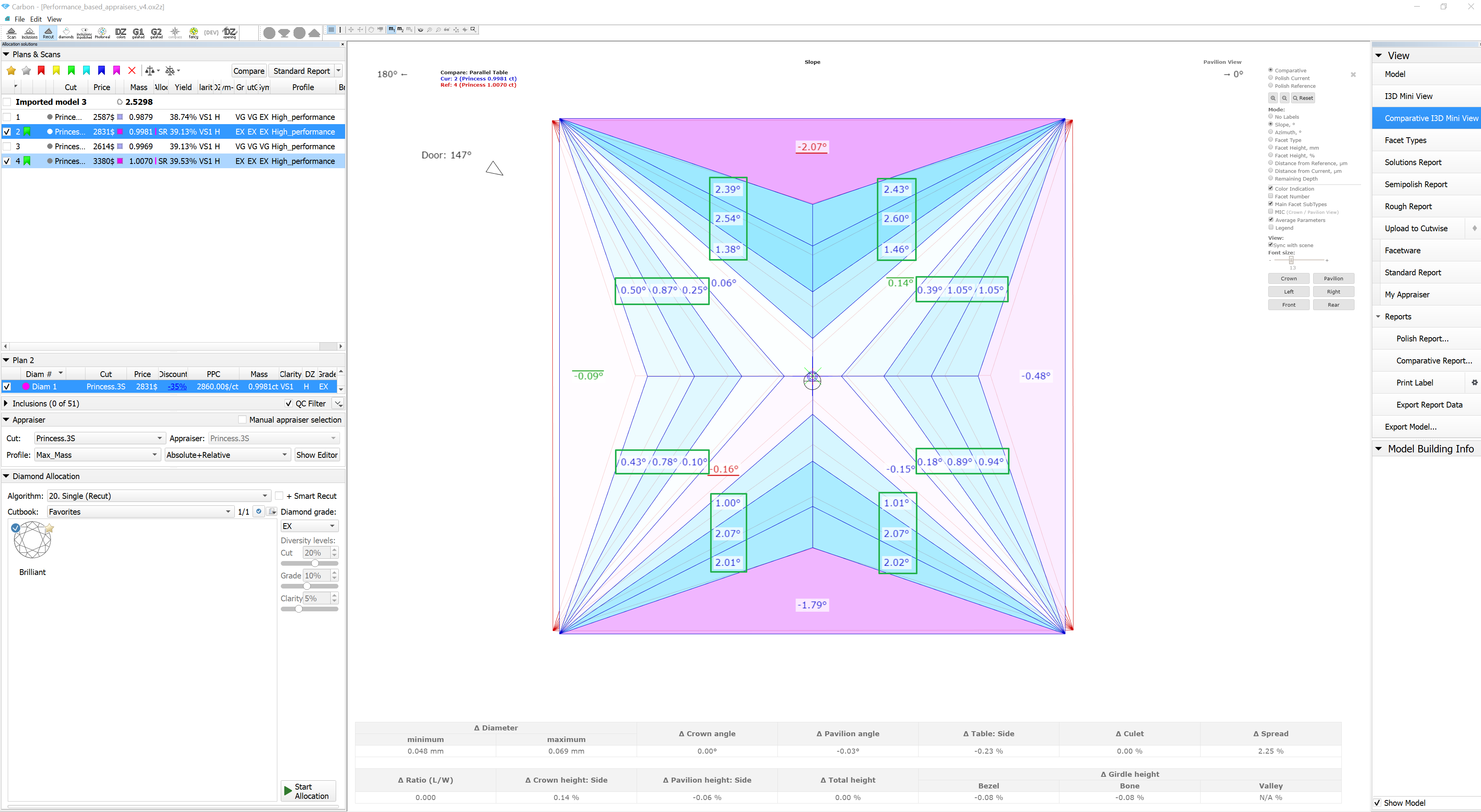
In the I3D Report, fixed the issue of displaying Chevron facets' labels for Princess cut and its corresponding color indication (Performance_based_appraisers_v4.ox2z).
HPC 1.12.1 HPC 1.12.4 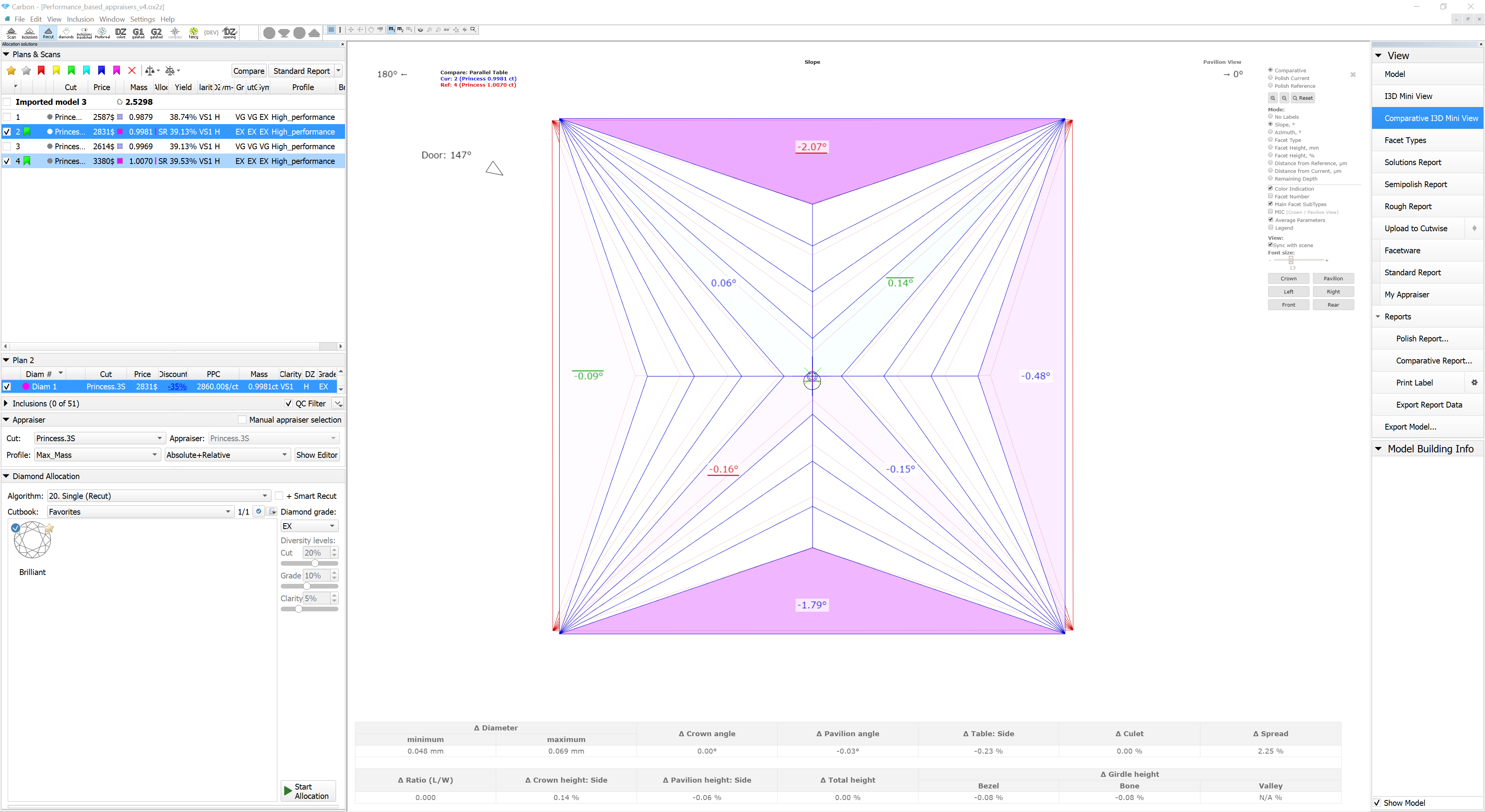
The algorithm for calculating Remaining Depth Blue Line has been reworked. This fixed critical bugs in the old implementation. The purple line in the figure shows the behavior of the new version of the algorithm compared to the old one.

...
- For all cutting types, when dealing with asymmetrical cuts featuring an unsmooth girdle, illustrations depicting symmetry show facets with their angles and girdle lengths, while symmetry axes are omitted.

Bookmarks for images:
"PLOT_ACTUAL_LENGTH_AXIS_ASYM";
"PLOT_ACTUAL_LENGTH_AXIS_ASYM_CROWN";
"PLOT_LENGTH_AXIS_SYM_COR";
"PLOT_LENGTH_AXIS_SYM_COR_CROWN";
"PLOT_ACTUAL_WIDTH_AXIS_ASYM";
"PLOT_ACTUAL_WIDTH_AXIS_ASYM_CROWN";
"PLOT_WIDTH_AXIS_SYM_COR";
"PLOT_WIDTH_AXIS_SYM_COR_CROWN";
"PLOT_BOTH_AXES_SYM_COR";
"PLOT_BOTH_AXES_SYM_COR_CROWN";
These parameters are also outputted to separate bookmarks: angles in GIRDLE_INTERNAL_ANGLE_DEG_..., and lengths in GIRDLE_SIDE_LENGTH_MM_... - Fixed sawing preplan creation for solutions with multiple sawing layers.
Previously, the consideration of all sawing layers was incomplete; now, it has been fixed.
- Added the "Crown + Pavilion" option in G1 Blocking mode.
Additionally, aligned the process of creating blocking preplans with the faceting stages, enabling separate preplan creation for Crown, Pavilion, as well as Crown + Pavilion.
- Fixed rare program crashes during
- Facet Marking transfer to semipolished model;
- MEC algorithm
- SmartRecut algirithm in streaming mode