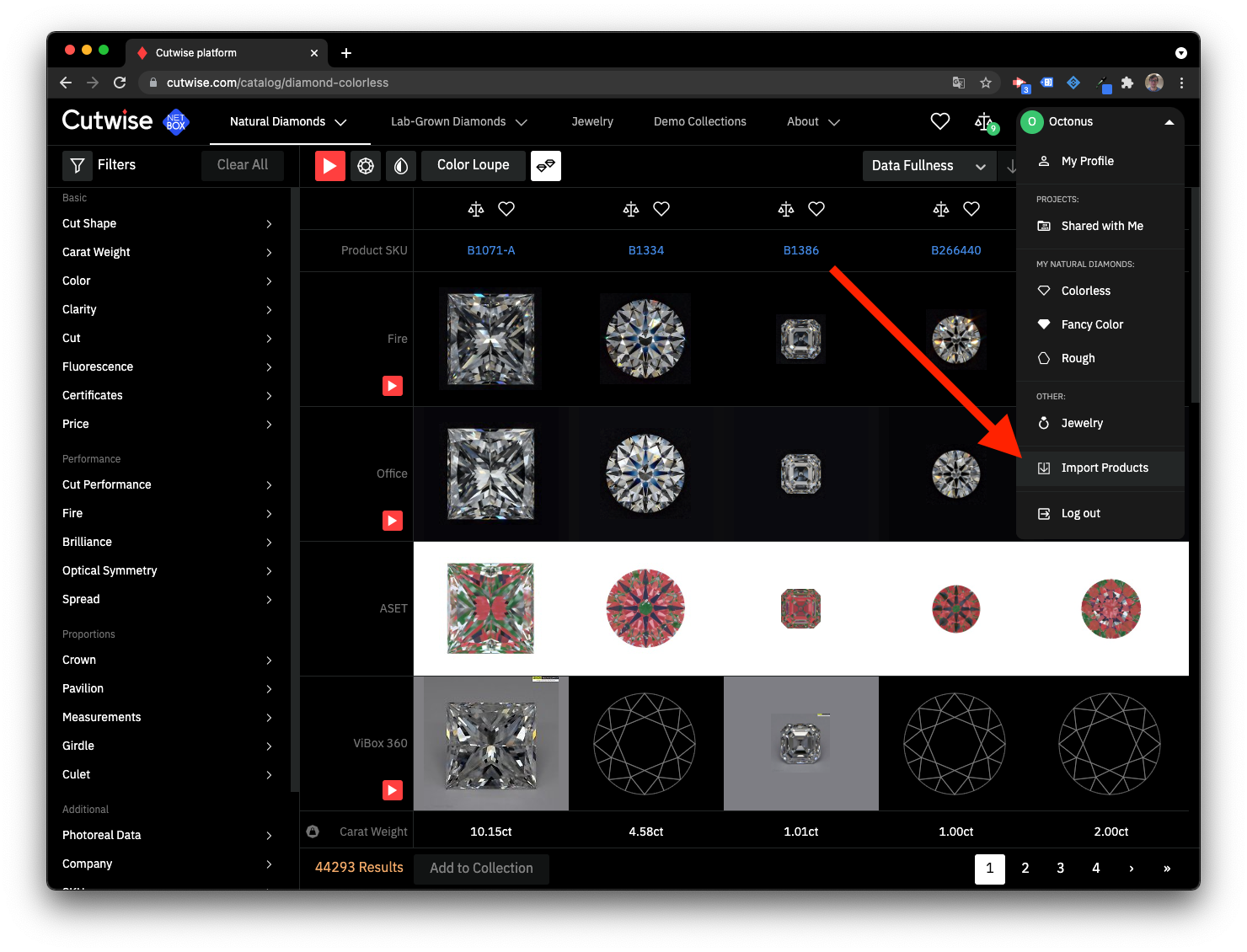
Upload from interface
Speadsheet format
Cutwise Import format base on XLSX and CSV format.
Data fields, that are used in Cutwise Product Import (* - field is required):
| Field name | Acceptable alternate field names | Acceptable field values |
|---|---|---|
Stock # * | ReferenceNum, ReferenceNumber, Stock, Stock Num, Stock_no, StockNo, StockNum, StockNumber, VenderStockNumber | Enter your inventory stock number. Every media (photo, video, etc) of one stone (product on Cutwise) must have same Stock #. The number of characters is limited (min=1, max=128). |
Type | Type, Product Type, ProductType | diamond * diamond type by default * There are two types of user access, one can be used only for Lab Grown Diamonds and the other only for Natural polished diamonds, Natural rough diamonds and Jewelry. |
Share Access | Share Access, Access, ShareAccess, Product Permission, Permission | Restricted * Restricted type by default * Hide All Design Data Cut Data status is set for new products by default. |
Shape * | Shape, Shp | Round = Round, Round Brilliant, B, BR, RB, RD, RBC, RND Other shapes, that can be set in Cutwise web-interface can also be set via API and XLS import |
Size * | Size, Carat, CaratSize, CaratWeight, Ct, CtSize, CtWeight, Weight, Sz, Weight | Enter .01-99. |
Color | Color, Colr, Colour | D, E, F, G, H, I, J, K, L, M, N, O, P, Q, R, S, T, U, V, W, X, Y, Z * For fancy colors use the fancy color column. |
Clarity | Clar, Clarity, Clearity, Purity | FL, IF, VVS1, VVS2, VS1, VS2, SI1, SI2, SI3, I1, I2, I3. * For fancy colored stones that have no clarity, enter "N" for none. |
Key To Symbols | Key To Symbols, KeyToSymbols, Key, InclusionDetails, Inclusion Details | Text * Text length 1-100 symbols |
Price per Carat | Price, PriceCarat, PriceCt, PricePerCarat, PricePerCt, Px, RapNet Price, AskingPrice, PerCarat, PerCt, Prc | Number * Total product price (Price per Carat * Size) should be 100-900000000 |
Polish | Polish, Finish, Pol | Ideal = Ideal, I, ID Excellent = Excellent, X, EX Very Good = Very Good, VG, V, V. Good, V.G Good = Good, G, GD Fair = Fair, F, FR Poor = Poor, P, PR |
Symmetry | Symmetry, Sym, Symetry, Sym-metry, Symm | Ideal = Ideal, I, ID Excellent = Excellent, X, EX Very Good = Very Good, VG, V, V. Good, V.G Good = Good, G, GD Fair = Fair, F, FR Poor = Poor, P, PR |
Cut Grade | Cut, CutGrade, Cut Grade | Ideal = Ideal, I, ID Excellent = Excellent, X, EX Very Good = Very Good, VG, V, V. Good, V.G Good = Good, G, GD Fair = Fair, F, FR Poor = Poor, P, PR |
Fluorescence Intensity | Flr, FlrIntensity, Fluo Intensity, Fluor, Fluor Intensity, Fluorescence, Fluorescence Intensity, FluorescenceIntensity, FluorIntensity | Very Strong = Very Strong, VS, VST, FL4 Strong = Strong, S, STG, ST, FL3 Medium = Medium, M, MED, FL2, Faint = Faint, F, FNT, Negligible, FA, FL1 None = None, N, NON,No, NIL, FL0 |
Fluorescence Color | Fluorescence Color, FlrColor, Fluo Color, Fluor Color, FluorColor, FluorescenceColor | Blue = B, Blue, BL |
Laboratory | Lab, Laboratory | GIA = GIA, G.I.A, G AGS = AGS, AGSL, AGS0, A HRD = HRD, H IGI = IGI, I IIDGR = IIDGR EGL = EGL CIBJO = CIBJO |
Girdle Finish | Girdle Finish, Girdle Condition, GirdleFinish | Polished = Polished, P |
Girdle Thin | Girdle Thin, Girdle, GirdleMin, GirdleThin | Extremely Thin = Extremely Thin, XTN, XTHN, EXTN, ETN, EN, XN |
Girdle Thick | Girdle Thick, GirdleMax, GirdleThick | Extremely Thin = Extremely Thin, XTN, XTHN, EXTN, ETN, EN, XN * Girdle Thick should be more than Girdle Thin. If they are equal, Girdle Thick shouldn`t be set. |
Culet Size | Culet Size, Culet, CuletSize, Culet_size, CuletGrade, Cullet, CulletGrade | None = N, None Very Small = VS, Very Small Small = S, Small Medium = M, Medium Slightly Large = SL, Slightly Large Large = L, Large Very Large = VL, Very Large Extremely Large = EL, Extremely Large |
Certificate # | Certificate #, Cert Num, CertID, CertificateID, CertificateNum, CertificateNumber, CertNo, CertNum, CmPub | Enter the number on the certificate from the grading lab. |
Fancy Color | Fancy Color, FancyColor, FancyColorMainBody, FC-Main Body, FCMainBody | Black = Black, BK Blue = Blue, B Brown = Brown, BN Gray = Gray, Grey, GY Green = Green, G Orange = Orange, O Pink = Pink, P Purple = Purple, PL Red = Red, R Yellow = Yellow, Y * To enter two colors, separate with a hyphen or a space. Example: Blue-Green, Blue Green, B-G, B G |
Fancy Color Intensity | Fancy Color Intensity, FancyColorIntensity, FCIntensity, FC-Intensity | Faint = Faint, F Very Light = Very Light, VL Light = Light, L Fancy Light = Fancy Light, FCL, FL Fancy = Fancy, FC Fancy Dark = Fancy Dark, FCD Fancy Intense = Fancy Intense, I Fancy Vivid = Fancy Vivid, FV Fancy Deep = Fancy Deep, D, DP, Deep |
Fancy Color Overtone | Fancy Color Overtone, FancyColorOvertone, FancyColorOvertones, FCOvertone | Brownish Brown Grayish Gray Greenish Pinkish Grayish Brownish Purplish Yellowish Orangy |
Black Inclusion | Black Inclusion, Black Inclusions | None = Black Inclusions None Acceptable values are the abbreviated values in bold. To enter multiple values, separate them with a semicolon ; |
White Inclusions | White Inclusion, White Inclusions | None = White Inclusions None Acceptable values are the abbreviated values in bold. To enter multiple values, separate them with a semicolon ; |
Open Inclusion | Open Inclusion, Open Inclusions | None = Open Inclusions None Acceptable values are the abbreviated values in bold. To enter multiple values, separate them with a semicolon ; |
Treatment | Treatment, Enhance, Enhancement, Enhancements, Treatments | LD = Laser Drilled Acceptable values are the abbreviated values in bold. To enter multiple values, separate them with a semicolon ; |
Milky | Milky, Cloudy | None |
Cutwise Product Import supports multiple certificates for single product.
Each next certificate can be marked by leading Lab field, like:
| Stock # | Lab | CertNo | Lab | CertNo |
|---|---|---|---|---|
| S1 | GIA | 123456789 | IIDGR | 12345678 |
| S2 | GIA | 987654321 |
Cutwise Product Import supports Microsoft Office XLSX and CSV formats.
File example
Archive format
Archive should be compressed as zip and contains .zip extension.
Archive should contain exact 1 Spreadsheet in CSV or XLSX format.
Certificate files can be added in archive. Each certificate file must be named in format 123456789.pdf, where 123456789 is certifcate number, mentioned in Spreadsheet file.
Maxium allowed archive file size is 500 Mb.
Overview
Content Tools